The Ultimate SEO Guide to Buying Verified Google Ads Accounts: Verification Steps & Best Practices
Comprehensive guide on Google Ads account verification, covering requirements, process, common issues, and tips for successful approval to ensure trustworthy advertising.
The Ultimate SEO Guide to Buying Verified Google Ads Accounts: Verification Steps & Best Practices
1.
The Ultimate SEOGuide to Buying
Verified Google Ads Accounts
Introduction
Google Ads is one of the most powerful digital advertising platforms in the world, helping
businesses reach potential customers through search results, display networks, YouTube,
shopping campaigns, and mobile applications. However, as advertising fraud, misleading
claims, and policy violations continue to increase, Google has introduced strict verification
procedures to protect advertisers, users, and the advertising ecosystem.
Google Ads account verification is an important process that confirms the identity and
legitimacy of advertisers. Depending on your business type, location, advertising activity, and
industry, Google may require you to complete advertiser verification before running ads or
continuing campaigns.
✅✅✅✅✅✅✅✅✅✅✅
—— ————————
➤If you want to more information just knock us–
✅Telegram: @usapvastore
2.
✅WhatsApp:+1(605)3716206
▣Website link:https://usapvastore.com
—— ————————
✅✅✅✅✅✅✅✅✅✅✅
Manyadvertisers search for answers to questions such as:
● How do I verify my Google Ads account?
● Why does Google require advertiser verification?
● What documents are needed for Google Ads verification?
● How long does the verification process take?
● What should I do if my verification is rejected?
This complete guide explains everything you need to know about verifying a Google Ads
account, including the requirements, steps, common problems, solutions, and best practices
for successful approval.
What Is Google Ads Account
Verification?
Google Ads account verification is a process where Google confirms information about an
advertiser, business, or organization before allowing certain advertising activities. The
verification process helps Google ensure that advertisements come from trustworthy sources
and that users receive accurate information.
During verification, Google may ask advertisers to provide details such as:
● Business name
● Legal business information
● Business registration documents
● Identity information
● Payment details
● Website information
● Advertising purpose
● Industry-specific licenses or certifications
The exact requirements depend on the advertiser’s situation and the policies associated with
their business category.
Google uses verification to improve transparency. In some cases, users may be able to view
information about who is running an advertisement, including the advertiser name and
location.
3.
Why Does GoogleRequire Advertiser
Verification?
Google introduced advertiser verification to create a safer advertising environment. Online
advertising can be abused by individuals or organizations that promote fake products,
scams, misleading services, or unauthorized businesses.
Verification helps Google:
1. Reduce Advertising Fraud
Fraudulent advertisements can damage user trust and harm legitimate businesses.
Verification makes it harder for bad actors to create misleading campaigns.
2. Improve User Transparency
Users should understand who is promoting a product or service. Verified advertisers provide
clearer information about the source of advertisements.
3. Protect Businesses
Legitimate advertisers benefit when fake competitors and fraudulent advertisers are
removed from the platform.
4. Maintain Google Ads Quality Standards
Google has strict advertising policies covering:
● Misrepresentation
● Financial services
● Healthcare products
● Political advertising
● Gambling-related services
● Legal services
● Restricted products
Verification helps ensure advertisers meet these standards.
Types of Google Ads Verification
Google Ads verification requirements can vary depending on the advertiser. The main types
include:
4.
1. Advertiser Verification
Thisis the most common verification process. Google confirms the identity and business
details of the advertiser.
Advertisers may need to provide:
● Organization information
● Individual identity information
● Business documents
● Website details
2. Business Operations Verification
Some advertisers may need to explain how their business operates. Google may ask
questions about:
● Products or services offered
● Customer relationships
● Supply chains
● Business model
This is commonly requested for industries where misleading advertising risks are higher.
3. Industry-Specific Verification
Certain industries require additional verification because they involve sensitive products or
services.
Examples may include:
● Financial services
● Healthcare
● Insurance
● Cryptocurrency-related services
● Legal services
● Employment services
Additional documentation or approvals may be required.
4. Identity Verification
Individual advertisers may need to confirm personal identity using official documents.
Accepted documents may include:
● Government-issued ID
5.
● Passport
● Driver’slicense
● Other approved identification documents
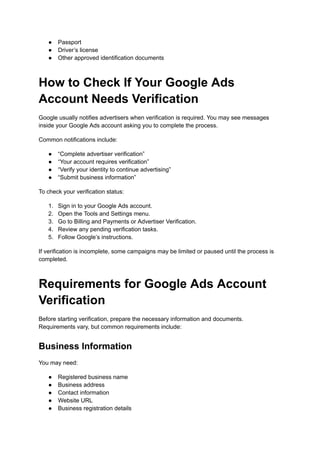
How to Check If Your Google Ads
Account Needs Verification
Google usually notifies advertisers when verification is required. You may see messages
inside your Google Ads account asking you to complete the process.
Common notifications include:
● “Complete advertiser verification”
● “Your account requires verification”
● “Verify your identity to continue advertising”
● “Submit business information”
To check your verification status:
1. Sign in to your Google Ads account.
2. Open the Tools and Settings menu.
3. Go to Billing and Payments or Advertiser Verification.
4. Review any pending verification tasks.
5. Follow Google’s instructions.
If verification is incomplete, some campaigns may be limited or paused until the process is
completed.
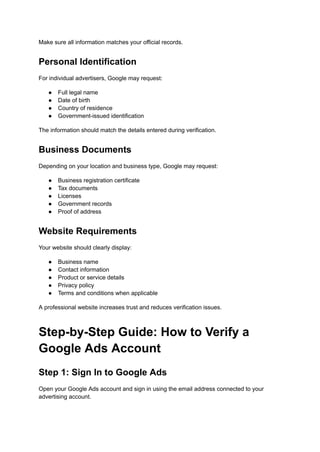
Requirements for Google Ads Account
Verification
Before starting verification, prepare the necessary information and documents.
Requirements vary, but common requirements include:
Business Information
You may need:
● Registered business name
● Business address
● Contact information
● Website URL
● Business registration details
6.
Make sure allinformation matches your official records.
Personal Identification
For individual advertisers, Google may request:
● Full legal name
● Date of birth
● Country of residence
● Government-issued identification
The information should match the details entered during verification.
Business Documents
Depending on your location and business type, Google may request:
● Business registration certificate
● Tax documents
● Licenses
● Government records
● Proof of address
Website Requirements
Your website should clearly display:
● Business name
● Contact information
● Product or service details
● Privacy policy
● Terms and conditions when applicable
A professional website increases trust and reduces verification issues.
Step-by-Step Guide: How to Verify a
Google Ads Account
Step 1: Sign In to Google Ads
Open your Google Ads account and sign in using the email address connected to your
advertising account.
7.
Make sure youhave administrator access if the account belongs to a company or manager
account.
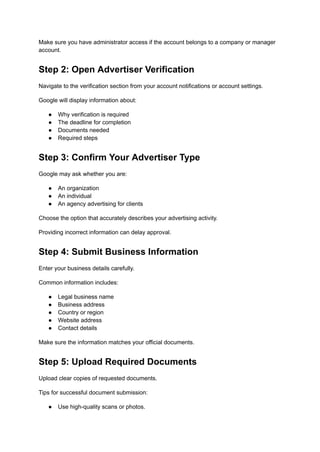
Step 2: Open Advertiser Verification
Navigate to the verification section from your account notifications or account settings.
Google will display information about:
● Why verification is required
● The deadline for completion
● Documents needed
● Required steps
Step 3: Confirm Your Advertiser Type
Google may ask whether you are:
● An organization
● An individual
● An agency advertising for clients
Choose the option that accurately describes your advertising activity.
Providing incorrect information can delay approval.
Step 4: Submit Business Information
Enter your business details carefully.
Common information includes:
● Legal business name
● Business address
● Country or region
● Website address
● Contact details
Make sure the information matches your official documents.
Step 5: Upload Required Documents
Upload clear copies of requested documents.
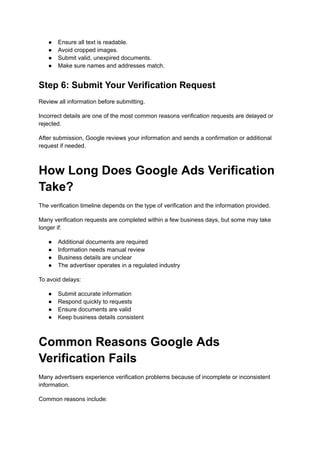
Tips for successful document submission:
● Use high-quality scans or photos.
8.
● Ensure alltext is readable.
● Avoid cropped images.
● Submit valid, unexpired documents.
● Make sure names and addresses match.
Step 6: Submit Your Verification Request
Review all information before submitting.
Incorrect details are one of the most common reasons verification requests are delayed or
rejected.
After submission, Google reviews your information and sends a confirmation or additional
request if needed.
How Long Does Google Ads Verification
Take?
The verification timeline depends on the type of verification and the information provided.
Many verification requests are completed within a few business days, but some may take
longer if:
● Additional documents are required
● Information needs manual review
● Business details are unclear
● The advertiser operates in a regulated industry
To avoid delays:
● Submit accurate information
● Respond quickly to requests
● Ensure documents are valid
● Keep business details consistent
Common Reasons Google Ads
Verification Fails
Many advertisers experience verification problems because of incomplete or inconsistent
information.
Common reasons include:
9.
1. Information DoesNot Match Documents
If your Google Ads account says one business name but your documents show another,
Google may reject the submission.
Solution:
Use the exact legal information shown on official records.
2. Poor Document Quality
Blurry images, missing pages, or unreadable documents can cause rejection.
Solution:
Upload clear, complete documents.
3. Website Does Not Provide Enough Information
A website without business details may appear unreliable.
Solution:
Add:
● About Us page
● Contact information
● Privacy policy
● Clear product descriptions
4. Policy Violations
Accounts promoting restricted or misleading content may face verification problems.
Solution:
Review Google Ads policies and ensure your advertising practices comply.
Best Practices for Successful Google
Ads Verification
Follow these recommendations to improve your approval chances:
Keep Business Information Consistent
10.
Use the same:
●Business name
● Address
● Phone number
● Website information
across your Google Ads account, website, and official documents.
Use a Professional Business Website
A trustworthy website helps demonstrate legitimacy.
Include:
● Company information
● Customer support details
● Clear service descriptions
● Legal pages
Avoid Misleading Advertising Claims
Google reviews advertising quality carefully.
Avoid:
● False guarantees
● Unrealistic promises
● Hidden fees
● Fake testimonials
Maintain Accurate Billing Information
Payment details should match legitimate business information whenever possible.
Conclusion
Google Ads account verification is an essential process that helps maintain a secure and
trustworthy advertising platform. Although the verification process may seem complicated,
preparing accurate information, submitting valid documents, and following Google’s
guidelines can make approval much easier.
A verified Google Ads account provides advertisers with greater credibility, improved
transparency, and the ability to run campaigns confidently. Businesses that maintain
11.
accurate information andfollow advertising policies are more likely to experience long-term
success with Google Ads.
Continue to Part 2 for advanced verification issues, rejected account solutions, agency
verification, business verification tips, FAQs, and SEO optimization strategies for Google Ads
advertisers.