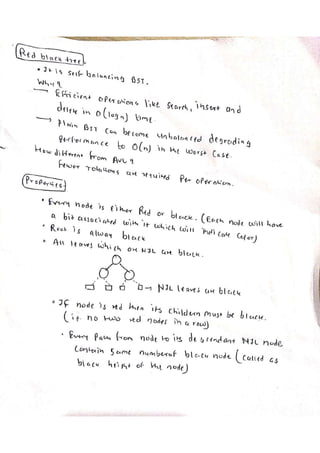
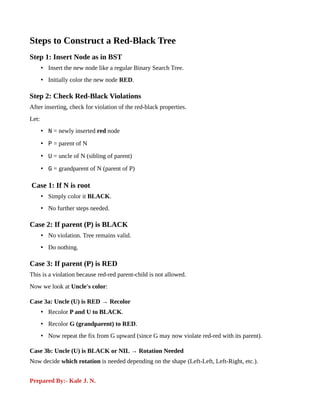
Steps to Constructa Red-Black Tree
Step 1: Insert Node as in BST
• Insert the new node like a regular Binary Search Tree.
• Initially color the new node RED.
Step 2: Check Red-Black Violations
After inserting, check for violation of the red-black properties.
Let:
• N = newly inserted red node
• P = parent of N
• U = uncle of N (sibling of parent)
• G = grandparent of N (parent of P)
Case 1: If N is root
• Simply color it BLACK.
• No further steps needed.
Case 2: If parent (P) is BLACK
• No violation. Tree remains valid.
• Do nothing.
Case 3: If parent (P) is RED
This is a violation because red-red parent-child is not allowed.
Now we look at Uncle's color:
Case 3a: Uncle (U) is RED → Recolor
• Recolor P and U to BLACK.
• Recolor G (grandparent) to RED.
• Now repeat the fix from G upward (since G may now violate red-red with its parent).
Case 3b: Uncle (U) is BLACK or NIL → Rotation Needed
Now decide which rotation is needed depending on the shape (Left-Left, Left-Right, etc.).
Prepared By:- Kale J. N.
3.
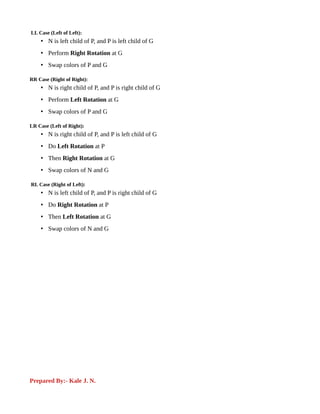
LL Case (Leftof Left):
• N is left child of P, and P is left child of G
• Perform Right Rotation at G
• Swap colors of P and G
RR Case (Right of Right):
• N is right child of P, and P is right child of G
• Perform Left Rotation at G
• Swap colors of P and G
LR Case (Left of Right):
• N is right child of P, and P is left child of G
• Do Left Rotation at P
• Then Right Rotation at G
• Swap colors of N and G
RL Case (Right of Left):
• N is left child of P, and P is right child of G
• Do Right Rotation at P
• Then Left Rotation at G
• Swap colors of N and G
Prepared By:- Kale J. N.