Prepared by:
Session ID:
Extreme Employee Onboarding: High Volume and
Highly Secure Case Studies
Doris Wong
CEO
Smart ERP Solutions, Inc.
doris.w@smarterp.com
101830
Kirk Chan
VP, Business Development
Smart ERP Solutions, Inc.
kirk.c@smarterp.com
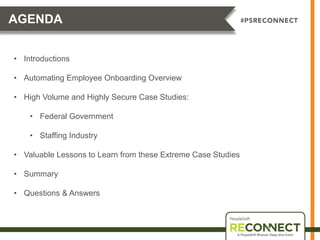
AGENDA
• Introductions
• Automating Employee Onboarding Overview
• High Volume and Highly Secure Case Studies:
• Federal Government
• Staffing Industry
• Valuable Lessons to Learn from these Extreme Case Studies
• Summary
• Questions & Answers
Smart ERP Solutions, Inc.
PeopleSoft Implementation, Upgrade and Other Consulting Services
+
Innovative add-on solutions and services to automate, streamline and
simplify any and all of your PeopleSoft applications
Examples:
Automated Employee Onboarding / Offboarding
Automated I9/E-Verify with DHS
Embracing Partnerships with Oracle / PeopleSoft and Our Clients
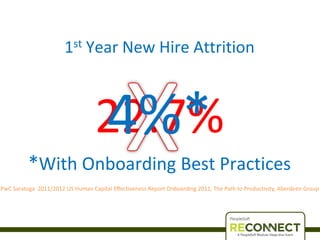
22.7%
PwC Saratoga 2011/2012 US Human Capital Effectiveness Report Onboarding 2011, The Path to Productivity, Aberdeen Group
4%*
*With Onboarding Best Practices
1st Year New Hire Attrition
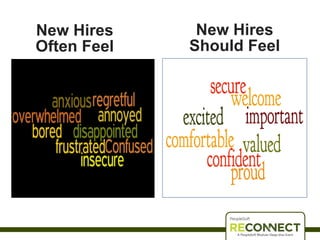
New Hires
Should Feel
New Hires
Often Feel
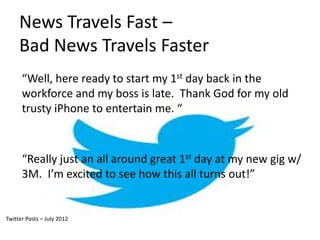
News Travels Fast –
Bad News Travels Faster
“Well, here ready to start my 1st day back in the
workforce and my boss is late. Thank God for my old
trusty iPhone to entertain me. “
“Really just an all around great 1st day at my new gig w/
3M. I’m excited to see how this all turns out!”
Twitter Posts – July 2012
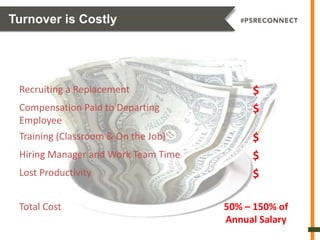
Turnover is Costly
Recruiting a Replacement $
Compensation Paid to Departing
Employee
$
Training (Classroom & On the Job) $
Hiring Manager and Work Team Time $
Lost Productivity $
Total Cost 50% – 150% of
Annual Salary
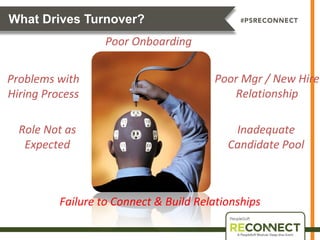
What Drives Turnover?
Problems with
Hiring Process
Inadequate
Candidate Pool
Poor Onboarding
Poor Mgr / New Hire
Relationship
Role Not as
Expected
Failure to Connect & Build Relationships
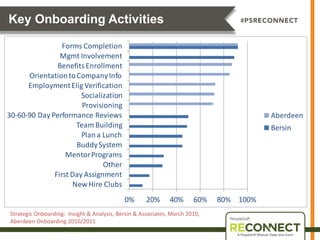
Key Onboarding Activities
0% 20% 40% 60% 80% 100%
New Hire Clubs
First Day Assignment
Other
MentorPrograms
BuddySystem
Plana Lunch
Team Building
30-60-90 Day Performance Reviews
Provisioning
Socialization
EmploymentElig Verification
OrientationtoCompanyInfo
Benefits Enrollment
Mgmt Involvement
Forms Completion
Aberdeen
Bersin
Strategic Onboarding: Insight & Analysis, Bersin & Associates, March 2010,
Aberdeen Onboarding 2010/2011
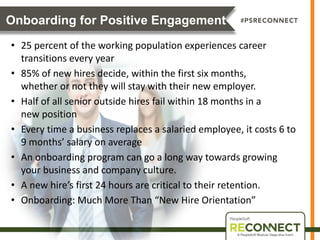
• 25 percent of the working population experiences career
transitions every year
Onboarding for Positive Engagement
• 85% of new hires decide, within the first six months,
whether or not they will stay with their new employer.
• Half of all senior outside hires fail within 18 months in a
new position
• Every time a business replaces a salaried employee, it costs 6 to
9 months’ salary on average
• An onboarding program can go a long way towards growing
your business and company culture.
• A new hire’s first 24 hours are critical to their retention.
• Onboarding: Much More Than “New Hire Orientation”
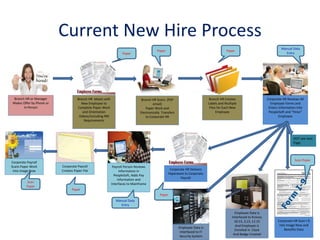
Current New Hire Process
Branch HR or Manager
Makes Offer by Phone or
In Person
Branch HR Meets with
New Employee to
Complete Paper Work
and Orientation
Videos/Including RM
Requirements
Branch HR Scans (PDF
email)
Paper Work and
Electronically Transfers
to Corporate HR
Branch HR Creates
Labels and Multiple
Files for Each New
Employee
Corporate HR Reviews All
Employee Forms and
Enters Information Into
PeopleSoft and “Hires”
Employee
Payroll Person Reviews
Information in
PeopleSoft, Adds Pay
Information and
Interfaces to Mainframe
Employee Data is
Interfaced to Kronos
10:15, 2;15, 11:15
And Employee is
Enrolled in Clock
And Badge Created
Corporate HR Delivers
Paperwork to Corporate
Payroll
Corporate Payroll
Creates Paper File
Corporate Payroll
Scans Paper Work
into Image Now
Corporate HR Scan I-9
into Image Now and
Benefits Data
DOT see next
Page
Employee Data is
Interfaced to IT
Security System
Paper
Paper Paper
Manual Data
Entry
Scan
Paper
Paper
Manual Data
Entry
Paper
Scan Paper
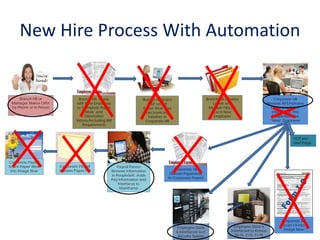
New Hire Process With Automation
Branch HR or
Manager Makes Offer
by Phone or In Person
Branch HR Meets
with New Employee
to Complete Paper
Work and
Orientation
Videos/Including RM
Requirements
Branch HR Scans
(PDF email)
Paper Work and
Electronically
Transfers to
Corporate HR
Branch HR Creates
Labels and
Multiple Files for
Each New
Employee
Corporate HR
Reviews All Employee
Forms and Enters
Information Into
PeopleSoft and
“Hires” Employee
Payroll Person
Reviews Information
in PeopleSoft, Adds
Pay Information and
Interfaces to
Mainframe
Employee Data is
Interfaced to Kronos
10:15, 2;15, 11:15
Corporate HR
Delivers Paperwork
to Corporate Payroll
Corporate Payroll
Creates Paper File
Corporate Payroll
Scans Paper Work
into Image Now
Corporate HR
Scan I-9 into
Image Now
DOT see
next Page
Employee Data
is Interfaced to IT
Security System
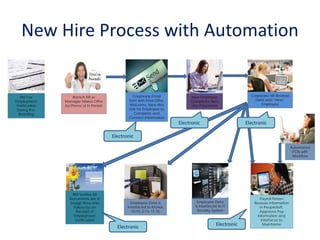
New Hire Process with Automation
Branch HR or
Manager Makes Offer
by Phone or In Person
Corporate HR Reviews
Data and “Hires”
Employee
Payroll Person
Reviews Information
in PeopleSoft,
Approves Pay
Information and
Interfaces to
Mainframe
Employee Data is
Interfaced to Kronos
10:15, 2;15, 11:15
Corporate Email
Sent with Final Offer,
Welcome, New Hire
Link for Employee to
Complete and
Contact Information
RM Verifies All
Documents are in
Image Now and
Follow Up on
Receipt of
Employment
Verification
RM Fax
Employment
Verification
During Pre-
Boarding
New Employee
Completes New
Hire Paperwork
Employee Data
is Interfaced to IT
Security System
Automated
PCN with
Workflow
Electronic
Electronic Electronic
Electronic
Electronic
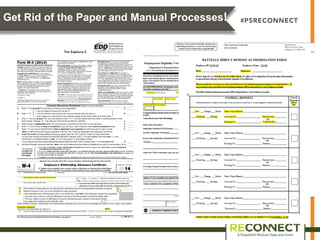
Get Rid of the Paper and Manual Processes!
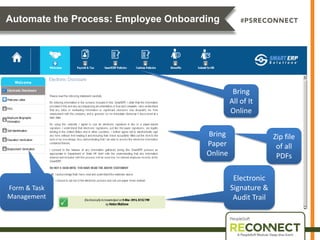
Automate the Process: Employee Onboarding
Bring
All of It
Online
Bring
Paper
Online
Electronic
Signature &
Audit Trail
Form & Task
Management
Zip file
of all
PDFs
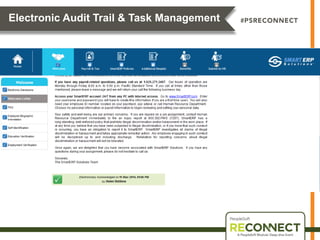
Electronic Audit Trail & Task Management
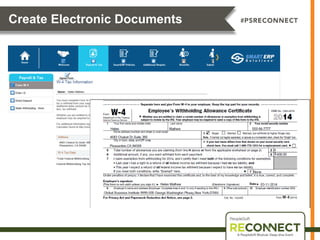
Create Electronic Documents
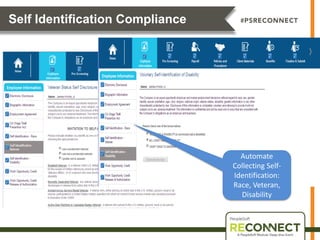
Self Identification Compliance
Automate
Collecting Self-
Identification:
Race, Veteran,
Disability
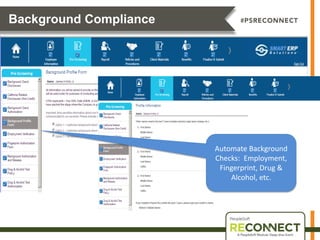
Background Compliance
Automate Background
Checks: Employment,
Fingerprint, Drug &
Alcohol, etc.
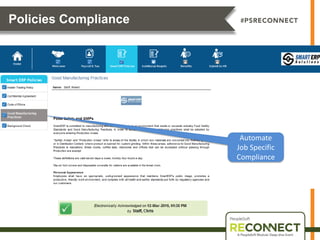
Policies Compliance
Automate
Job Specific
Compliance
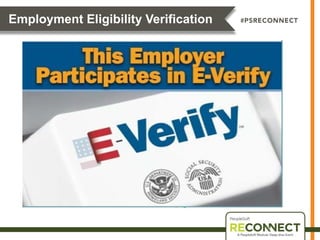
Employment Eligibility Verification
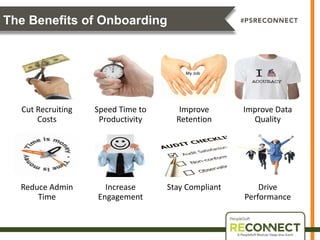
The Benefits of Onboarding
Cut Recruiting
Costs
Speed Time to
Productivity
Improve
Retention
Improve Data
Quality
Reduce Admin
Time
Increase
Engagement
Stay Compliant Drive
Performance
High Volume/Security Case Studies
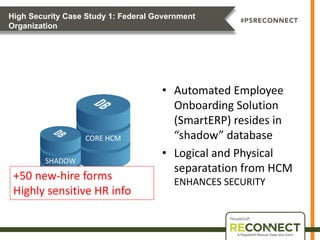
High Security Case Study 1: Federal Government
Organization
• Automated Employee
Onboarding Solution
(SmartERP) resides in
“shadow” database
• Logical and Physical
separatation from HCM
ENHANCES SECURITY
+50 new-hire forms
Highly sensitive HR info
CORE HCM
SHADOW
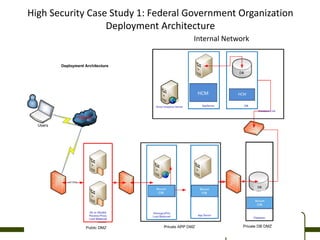
High Security Case Study 1: Federal Government Organization
Deployment Architecture
DB
DB
HCM HCM
Internal Network
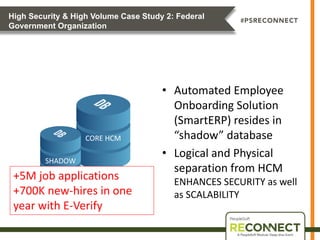
High Security & High Volume Case Study 2: Federal
Government Organization
• Automated Employee
Onboarding Solution
(SmartERP) resides in
“shadow” database
• Logical and Physical
separation from HCM
ENHANCES SECURITY as well
as SCALABILITY
+5M job applications
+700K new-hires in one
year with E-Verify
CORE HCM
SHADOW
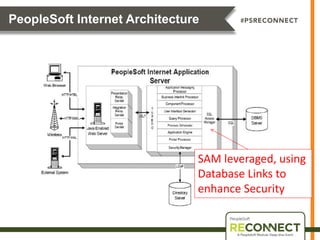
PeopleSoft Internet Architecture
SAM leveraged, using
Database Links to
enhance Security
Summary
• Step 1: Business Process Automation and Digital
Transformation
• Step 2: Evaluate Objectives and Expected Results,
especially for high volume and high security
• Step 3: Define ROI and Benefits to be gained
Thank You!
COME VISIT US AT OUR BOOTH
PeopleSoft Implementation, Upgrade and Other
Consulting Services
+
Innovative add-on solutions and services to
automate, streamline and simplify any and all of
your PeopleSoft applications.
Contact Information
Doris Wong
CEO
Smart ERP Solutions, Inc.
Doris.w@smarterp.com
Mobile: (925) 699-0832
Kirk Chan
VP of Business Development
Smart ERP Solutions, Inc.
Kirk.c@smarterp.com
Mobile: (925) 699-4371
Questions & Answers
QUESTIONS AND ANSWERS
Session ID:
Please complete the session evaluation
101830