Download to read offline

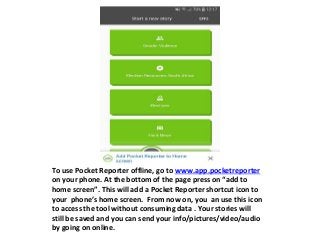
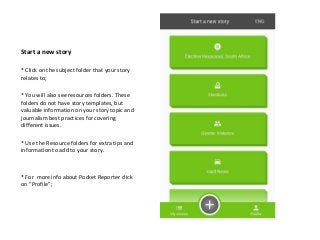
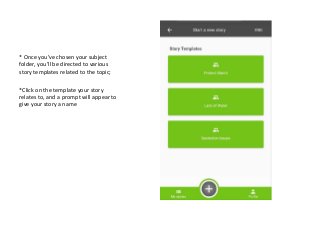
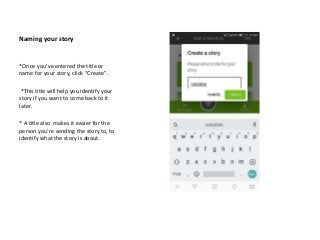
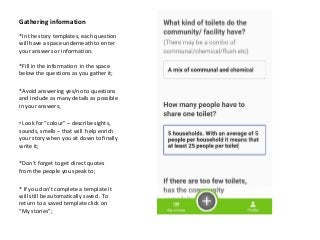
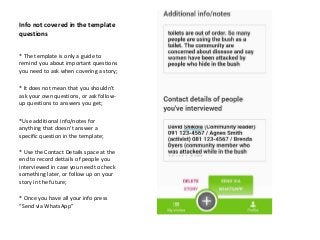
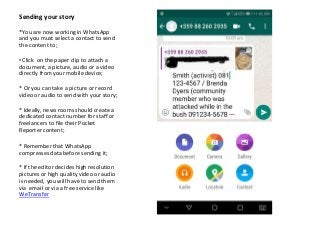

Pocket Reporter, your personal “news editor in your pocket”, has been given a makeover that includes lots of new elections reporting templates and resources, just in time for South Africa’s General Election. While the elections resources are specific to South Africa, the reporting templates are relevant to any country where elections are being held. Other templates in the tool include health services, hard news and service delivery. Several important changes have also been made to the tool in the new version, based on user feedback. But one thing that hasn’t changed is that Pocket Reporter remains free to use – and you don’t need to sign up and share personal information to use it. When you visit Pocket Reporter for the first time on a smartphone, you will be prompted to add Pocket Reporter to your device’s home screen. This means that from then on you just have to click on the Pocket Reporter icon on your phone to load the tool in offline mode, so you don’t consume data while filling in your chosen template. You only need to go online to send your story. The tool is collaboration between Cape Town-based civic tech organisation OpenUp and the Association of Independent Publishers (AIP). Originally, much of the work on the tool was done on a voluntary basis, but the new tool was built with funding support from the South African Media Innovation Programme. The latest version of Pocket Reporter is just the latest development of an idea that began life over two decades ago, when the internet was brand new and many believed it was just a just a passing fad. The genesis of Pocket Reporter lies in a reporter’s notebook conceptualised by veteran United States journalist and journalism educator Melvin Mencher, who realised there was a need to ensure that less experienced reporters had practical support in the field. The 21st Century iterations of the tool, in an age where any smartphone user can be a reporter, are aimed at more than just journalists. Ordinary people without journalism training often find themselves on the frontline of breaking news, not knowing what questions to ask and what to look out for. But Pocket Reporter is more than just a reporting tool: it is also an excellent example of how civic tech can help solve a real world problem. END Author: Raymond Joseph


