Icinga for Windows
Evolution
Introduction
Christian Stein (@LordHepipud)
How did we start
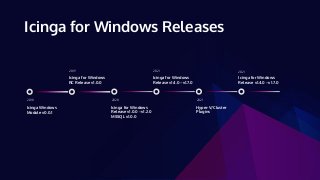
2018
Icinga Windows
Module v0.0.1
2020 2021
Icinga for Windows
Release v1.0.0 –v1.2.0
MSSQL v1.0.0
Hyper-V/Cluster
Plugins
Icinga for Windows
RC Release v1.0.0
2019
Icinga for Windows
Release v1.4.0 –v1.7.0
2021
Icinga for Windows
Release v1.4.0 –v1.7.0
2021
Icinga for Windows Releases
The Framework
Heart of the Solution
• Manage the Icinga Agent
• Allow automation for installation and configuration
• Extend the functionallity by custom development
Why a Framework?
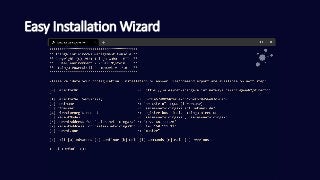
Easy Installation Wizard
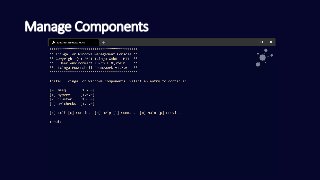
Manage Components
JEA Profiles
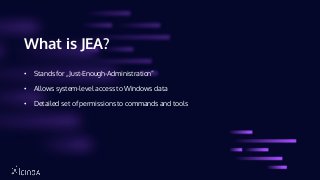
What is JEA?
• Stands for „Just-Enough-Administration“
• Allows system-level access to Windows data
• Detailed set of permissions to commands and tools
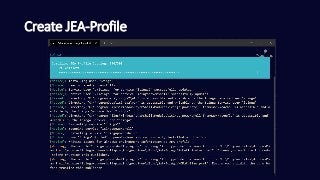
Create JEA-Profile
Not convinced?
Lets talk about plugins!
Writing Plugins is easy!
• Exit code 0 – 3
• Write the output in console
• Do some treshold stuff
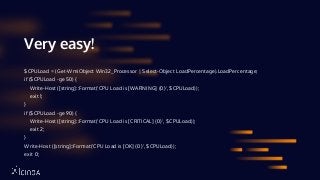
Very easy!
$CPULoad = (Get-WmiObject Win32_Processor | Select-Object LoadPercentage).LoadPercentage;
if ($CPULoad -ge 50) {
Write-Host ([string]::Format('CPU Load is [WARNING] {0}', $CPULoad));
exit 1;
}
if ($CPULoad -ge 90) {
Write-Host ([string]::Format('CPU Load is [CRITICAL] {0}', $CPULoad));
exit 2;
}
Write-Host ([string]::Format('CPU Load is [OK] {0}', $CPULoad));
exit 0;
Do you know the
Performance Data Syntax?
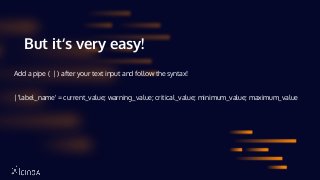
But it‘s very easy!
Add a pipe ( | ) after your text input and follow the syntax!
| 'label_name' = current_value; warning_value; critical_value; minimum_value; maximum_value
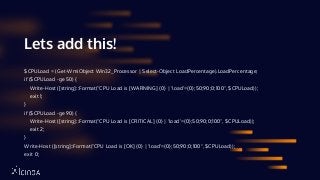
Lets add this!
$CPULoad = (Get-WmiObject Win32_Processor | Select-Object LoadPercentage).LoadPercentage;
if ($CPULoad -ge 50) {
Write-Host ([string]::Format("CPU Load is [WARNING] {0} | 'load‘={0};50;90;0;100", $CPULoad));
exit 1;
}
if ($CPULoad -ge 90) {
Write-Host ([string]::Format("CPU Load is [CRITICAL] {0} | 'load‘={0};50;90;0;100", $CPULoad));
exit 2;
}
Write-Host ([string]::Format("CPU Load is [OK] {0} | 'load‘={0};50;90;0;100", $CPULoad));
exit 0;
Do you know the
Threshold syntax?
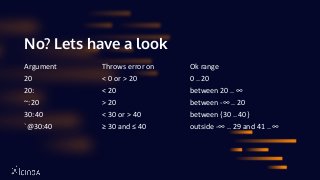
No? Lets have a look
Argument Throws error on Ok range
20 < 0 or > 20 0 .. 20
20: < 20 between 20 .. ∞
~:20 > 20 between -∞ .. 20
30:40 < 30 or > 40 between {30 .. 40}
`@30:40 ≥ 30 and ≤ 40 outside -∞ .. 29 and 41 .. ∞
Lets use
Icinga for Windows
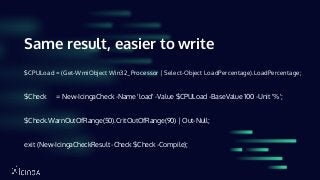
Same result, easier to write
$CPULoad = (Get-WmiObject Win32_Processor | Select-Object LoadPercentage).LoadPercentage;
$Check = New-IcingaCheck -Name 'load' -Value $CPULoad -BaseValue 100 -Unit '%';
$Check.WarnOutOfRange(50).CritOutOfRange(90) | Out-Null;
exit (New-IcingaCheckResult -Check $Check -Compile);
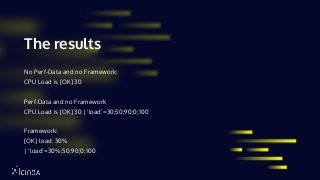
The results
No Perf-Data and no Framework:
CPU Load is [OK] 30
Perf-Data and no Framework
CPU Load is [OK] 30 | 'load’=30;50;90;0;100
Framework:
[OK] load: 30%
| 'load’=30%;50;90;0;100
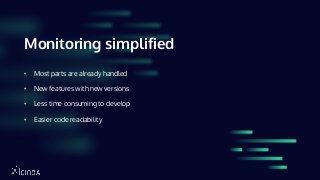
Monitoring simplified
• Most parts are already handled
• New features with new versions
• Less time consuming to develop
• Easier code readability
Developer Tools
Developers!
Live Demo
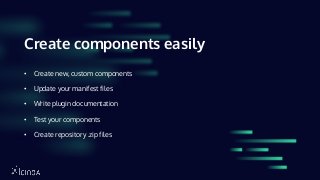
Create components easily
• Create new, custom components
• Update your manifest files
• Write plugin documentation
• Test your components
• Create repository .zip files
Plugins Available
Get started with Icinga Plugins
• Basic Windows Plugins
• Hyper-V Plugins
• Cluster Plugins
• MSSQL Plugins
Changes with v1.7.0
• Partition space plugins allows free/used monitoring
• UNC Path plugin allows free/used monitoring
• HTTP plugin allows to print web content for debugging
• Service plugin allows filtering for startup type
• Lots of bugfixes and improvements!
Hyper-V v1.1.0
Release in December!
Performance
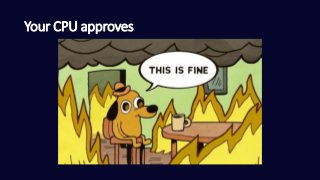
Your CPU approves
Our way for mitigation
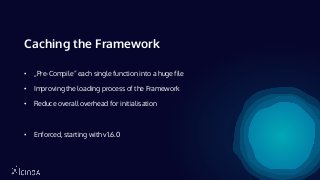
Caching the Framework
• „Pre-Compile“ each single function into a huge file
• Improving the loading process of the Framework
• Reduce overall overhead for initialisation
• Enforced, starting with v1.6.0
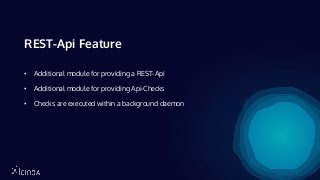
REST-Api Feature
• Additional module for providing a REST-Api
• Additional module for providing Api-Checks
• Checks are executed within a background daemon
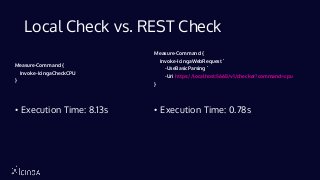
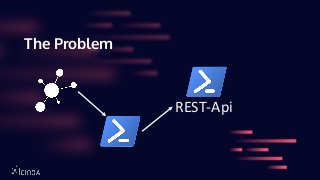
Local Check vs. REST Check
Measure-Command {
Invoke-IcingaCheckCPU
}
• Execution Time: 8.13s
Measure-Command {
Invoke-IcingaWebRequest `
-UseBasicParsing `
-Uri https://localhost:5668/v1/checker?command=cpu
}
• Execution Time: 0.78s
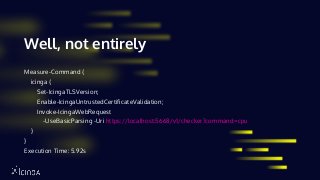
All resolved then?
Well, not entirely
Measure-Command {
icinga {
Set-IcingaTLSVersion;
Enable-IcingaUntrustedCertificateValidation;
Invoke-IcingaWebRequest
-UseBasicParsing -Uri https://localhost:5668/v1/checker?command=cpu
}
}
Execution Time: 5.92s
The Problem
REST-Api
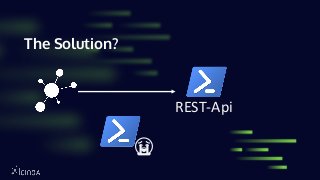
The Solution?
REST-Api
😭😭
Live Demo
Preparations
• Deprecate Icinga for Windows REST-Api module
• Deprecate Icinga for Windows Api-Checks Module
• Integrate both directly into the Icinga PowerShell Framework
• Starting with v1.7.0
What’s next?
Upcoming improvements
• Reduce overhead on the current Framework
• Re-Write some overdue core functionality
• Extend Developer Tools
• Move everything into the IMC
• Allow export of IMC config
Plugin improvements
• Add process monitoring with CPU/Memory usage
• Extend Hyper-V Monitoring plugins
• Standardize basic plugins behavior
• Add more filtering/output to existing plugins
twitter.com/icinga github.com/icinga facebook.com/icinga
icinga.com
Thank You!
What are your questions?