An Intelligent Boundary
Thinkof a firewall as a security guard at a gated
community entrance. It ensures that only those with
permission or those who belong can enter.
It acts as a barrier between your private network and the
untrusted "wild" of the public internet, analyzing every
attempt to cross that line.
The Digital Gatekeeper
4.
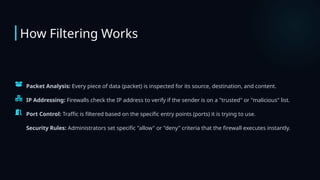
Packet Analysis: Everypiece of data (packet) is inspected for its source, destination, and content.
IP Addressing: Firewalls check the IP address to verify if the sender is on a "trusted" or "malicious" list.
Port Control: Traffic is filtered based on the specific entry points (ports) it is trying to use.
Security Rules: Administrators set specific "allow" or "deny" criteria that the firewall executes instantly.
How Filtering Works
5.
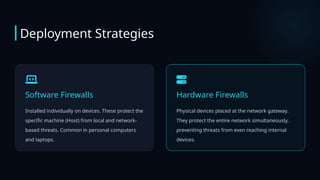
Software Firewalls
Installed individuallyon devices. These protect the
specific machine (Host) from local and network-
based threats. Common in personal computers
and laptops.
Hardware Firewalls
Physical devices placed at the network gateway.
They protect the entire network simultaneously,
preventing threats from even reaching internal
devices.
Deployment Strategies
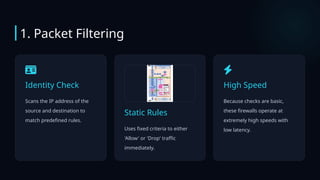
Identity Check
Scans theIP address of the
source and destination to
match predefined rules.
Static Rules
Uses fixed criteria to either
'Allow' or 'Drop' traffic
immediately.
High Speed
Because checks are basic,
these firewalls operate at
extremely high speeds with
low latency.
1. Packet Filtering
8.
2x
Advanced Context
Beyond IndividualPackets
Unlike static filtering, stateful inspection monitors the entire session.
It tracks whether a packet is part of an already established, trusted
connection. If you initiated the request, the return data is automatically
trusted, making the experience seamless and secure.
2. Stateful Inspection
9.
3. Proxy Firewalls
ApplicationLevel Gateway
A proxy firewall acts as an intermediary. Your device
never talks directly to the internet server.
It masks your identity (IP address) and inspects the
actual content of the application data for hidden
malware before passing it to you.
10.
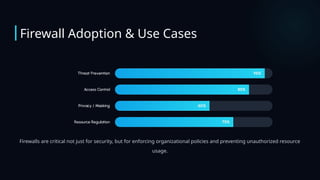
Firewalls are criticalnot just for security, but for enforcing organizational policies and preventing unauthorized resource
usage.
Firewall Adoption & Use Cases
11.
Your First Lineof Defense
In an era of rising cyber threats, a robust firewall is no longer optional—it is the foundation of network
integrity.