How to Safely Buy Old Gmail Accounts:
Tips in 2026
Introduction
Businesses and marketers sometimes search for old Gmail accounts because they believe
an established account may make outreach easier than starting from a completely new
mailbox. The underlying problem is usually familiar: new accounts can face sending limits,
authentication requirements, trust issues, or poor engagement history. However, an
important distinction is often overlooked—an account's age is not the same thing as a strong
sending reputation.
I reviewed the topic from the perspective of quality, features, pricing, reliability,
customization, customer support, transparency, and overall value. Because Google does not
support the sale or transfer of ordinary Google Accounts, I would not recommend purchasing
accounts as a business practice. Instead, this comparison evaluates legitimate alternatives
for achieving the same operational goals, including Google Workspace, dedicated
sending infrastructure, email platforms, and reputation-monitoring tools. (Google Policies)
Best Old Gmail Account Alternatives in 2026 (Expert
Comparison)
The strongest approach is not to find the oldest account available. It is to build a legitimate
sending identity with authentication, permission-based recipients, controlled volume, and
measurable reputation.
For that reason, the following ranking focuses on solutions that can accomplish the
legitimate objective behind the search for old Gmail accounts: reliable business email and
scalable outreach.
1. Google Workspace (Best for
Legitimate Business Email)
Overall Rating: (9.4/10)
Overview
Google Workspace is my first choice for organizations that need professional Gmail-based
communication without relying on purchased consumer accounts.
Instead of buying an existing mailbox, a company creates accounts under its own business
domain. Administrators can manage users, security settings, authentication, and
organizational policies centrally.
This matters because the reputation of a purchased Gmail account is difficult to verify. An
account may have an old creation date but a poor history, compromised credentials,
suspicious recovery information, or previous activity that the buyer cannot see.
Workspace also gives a business something a purchased Gmail account cannot reliably
provide: organizational ownership and administrative control.
What Makes Google Workspace Different?
Compared with buying individual Gmail accounts, Workspace provides a controlled business
environment.
Its main advantages include:
● Custom business domains
● Centralized administration
● Security controls
● Professional identities
● User management
● Google-supported infrastructure
For a growing company, those capabilities are substantially more valuable than simply
obtaining an old @gmail.com address.
Google Workspace Key Features
Custom Business Email
A business can communicate from addresses based on its own domain rather than a
purchased consumer Gmail address.
That makes employee management and brand continuity much easier.
Central Administration
Administrators can manage accounts, permissions, and security policies centrally.
If an employee leaves, the organization does not have to negotiate with a seller or previous
account owner to regain access.
Security Controls
Google provides account-security tools designed to protect organizational accounts. This is
particularly important because transferring credentials between strangers creates obvious
security and recovery risks. Google itself advises users to protect their accounts and take
reasonable security measures. (Google Policies)
Email Authentication
Businesses can configure SPF, DKIM, and DMARC for their domains. Google recommends
authentication because it helps establish sender identity and reduce the likelihood of
messages being rejected or classified as spam. (Google Help)
Google Workspace Pricing
Pricing varies according to the Workspace edition, billing arrangement, country, and
promotions. I would not compare it with the headline prices of account sellers because the
products are fundamentally different.
The relevant comparison is between paying for an account you control and paying for a
mailbox whose history and ownership may be uncertain.
Pros
✔ Legitimate business ownership
✔ Custom domain support
✔ Centralized administration
✔ Strong security ecosystem
✔ Suitable for long-term operations
Cons
✘ Requires proper setup
✘ Costs more than a free Gmail mailbox
✘ Does not automatically guarantee inbox placement
✘ Businesses still need to follow Gmail sender requirements
Who Should Choose Google Workspace?
Workspace is best for:
● Startups
● Agencies
● Established companies
● Sales teams
● Remote teams
● Organizations needing centralized account management
My assessment is straightforward: if the objective is reliable business communication,
establishing accounts under your organization's control is considerably safer than
purchasing anonymous Gmail credentials.
2. Google Postmaster Tools (Best for
Deliverability Monitoring)
Overall Rating: (9.1/10)
Overview
Google Postmaster Tools is one of the most useful resources for organizations sending
email to personal Gmail users.
It does not provide old accounts. Instead, it helps senders understand whether their
infrastructure and sending practices are meeting Gmail's expectations.
The service provides information about delivery errors, spam reports, and other email-
performance signals. Google has also added a Compliance Status dashboard for sender
requirements. (Google Help)
Pros
✔ First-party Gmail data
✔ Compliance monitoring
✔ Useful for diagnosing delivery problems
Cons
✘ Not a sending platform
✘ Data is not completely real-time
✘ Requires an appropriate sending domain and traffic
Features
● Compliance Status
● Spam-rate information
● Delivery diagnostics
● Authentication monitoring
● Sender reputation information
Pricing
Google provides Postmaster Tools without the type of per-mailbox purchasing model used
by account marketplaces.
Delivery / Performance / Implementation
Setup requires verification and sufficient email traffic for meaningful reporting.
Google notes that dashboard data is not real-time and may typically take around 24 hours or
longer to reflect changes. (Google Help)
Replacement / Refund / Support Policy
There is no purchased mailbox to replace. Its value comes from monitoring rather than
account inventory.
What Customers Say
Because this is a Google-operated technical resource rather than a marketplace, public
feedback tends to focus on usefulness and limitations of the available data rather than
customer-service experiences.
3. Amazon SES (Best for High-Volume
Infrastructure)
Overall Rating: (8.8/10)
Overview
Amazon Simple Email Service is designed for applications and organizations that need
scalable email infrastructure.
It is a better fit for transactional and properly permissioned bulk email than trying to operate
a collection of purchased Gmail accounts.
The major advantage is architectural control. Businesses can build email sending around
verified domains, authentication, monitoring, and application-level workflows.
Pros
✔ Scalable infrastructure
✔ Suitable for applications
✔ Domain-based authentication
✔ Strong automation potential
Cons
✘ More technical setup
✘ Not designed as a Gmail mailbox replacement
✘ Requires responsible list management
Features
● Domain verification
● SMTP/API sending
● Authentication support
● Delivery monitoring
● Application integration
Pricing
Pricing varies according to sending volume, region, and associated services. It is generally
consumption-based rather than based on buying pre-aged mailboxes.
Delivery / Performance
Performance depends heavily on infrastructure configuration, recipient quality,
authentication, complaint rates, and sending behavior.
A technically strong platform cannot compensate for poor-quality or unsolicited email.
Replacement / Refund Policy
This is a cloud infrastructure service rather than an account marketplace, so the relevant
commercial terms concern service usage rather than replacing purchased Gmail credentials.
What Customers Say
Public discussions commonly emphasize its scalability and technical flexibility, while also
noting that setup requires more expertise than a simple mailbox.
4. Mailchimp (Best for Permission-Based
Marketing)
Overall Rating: (8.6/10)
Overview
Mailchimp is a useful alternative when the underlying requirement is marketing
communication rather than individual sales inboxes.
Its major strength is campaign management. Instead of trying to make an old mailbox
appear trustworthy, businesses can build permission-based lists, automate communications,
measure engagement, and manage unsubscribes.
Pros
✔ Campaign management
✔ Audience tools
✔ Analytics
✘ Not intended for buying Gmail identities
✘ Pricing varies by plan and audience size
✘ Marketing compliance remains the sender's responsibility
Features
● Campaign creation
● Audience management
● Automation
● Analytics
● Subscription management
Pricing
Pricing varies according to plan, audience size, and features.
Delivery / Performance
The platform can help operationally, but inbox placement is still affected by recipient
engagement, authentication, complaints, content, and sender reputation.
What Customers Say
Customer feedback varies by plan and use case. Common positive themes include ease of
campaign creation and automation, while complaints can involve pricing complexity or
limitations on particular workflows.
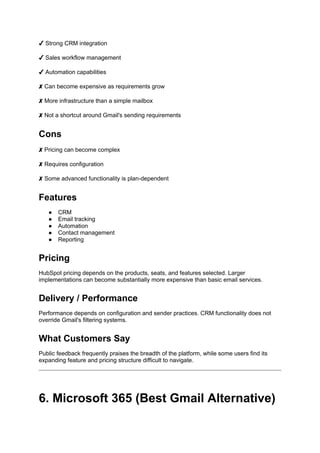
5. HubSpot (Best for Sales and CRM
Integration)
Overall Rating: (8.4/10)
Overview
HubSpot makes sense when email is only one component of a larger sales process.
A sales organization can connect contacts, conversations, tasks, CRM records, and
marketing workflows instead of distributing purchased Gmail accounts among employees.
That provides a much stronger operational foundation.
Pros
✔ Strong CRM integration
✔ Sales workflow management
✔ Automation capabilities
✘ Can become expensive as requirements grow
✘ More infrastructure than a simple mailbox
✘ Not a shortcut around Gmail's sending requirements
Cons
✘ Pricing can become complex
✘ Requires configuration
✘ Some advanced functionality is plan-dependent
Features
● CRM
● Email tracking
● Automation
● Contact management
● Reporting
Pricing
HubSpot pricing depends on the products, seats, and features selected. Larger
implementations can become substantially more expensive than basic email services.
Delivery / Performance
Performance depends on configuration and sender practices. CRM functionality does not
override Gmail's filtering systems.
What Customers Say
Public feedback frequently praises the breadth of the platform, while some users find its
expanding feature and pricing structure difficult to navigate.
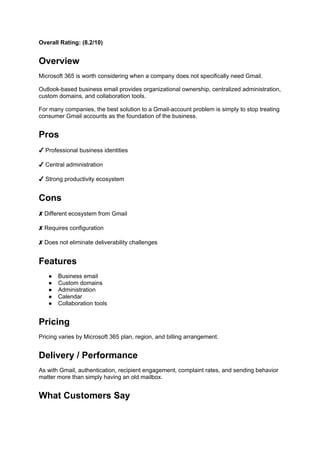
6. Microsoft 365 (Best Gmail Alternative)
Overall Rating: (8.2/10)
Overview
Microsoft 365 is worth considering when a company does not specifically need Gmail.
Outlook-based business email provides organizational ownership, centralized administration,
custom domains, and collaboration tools.
For many companies, the best solution to a Gmail-account problem is simply to stop treating
consumer Gmail accounts as the foundation of the business.
Pros
✔ Professional business identities
✔ Central administration
✔ Strong productivity ecosystem
Cons
✘ Different ecosystem from Gmail
✘ Requires configuration
✘ Does not eliminate deliverability challenges
Features
● Business email
● Custom domains
● Administration
● Calendar
● Collaboration tools
Pricing
Pricing varies by Microsoft 365 plan, region, and billing arrangement.
Delivery / Performance
As with Gmail, authentication, recipient engagement, complaint rates, and sending behavior
matter more than simply having an old mailbox.
What Customers Say
Users commonly value the integration with Office applications and enterprise administration.
Complexity can increase when organizations require multiple services and advanced
configurations.
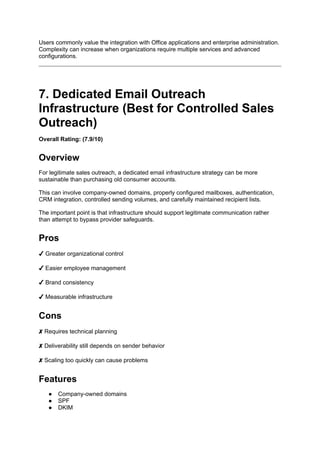
7. Dedicated Email Outreach
Infrastructure (Best for Controlled Sales
Outreach)
Overall Rating: (7.9/10)
Overview
For legitimate sales outreach, a dedicated email infrastructure strategy can be more
sustainable than purchasing old consumer accounts.
This can involve company-owned domains, properly configured mailboxes, authentication,
CRM integration, controlled sending volumes, and carefully maintained recipient lists.
The important point is that infrastructure should support legitimate communication rather
than attempt to bypass provider safeguards.
Pros
✔ Greater organizational control
✔ Easier employee management
✔ Brand consistency
✔ Measurable infrastructure
Cons
✘ Requires technical planning
✘ Deliverability still depends on sender behavior
✘ Scaling too quickly can cause problems
Features
● Company-owned domains
● SPF
● DKIM
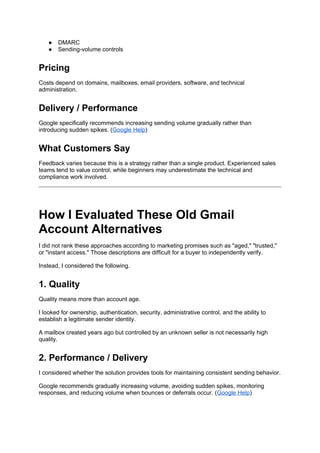
● DMARC
● Sending-volume controls
Pricing
Costs depend on domains, mailboxes, email providers, software, and technical
administration.
Delivery / Performance
Google specifically recommends increasing sending volume gradually rather than
introducing sudden spikes. (Google Help)
What Customers Say
Feedback varies because this is a strategy rather than a single product. Experienced sales
teams tend to value control, while beginners may underestimate the technical and
compliance work involved.
How I Evaluated These Old Gmail
Account Alternatives
I did not rank these approaches according to marketing promises such as "aged," "trusted,"
or "instant access." Those descriptions are difficult for a buyer to independently verify.
Instead, I considered the following.
1. Quality
Quality means more than account age.
I looked for ownership, authentication, security, administrative control, and the ability to
establish a legitimate sender identity.
A mailbox created years ago but controlled by an unknown seller is not necessarily high
quality.
2. Performance / Delivery
I considered whether the solution provides tools for maintaining consistent sending behavior.
Google recommends gradually increasing volume, avoiding sudden spikes, monitoring
responses, and reducing volume when bounces or deferrals occur. (Google Help)
3. Features
The most valuable features are authentication, administration, analytics, automation,
recipient management, and security.
An account's creation date is comparatively weak evidence.
4. Customization
Business users need control over domains, users, recovery processes, authentication,
permissions, and workflows.
Purchased consumer accounts generally provide far less organizational control.
5. Customer Support
I favored established services with documented support channels and predictable operating
models.
A seller promising "lifetime replacement" is not equivalent to having a stable business
infrastructure.
6. Transparency
I considered whether users can understand what they are buying, how it works, and what
happens if something goes wrong.
This is a major weakness of anonymous account marketplaces.
7. Pricing
The cheapest mailbox is not necessarily the cheapest solution.
If an account becomes inaccessible, the business may lose conversations, contacts, history,
and operational continuity.
8. Reliability
Reliability means being able to maintain access and business continuity over time.
That is precisely where purchased accounts create substantial uncertainty.
Why People Search for Old Gmail
Accounts
The appeal is easy to understand.
A business may believe an older account has:
● More established history
● Faster access to outreach workflows
● Fewer restrictions
● Better deliverability
● Less setup work
● A more established sender identity
But these assumptions can be misleading.
Gmail does not publish a rule saying that an account becomes trustworthy simply because it
has existed for a certain number of years. Its sender guidance focuses on authentication,
spam rates, sending practices, recipient engagement, and other signals. (Google Help)
For example, a five-year-old mailbox sending unwanted messages can perform worse than a
properly configured newer business mailbox sending relevant messages to consenting
recipients.
The better objective is therefore:
Build sender reputation rather than buy account age.
Old Gmail Accounts Official Position /
Policies
This is the most important section for anyone considering a purchase.
Google's Terms explain that users are responsible for their Google Accounts and must
comply with Google's terms and service-specific policies. (Google Policies)
Google's own Account Help community has also repeatedly stated that ordinary Google
Accounts are not supported for sale or transfer. While community answers are not equivalent
to the contractual Terms of Service, they reinforce the practical problem: buying an account
is not an officially supported ownership-transfer process. (Google Help)
There is also a security problem.
If another person previously controlled the account, they may retain knowledge of recovery
information or historical credentials. Google warns users to protect account credentials and
not share passwords with third-party applications. (Google Help)
What Is Safer?
Use an account created and controlled by the business.
For organizations, Google provides legitimate administrative mechanisms for managing
users and certain Google services. For example, Google documents ownership-transfer
processes for products such as Google Ads, Analytics, and Merchant Center. (Google Help)
What Should Users Avoid?
Avoid:
● Buying accounts based on claimed age alone
● Sharing credentials with unknown sellers
● Using accounts to disguise the true sender
● Sending unsolicited bulk messages
● Attempting to bypass provider restrictions
● Assuming an old account guarantees inbox placement
Google specifically warns against deceptive sender information and emphasizes recipient
consent and unsubscribe mechanisms for commercial email. (Google Help)
How Old Gmail Accounts Influence
Business and Outreach
1. Sender Reputation
Account age by itself is not a substitute for sender reputation.
Gmail evaluates multiple signals surrounding email traffic. Spam complaints, authentication
failures, sending patterns, and recipient behavior can all affect delivery. (Google Help)
2. Authentication
Modern email deliverability depends heavily on authentication.
Google requires senders to use SPF or DKIM, while bulk senders must use SPF, DKIM, and
DMARC. (Google Help)
That means a well-authenticated business domain can be more useful than an old consumer
mailbox with an uncertain history.
3. Sending Volume
Scaling too quickly can create delivery problems.
Google recommends gradually increasing volume, maintaining consistent sending patterns,
and monitoring server responses and spam rates. (Google Help)
For example, immediately moving from a handful of messages to a large campaign is riskier
than developing predictable sending behavior over time.
4. Recipient Engagement
The quality of the audience matters.
Google recommends sending messages to people who subscribe and providing appropriate
unsubscribe mechanisms. (Google Help)
A highly engaged list is therefore a better foundation for outreach than a collection of
purchased accounts.
5. Compliance and Reputation Monitoring
Businesses sending significant volumes should monitor their status.
Google's Postmaster Tools provides compliance information and other sender diagnostics.
Bulk senders can use it to monitor whether their infrastructure meets Gmail's requirements.
(Google Help)
A Safer 2026 Strategy for Better
Deliverability
Instead of asking, "Where can I buy the oldest Gmail accounts?", I recommend asking five
different questions:
Do I Own the Sending Identity?
Use company-controlled accounts and domains.
Is My Email Authenticated?
Implement SPF, DKIM, and DMARC appropriately.
Are Recipients Expecting My Messages?
Permission and relevance are fundamental.
Am I Scaling Gradually?
Avoid sudden increases in volume.
Am I Monitoring Reputation?
Use available reporting and diagnostic tools, including Postmaster Tools where appropriate.
Google states that senders should keep user-reported spam rates below 0.1% and avoid
reaching 0.3% or higher, because higher complaint rates can negatively affect delivery.
(Google Help)
Final Take
The comparison leads to a conclusion that is different from the premise behind many "buy
old Gmail accounts" offers. An old account is not the same thing as an established
sender reputation. Buying a mailbox can introduce ownership, recovery, security, policy,
and continuity problems without providing a reliable deliverability advantage.
For most businesses, Google Workspace is the strongest starting point for professional
Gmail-based communication. Postmaster Tools is an important monitoring resource. High-
volume organizations can consider dedicated email infrastructure, while marketing teams
may benefit more from platforms such as Mailchimp or HubSpot.
My recommendation in 2026 is therefore not to purchase old Gmail accounts. Build the asset
you actually need: a legitimate sending identity, authenticated domain, permission-based
audience, controlled volume, and measurable reputation. That approach requires more
setup than buying credentials, but it is substantially easier to defend, maintain, and scale
over the long term. (Google Help)