Home - Time Tracking - How to Calculate Payroll Hours: A
Comprehensive Guide
How To Calculate Payroll Hours: A Comprehensive
Guide
Tarun Kumar
 September 18, 2024

Payroll is not easy to manage, especially when it comes to determining the
number of hours worked by the employees. Have you ever asked yourself
whether you are getting it right when it comes to dealing with hourly
employees or even when calculating overtime? It is important to know how to
Still relying on time tracking? Discover how workforce
intelligence is reshaping the future of work.
Checkout Now!
calculate payroll hours properly.
In this guide, you’ll learn the steps to ensure you get it right every time.
Whether it is tracking normal working hours or overtime and even breaks, you
are sorted. Are you prepared to make your payroll process more efficient and
keep things on track? Let’s dive in!
What are Payroll Hours?
Payroll hours are the total hours that your employees work and which are
used to determine their wages. These include all the time an employee
spends working, whether it is during normal working hours, extra hours, or
any other time. Payroll hours are important to track as a manager because
they are directly related to your payroll figures. Accurate tracking also helps to
make sure that your team is paid fairly for the work they do, which helps to
reduce any issues that may be associated with remuneration.
Why Tracking Employee Hours is Crucial for Accurate
Payroll?
The following are the key reasons why tracking employee hours is crucial for
accurate payroll.
1. Ensure Payroll Accuracy: When you track your employee hours
accurately, you can make precise payroll calculations. This means your
employees are paid for the exact number of hours they have worked,
which fosters trust and eliminates payroll mistakes.
2. Avoid Pay Dispute: Proper documentation of the hours worked
minimizes issues that may arise concerning the payroll. Employees have
a clear record to refer to, which helps to avoid confusion and conflicts in
the workplace.
3. Comply with Legal Standards: When you track hours, you can make
sure that your business is compliant with labour laws. This compliance
protects you from legal risks, including fines or lawsuits, that may result
from improper wage determination.
4. Streamline Financial Management: When time is recorded correctly, it
provides a clear picture of the amount of money that is spent on labour,
which is useful in planning. This clarity helps you to manage your
resources well and not be caught off guard by extra payroll costs.
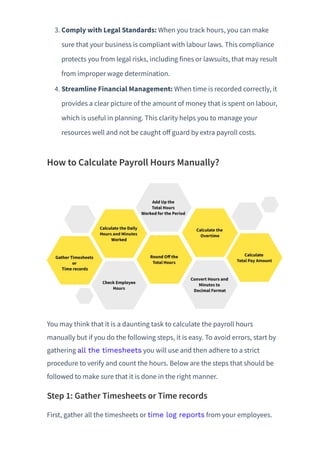
How to Calculate Payroll Hours Manually?
You may think that it is a daunting task to calculate the payroll hours
manually but if you do the following steps, it is easy. To avoid errors, start by
gathering all the timesheets you will use and then adhere to a strict
procedure to verify and count the hours. Below are the steps that should be
followed to make sure that it is done in the right manner.
Step 1: Gather Timesheets or Time records
First, gather all the timesheets or time log reports from your employees.
Make sure you collect these documents for the whole pay period, which may
be weekly, biweekly, or monthly. Every timesheet should contain correct
clock-in and clock-out timings. Check these records to make sure they
encompass all work days and any breaks or time off. It is very important to
have correct and complete timesheets to have a correct payroll.
Step 2: Check Employee Hours
Review each employee’s timesheet to ensure that the hours recorded are
correct and match your records. Look at the clock-in and clock-out times and
see if there are any gaps or errors, for instance, if some employees’ records are
missing or if the time is wrong. If there is any discrepancy, it is better to
consult with the employee or correct the records before proceeding to the
next step. Proper verification assists in preventing errors in the computation
of wages.
Step 3: Calculate the Daily Hours and Minutes Worked
For each workday, calculate the total hours and minutes that each employee
has spent at work. To calculate the total time worked for that day, simply
subtract the clock-in time from the clock-out time. If there were any idle
times or breaks taken, then this time should be subtracted from the total
time taken. For instance, if an employee punched in at 9:00 AM and punched
out at 5:00 PM with a half hour lunch break, then the total work time would be
seven and half hours. This helps to make sure that you have well-defined daily
working hours.
Step 4:Add Up the Total Hours Worked for the Period
After calculating the hours for each day, add these daily totals to get the total
hours worked in the pay period. This step sums up the daily hours into a total
for each employee in order to get a general view of the working hours. It is
also important to include all the workdays within the pay period to avoid any
discrepancies. This total will be used to calculate wages and overtime
pay, and it will be the total number of hours worked by the employees in the
company.
Step 5: Round Off the Total Hours
It is also important to round the total hours worked depending on the
rounding policy of your company to standard rounding. Some of the
practices include rounding to the nearest 15 minutes or rounding to the
nearest 5 or 10 minutes. For instance, if an employee worked 7 hours and 37
minutes, and your policy rounds to the nearest quarter of an hour, this would
be rounded to 7.75 hours (decimal form). Adhering to your company’s
rounding policy to avoid favouritism and unfairness when paying employees.
Step 6: Convert Hours and Minutes to Decimal Format
To make it easier to calculate the payroll, it is necessary to convert the
rounded hours and minutes into decimal form. This means that the hours and
minutes are represented as a single decimal number. For instance, 45 minutes
is equal to 0.75 hours. For instance, if an employee had worked for 8 hours
and 20 minutes, this would be equivalent to 8.33 hours. The decimal format is
more convenient to apply pay rates and to sum up the totals.
Step 7: Calculate the Overtime
Find out if there are any hours worked that can be considered overtime based
on your company’s regulations or the country’s laws. Normally, overtime is
any time worked more than 40 hours in a week. Determine the overtime pay
by multiplying the overtime hours by overtime rate which is normally higher
than the basic rate. For instance, if the basic rate per hour is $15 and the rate
for overtime is $22.50, multiply the overtime hours by $22.50 to calculate the
overtime pay.
Step 8: Calculate Total Pay Amount
Last of all, add the regular pay of each employee with the overtime pay to get
the total pay. Add the product of the total regular hours and the employee’s
regular hourly wage. Next, include the amount of pay for overtime hours. For
instance, if an employee was paid $15 per hour for 80 regular working hours
and $22.50 per hour for 10 overtime hours, their total pay would be $1,200 (80
hours x $15) plus $225 (10 hours x $22.50), resulting in a total pay of $1,425.
This final amount is the employee’s gross pay or wage, which is the amount
he or she earns before deductions and taxes.
With these detailed procedures, you are able to make fair and accurate payroll
calculations, which are critical in the management of payroll and the
satisfaction of employees.
Common challenges in calculating payroll hours:
When you are manually calculating the payroll hours, you may encounter
several issues that may make the process to be challenging. Here are some
common issues you might encounter.
Data Entry Errors:
When you calculate payroll hours manually, the chances of making mistakes
when entering data are high. Such mistakes can lead to wrong pay slips and
employee confusion. To prevent this, cross-check all entries and possibly
have someone else go through the data. Payroll errors can be prevented by
having checks and balances in place to detect mistakes before they occur.
Time Tracking Inconsistencies:
Some employees may use paper timesheets, others may punch in on a digital
clock, and others may use their mobile devices. This can lead to disparities
when you attempt to integrate the data. To avoid such discrepancies, ensure
that the time tracking method used in your organization is same for all the
teams.
Calculating Overtime:
Overtime calculations can be complicated because of the different rules and
regulations that apply. There are likely to be differences in what is considered
as overtime depending on the circumstances, and these may vary from one
region to another. Know the company’s overtime policy and the laws of the
state where the company operates. Ensure that you are calculating overtime
hours and pay correctly to meet these regulations and steer clear of legal
complications.
Handling Breaks and Absences:
It is often difficult to keep track of and account for the breaks and absences of
employees. If not well managed, it can cause issues in the computation of the
payroll. Establishing a break-time policy, along with a standard procedure
for documenting breaks and absences, ensures consistency. Make sure this is
followed by all employees to ensure the time taken for breaks and any absent
days are accurately captured in the payroll. This helps maintain proper
records and prevents discrepancies in payroll calculations.
Maintaining Records:
Payroll records are dynamic and need constant updates. The timesheets and
other documents should be well arranged and updated at all times. It is also
important to review and update these records from time to time to reflect the
most recent information. Payroll records will assist you in the management of
payroll and also ensure that you have easy access to past records in case of
any need.
By getting to know about these challenges, you can take some measures to
address them and make your payroll process effective.
Streamline your Payroll Calculation With Automatic
Time Tracking Software:
Payroll management can be quite complex, especially when it comes to
manual tracking systems. This is made easier by automatic time tracking
software that ensures that all the hours worked are recorded in real time.
This software is time-saving and less prone to human error when calculating
the payroll since it does not involve manual entry.
Time tracking software automatically tracks the working hours of employees
and other details like clock-in time, clock-out time, breaks, and overtime. This
minimizes the chances of making mistakes and frees up your time that would
otherwise be spent reviewing and correcting time entries.
How Time Champ Can Help
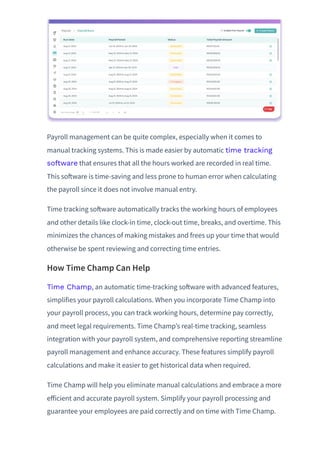
Time Champ, an automatic time-tracking software with advanced features,
simplifies your payroll calculations. When you incorporate Time Champ into
your payroll process, you can track working hours, determine pay correctly,
and meet legal requirements. Time Champ’s real-time tracking, seamless
integration with your payroll system, and comprehensive reporting streamline
payroll management and enhance accuracy. These features simplify payroll
calculations and make it easier to get historical data when required.
Time Champ will help you eliminate manual calculations and embrace a more
efficient and accurate payroll system. Simplify your payroll processing and
guarantee your employees are paid correctly and on time with Time Champ.
What are the Best Practices for Calculating Payroll
Hours?
Some of the best practices to follow in calculating payroll hours.
Use Reliable Time Tracking Tools
Introduce an efficient time tracking system that can automatically record the
employees’ hours with precision. Accurate tools help in tracking all the
minutes worked and this minimizes the chances of making mistakes. This
system also assists in recording clock-in and clock-out times, breaks,
and overtime without much difficulty, which is essential for accurate payroll
computation.
Review and Approve Time Entries:
Before preparing the final payroll, go through each employee’s time records.
This step entails verifying issues like wrong clock-ins, unauthorized overtime,
or skipped breaks. This way, you can check the time entries before processing
the payroll and correct any mistakes or anomalies that may be present, thus
issuing accurate pay checks.
Stay Compliant with Labor Laws:
Know the legal regulations that concern wages, overtime, and breaks for
workers in your state. Ensure that you do not violate any of these regulations
when determining your payroll so that you do not end up paying penalties.
Compliance does not only protect your organization from fines but also
ensures that employees are paid fairly as the law stipulates.
Regularly Audit Payroll Processes:
Perform payroll audits periodically to address any potential issues. This
practice entails the process of verifying the payroll reports and ensuring that
there are no disparities and that all the computations are accurate. Payroll
audits are important in ensuring that your payroll system is correct and that
small problems do not develop into major ones.
Invest in Payroll and Time Tracking Software:
Select payroll software that is compatible with the time tracking software that
you use in your business. Purchasing integrated software packages for
tracking time and preparing payroll eliminates the need for manual data entry
and thus, eliminates errors. This integration helps save time and increase in
efficiency when it comes to the payroll.
Conclusion
Payroll calculations are critical to the effective running of the organization
and the satisfaction of the employees. This approach allows you to track
hours accurately and avoid mistakes or compliance problems by using
effective time tracking and payroll software. Using good software helps in this
by reducing the time spent on it while at the same time ensuring that
everything is fair and accurate. Just bear in mind that good payroll
management is equal to less stress for you and a more satisfied team.
Transform Your Payroll Calculation Process With Time
Champ—Try It Now For Effortless Accuracy And
Efficiency!
SignUp for Free Book Demo




What are payroll hours?
Why is it essential to track employee hours accurately?
How can time tracking software streamline payroll calculations?
What is the significance of rounding payroll hours, and how is it
done?
 How can I ensure payroll compliance with labor laws?
Supercharge your Employee Productivity with Time Champ!
Signup for Free!
 All
 Employee Monitoring
 Automatic Attendance & Time Tracking
 Activity Tracking
 Employee Productivity Tracking & Efficiency
 HR Glossary
 Time Tracking
EXPLORE ALL CATEGORIES
 HR Management
 Project Management
 Workforce Management
 Outsourcing 
 Work Culture
 Remote and Hybrid Teams 
Here are Some Related Articles You may Find
Interesting
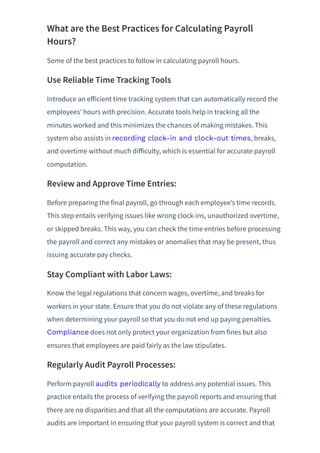
The Key Benefits of Using a Work Time
Tracker
Learn the benefits of a work time tracker, from boosting
productivity to improving accuracy and streamlining workflow for
better efficiency.
Thasleem Shaik | 13 March 2025
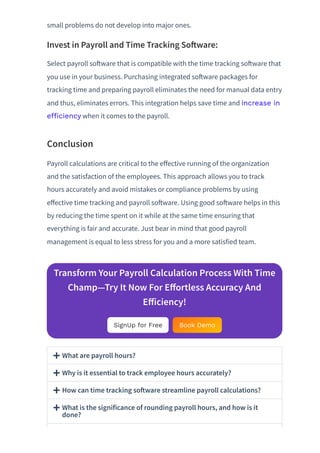
Free Attorney Time Tracking Templates –
Excel, PDF, and Word
Get free attorney time tracking templates in Excel, PDF, and Word to
streamline billing, improve accuracy, and manage billable hours
Thasleem Shaik | 12 March 2025
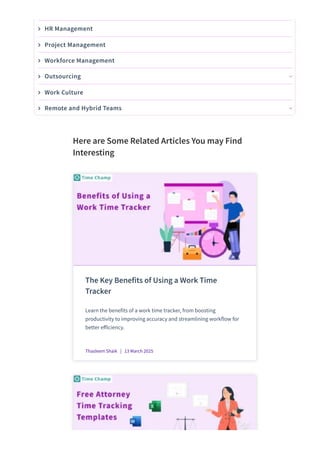
How to Track Time for Remote Workers: A
Complete Guide
Learn how to track time for remote workers with the best tools,
methods, and practices to boost productivity and accountability.
Thasleem Shaik | 8 November 2024
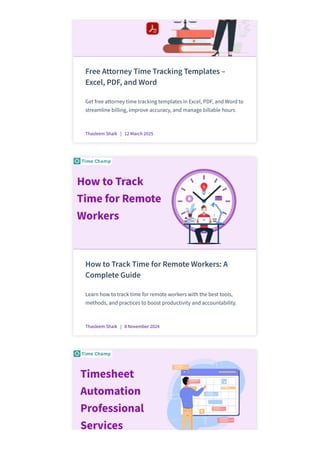
Time Sheet Automation Professional Services
Explore how Time Sheet Automation Professional Services can
transform your operations with seamless time tracking and
customized reporting solutions.
Jahnavi Pulluri | 8 November 2024
What is a Timesheet and What are its Uses
and Advantages?
Learn what a timesheet is, its uses, and how it improves work hour
tracking, project management, and business efficiency.
Jahnavi Pulluri | 26 October 2024
A Day Without Time Tracking: A Manager’s
Worst Nightmare
Uncover the chaos of a day without time tracking. Explore how
managers struggle with productivity, accountability, and team
coordination in
Jahnavi Pulluri | 25 October 2024
Features
Employee Monitoring
Productivity Tracking
Audio Tracking
Time Tracking
Timesheet Management
Location Tracking
Realtime Reporting
Mobile Tracking
Company
About Us
Contact Us
Blog
Become Partner
Pricing
User Guide
Privacy Policy
Comparisons
Time Champ Vs ActivTrak
Time Champ Vs DeskTime
Time Champ Vs Hubstaff
Time Champ Vs Teramind
Time Champ Vs Time Doctor
Ready to get started
Book Demo
Follow us on:
    
Call us at: +91 9281621945

2008-2025 Time Champ. All rights reserved

GDPR
HIPAA
Terms and Conditions
ISO 27001:2022
ISO 9001:2015
For Support:
For Support: support@timechamp.io
support@timechamp.io
For Sales:
For Sales: sales@timechamp.io
sales@timechamp.io