©2014 Check Point Software Technologies Ltd.
Physical (In)Security:
It’s not all about Cyber
Inbar Raz
Malware & Security Research Manager
Check Point Software Technologies
2©2014 Check Point Software Technologies Ltd.
Vulnerability Disclosure
!  Responsible Disclosure:
– Contact the vendor only and inform them of the vulnerability
– Offer to work with the vendor
– After a grace period, proceed to Full Disclosure
–  Web vulnerability: 1-4 weeks
–  Software: 1-3 months
–  Firmware: 3-6 months
–  But: no actual standard, players make the rules
!  Full Disclosure:
– Publish all information, including POC
– Sometimes – only a video of POC
3©2014 Check Point Software Technologies Ltd.
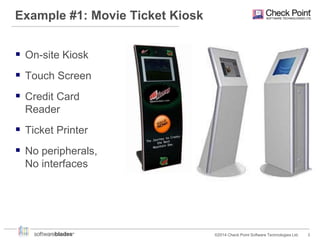
Example #1: Movie Ticket Kiosk
!  On-site Kiosk
!  Touch Screen
!  Credit Card
Reader
!  Ticket Printer
!  No peripherals,
No interfaces
4©2014 Check Point Software Technologies Ltd.
The Attack
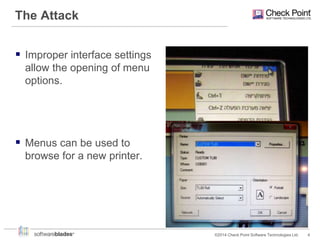
!  Improper interface settings
allow the opening of menu
options.
!  Menus can be used to
browse for a new printer.
5©2014 Check Point Software Technologies Ltd.
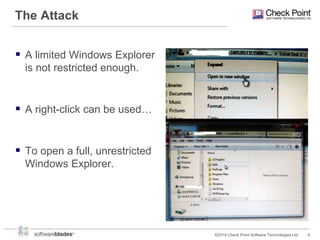
!  A limited Windows Explorer
is not restricted enough.
!  A right-click can be used…
!  To open a full, unrestricted
Windows Explorer.
The Attack
6©2014 Check Point Software Technologies Ltd.
The Attack
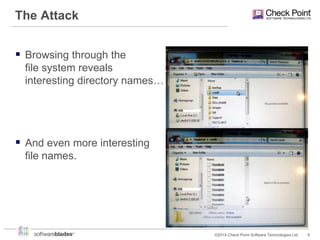
!  Browsing through the
file system reveals
interesting directory names…
!  And even more interesting
file names.
7©2014 Check Point Software Technologies Ltd.
The Attack
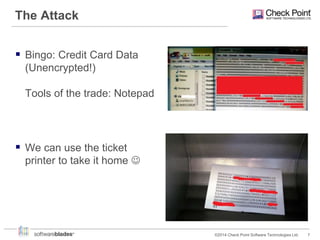
!  Bingo: Credit Card Data
(Unencrypted!)
Tools of the trade: Notepad
!  We can use the ticket
printer to take it home ☺
8©2014 Check Point Software Technologies Ltd.
The Attack
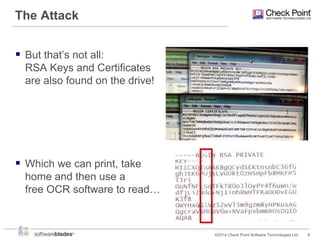
!  But that’s not all:
RSA Keys and Certificates
are also found on the drive!
!  Which we can print, take
home and then use a
free OCR software to read…
9©2014 Check Point Software Technologies Ltd.
The Attack
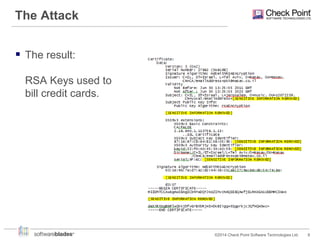
!  The result:
RSA Keys used to
bill credit cards.
10©2014 Check Point Software Technologies Ltd.
Example #1: Summary
!  Device purpose: Print purchased Movie Tickets
!  Data on device: Credit Card data and Encryption Keys
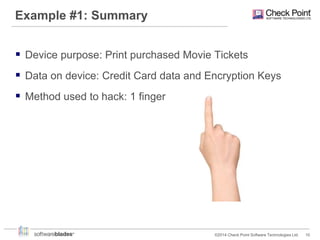
!  Method used to hack: 1 finger
11©2014 Check Point Software Technologies Ltd.
Example #2: Point-of-Sale Device
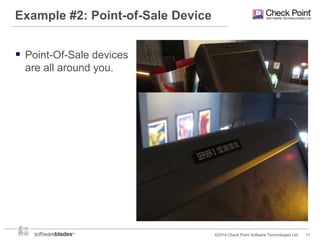
!  Point-Of-Sale devices
are all around you.
12©2014 Check Point Software Technologies Ltd.
The Attack
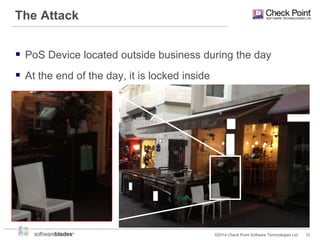
!  PoS Device located outside business during the day
!  At the end of the day, it is locked inside
13©2014 Check Point Software Technologies Ltd.
The Attack
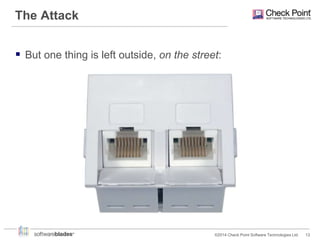
!  But one thing is left outside, on the street:
14©2014 Check Point Software Technologies Ltd.
The Attack
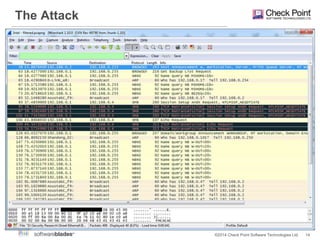
!  Intelligence Gathering: Listen to the network, discover
who’s talking, what language they’re speaking, and what
they’re saying in that language
15©2014 Check Point Software Technologies Ltd.
The Attack
!  Intelligence Gathering: Listen to the network, discover
who’s talking, what language they’re speaking, and what
they’re saying in that language
!  Detected IP addresses:
– 192.168.0.1
– 192.168.0.2
– 192.168.0.4
– 192.168.0.250
– 192.168.0.254
16©2014 Check Point Software Technologies Ltd.
The Attack
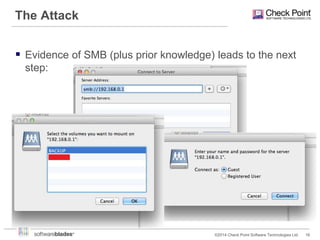
!  Evidence of SMB (plus prior knowledge) leads to the next
step:
!  And the response:
17©2014 Check Point Software Technologies Ltd.
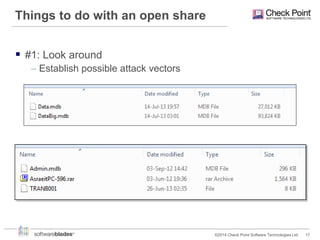
Things to do with an open share
!  #1: Look around
– Establish possible attack vectors
18©2014 Check Point Software Technologies Ltd.
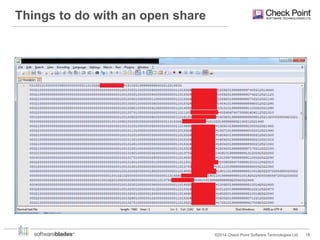
Things to do with an open share
19©2014 Check Point Software Technologies Ltd.
Things to do with an open share
!  #1: Look around
– Establish possible attack vectors
!  #2: Create a file list
– Not like stealing data, but very helpful
– Go home, analyze, come back later
20©2014 Check Point Software Technologies Ltd.
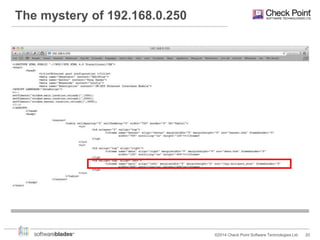
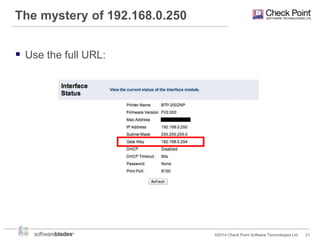
!  Answers a ping, but no SMB.
!  First guess: Switch/Router/ADSL Modem.
!  Try to access the Web-UI:
The mystery of 192.168.0.250
21©2014 Check Point Software Technologies Ltd.
The mystery of 192.168.0.250
!  Use the full URL:
22©2014 Check Point Software Technologies Ltd.
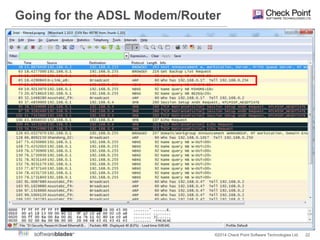
!  Reminder: We actually had this information.
Going for the ADSL Modem/Router
23©2014 Check Point Software Technologies Ltd.
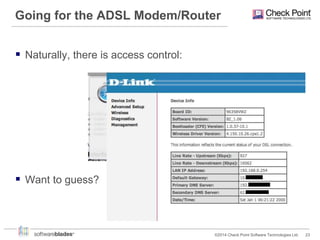
Going for the ADSL Modem/Router
!  Naturally, there is access control:
!  Want to guess?
24©2014 Check Point Software Technologies Ltd.
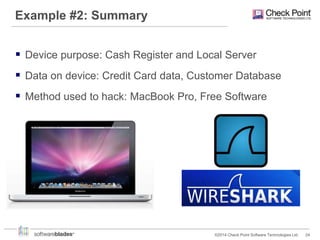
Example #2: Summary
!  Device purpose: Cash Register and Local Server
!  Data on device: Credit Card data, Customer Database
!  Method used to hack: MacBook Pro, Free Software
25©2014 Check Point Software Technologies Ltd.
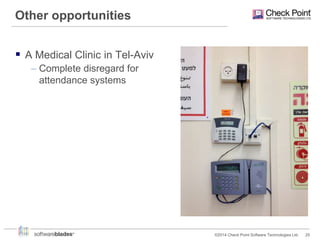
Other opportunities
!  A Medical Clinic in Tel-Aviv
– Complete disregard for
attendance systems
26©2014 Check Point Software Technologies Ltd.
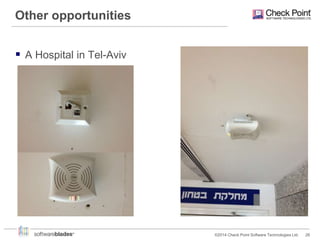
Other opportunities
!  A Hospital in Tel-Aviv
27©2014 Check Point Software Technologies Ltd.
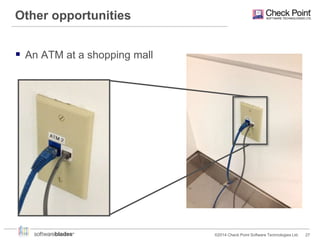
Other opportunities
!  An ATM at a shopping mall
28©2014 Check Point Software Technologies Ltd.
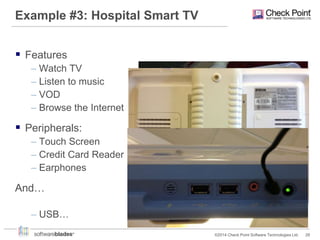
Example #3: Hospital Smart TV
!  Features
– Watch TV
– Listen to music
– VOD
– Browse the Internet
!  Peripherals:
– Touch Screen
– Credit Card Reader
– Earphones
And…
– USB…
29©2014 Check Point Software Technologies Ltd.
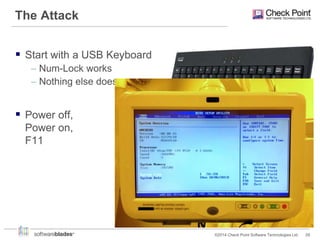
The Attack
!  Start with a USB Keyboard
– Num-Lock works
– Nothing else does
!  Power off,
Power on,
F11
30©2014 Check Point Software Technologies Ltd.
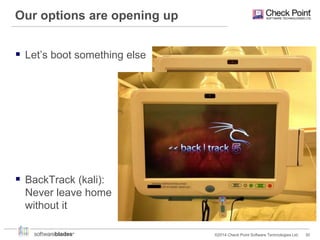
Our options are opening up
!  Let’s boot something else
!  BackTrack (kali):
Never leave home
without it
31©2014 Check Point Software Technologies Ltd.
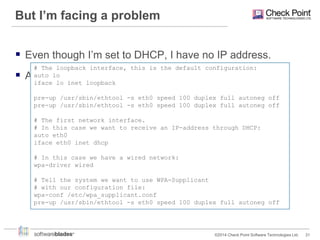
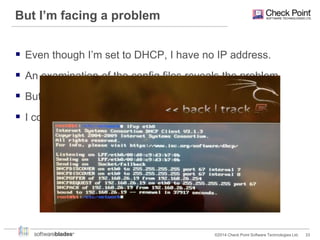
!  Even though I’m set to DHCP, I have no IP address.
!  An examination of the config files reveals the problem:
But I’m facing a problem
# The loopback interface, this is the default configuration:
auto lo
iface lo inet loopback
pre-up /usr/sbin/ethtool -s eth0 speed 100 duplex full autoneg off
# The first network interface.
# In this case we want to receive an IP-address through DHCP:
auto eth0
iface eth0 inet dhcp
# In this case we have a wired network:
wpa-driver wired
# Tell the system we want to use WPA-Supplicant
# with our configuration file:
wpa-conf /etc/wpa_supplicant.conf
pre-up /usr/sbin/ethtool -s eth0 speed 100 duplex full autoneg off
32©2014 Check Point Software Technologies Ltd.
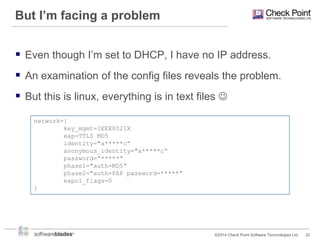
!  Even though I’m set to DHCP, I have no IP address.
!  An examination of the config files reveals the problem.
!  But this is linux, everything is in text files ☺
But I’m facing a problem
network={
key_mgmt=IEEE8021X
eap=TTLS MD5
identity="a*****c“
anonymous_identity="a*****c“
password=“*****“
phase1="auth=MD5“
phase2="auth=PAP password=*****“
eapol_flags=0
}
33©2014 Check Point Software Technologies Ltd.
!  Even though I’m set to DHCP, I have no IP address.
!  An examination of the config files reveals the problem.
!  But this is linux, everything is in text files ☺
!  I copy the files, and try again.
But I’m facing a problem
34©2014 Check Point Software Technologies Ltd.
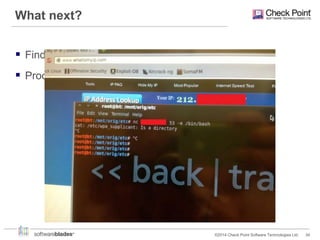
What next?
!  Find out where we are (external IP)
!  Proof-of-Concept: Open reverse shell
35©2014 Check Point Software Technologies Ltd.
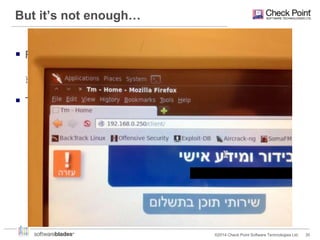
!  Further analysis of files reveals a lead:
http://192.168.0.250/client/
!  This is the actual User Interface:
But it’s not enough…
36©2014 Check Point Software Technologies Ltd.
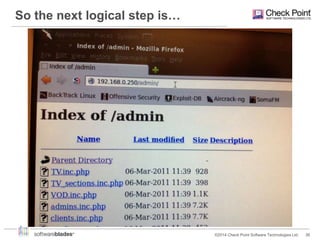
So the next logical step is…
37©2014 Check Point Software Technologies Ltd.
So what’s next?
!  We lost access to the devices
– At least easy access
!  Complete the report and go for disclosure
However…
!  Turns out other hospitals have the same device
– So now we wait for someone to get sick…
38©2014 Check Point Software Technologies Ltd.
Example #3: Summary
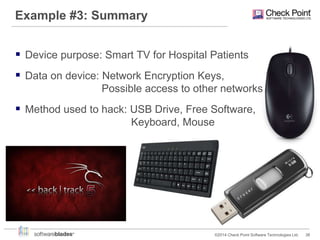
!  Device purpose: Smart TV for Hospital Patients
!  Data on device: Network Encryption Keys,
Possible access to other networks
!  Method used to hack: USB Drive, Free Software,
Keyboard, Mouse
39©2014 Check Point Software Technologies Ltd.
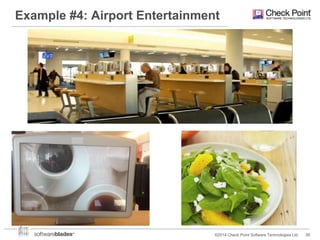
Example #4: Airport Entertainment
40©2014 Check Point Software Technologies Ltd.
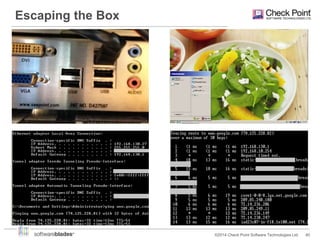
Escaping the Box
41©2014 Check Point Software Technologies Ltd.
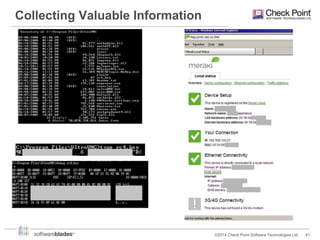
Collecting Valuable Information
42©2014 Check Point Software Technologies Ltd.
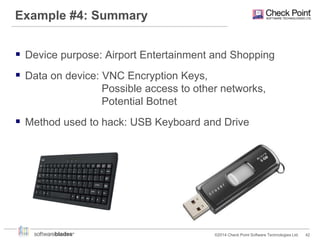
Example #4: Summary
!  Device purpose: Airport Entertainment and Shopping
!  Data on device: VNC Encryption Keys,
Possible access to other networks,
Potential Botnet
!  Method used to hack: USB Keyboard and Drive
43©2014 Check Point Software Technologies Ltd.
Conclusion
!  Local Networks are rarely as monitored and as protected
as the Internet Gateway.
!  Many devices that are publicly accessible do not get
hardened against unauthorized access.
!  Compromising a device on an internal network can easily
be leveraged in a network proliferation operation.
!  Best practice: Ask yourself: “Would I trust Inbar here?”
!  It’s not all about Cyber.
44©2014 Check Point Software Technologies Ltd.
Thank You!