Buy Old Gmail Accounts in 2026: 10
Secure Options
Introduction
People searching for buy old Gmail accounts in 2026 are usually trying to solve a practical
email problem. They may want an established-looking inbox, several addresses for a
business, separate accounts for different projects, or a mailbox they believe will perform
better for outreach. The attraction is understandable: creating and establishing a new email
identity can feel slower than purchasing one that already exists.
The difficulty is that a transferred consumer Gmail account comes with an ownership and
security history that a buyer may not be able to verify. For that reason, I would not describe
anonymous account-selling websites as "secure" or independently verified. Instead, I
compared legitimate alternatives that address the underlying need using quality, features,
pricing, reliability, customization, customer support, transparency, and overall value. The
result is a practical guide to ten safer ways to obtain and manage email infrastructure without
depending on an unknown account's history.
Best Alternatives to Buying Old Gmail
Accounts in 2026 (Expert Comparison)
I evaluated established email providers and official Google resources to identify the
strongest options for people who are really looking for reliable email rather than an account
with an advertised age.
My ranking prioritizes ownership, security, administrative control, email functionality, and
compliance. Google currently requires senders to Gmail to meet authentication and technical
requirements, and it has been increasing enforcement against non-compliant traffic. (Google
Help)
1. Google Workspace (Best Overall)
Overall Rating: 9.7/10
Overview
Google Workspace is the solution I would recommend first when the reason for searching for
an old Gmail account is legitimate business use.
The fundamental difference is ownership. Rather than purchasing a consumer @gmail.com
account from another person, a company can create managed Gmail accounts under a
domain it controls. That gives the organization control over users, recovery, billing,
administration, security, and the domain itself.
Workspace is designed for businesses ranging from solo operators to large organizations.
Gmail is integrated with Drive, Calendar, Meet, Chat, Docs, Sheets, Slides, and
administrative tools, so the service becomes an operating environment rather than simply an
inbox.
In my assessment, this is considerably more defensible than trying to establish whether an
unfamiliar Gmail account is genuinely "aged," clean, or still recoverable by its former owner.
What Makes Google Workspace Different?
A purchased Gmail account gives you an address. Workspace gives you an organizational
identity.
Its major differentiators include:
● Custom business email
● Centralized administration
● Domain ownership
● Security and management controls
● Google productivity applications
● User lifecycle management
These features matter because business email needs to remain controllable when
employees leave, projects change, or security incidents occur.
Google Workspace Key Features
Custom Business Email
Workspace allows businesses to use addresses such as sales@company.com and
support@company.com.
That creates a recognizable identity without relying on a consumer address whose history
belongs to somebody else.
Central Administration
Administrators can create users, manage permissions, configure policies, and control
access.
For a ten-person business, this is already valuable. For a 500-person organization, it
becomes essential.
Productivity Ecosystem
Gmail is integrated with Calendar, Drive, Meet, Docs, Sheets, Slides, Chat, and other
Workspace applications. Google's current Workspace plans also include various Gemini-
powered features. (Google Workspace)
Authentication and Security
Google's sender requirements call for SPF or DKIM authentication for senders to Gmail.
Larger senders have additional SPF, DKIM, DMARC, TLS, DNS, and unsubscribe
requirements. (Google Help)
This is an important distinction: legitimate email reputation is built through proper
infrastructure and sending behavior, not simply by purchasing an older mailbox.
Google Workspace Pricing
Google's current published pricing shows Business Starter at $7 per user per month on
annual commitment, Business Standard at $14, and Business Plus at $22. Flexible monthly
billing is higher, and Google currently advertises a limited promotional offer and 14-day trial.
Enterprise pricing is handled through sales. (Google Workspace)
Pricing therefore ranges from accessible small-business pricing to premium enterprise
arrangements.
Pros
✔ Gmail-based business email
✔ Custom domain ownership
✔ Strong administration
✔ Large productivity ecosystem
✔ Established security controls
Cons
✘ Requires setup
✘ Paid subscription
✘ DNS configuration can be technical
✘ Advanced capabilities cost more
Who Should Choose Google Workspace?
Workspace is particularly suitable for:
● New businesses
● Freelancers
● Agencies
● Sales teams
● Small businesses
● Growing companies
● Enterprise organizations
If a client tells me they want an "old Gmail account" because they need a dependable
business mailbox, Workspace is normally where I start the conversation.
2. Microsoft 365 (Best Enterprise Alternative)
Overall Rating: 9.3/10
Overview
Microsoft 365 is the strongest mainstream alternative for organizations that prefer Microsoft's
ecosystem.
Its email infrastructure is based around Exchange Online and Outlook, with Teams,
OneDrive, and other Microsoft services providing collaboration and administration.
For companies already using Microsoft products, this can be more practical than adding
Gmail accounts solely because they are familiar.
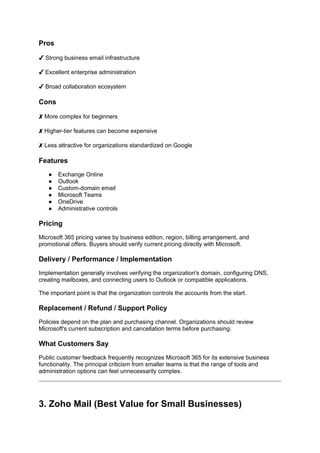
Pros
✔ Strong business email infrastructure
✔ Excellent enterprise administration
✔ Broad collaboration ecosystem
Cons
✘ More complex for beginners
✘ Higher-tier features can become expensive
✘ Less attractive for organizations standardized on Google
Features
● Exchange Online
● Outlook
● Custom-domain email
● Microsoft Teams
● OneDrive
● Administrative controls
Pricing
Microsoft 365 pricing varies by business edition, region, billing arrangement, and
promotional offers. Buyers should verify current pricing directly with Microsoft.
Delivery / Performance / Implementation
Implementation generally involves verifying the organization's domain, configuring DNS,
creating mailboxes, and connecting users to Outlook or compatible applications.
The important point is that the organization controls the accounts from the start.
Replacement / Refund / Support Policy
Policies depend on the plan and purchasing channel. Organizations should review
Microsoft's current subscription and cancellation terms before purchasing.
What Customers Say
Public customer feedback frequently recognizes Microsoft 365 for its extensive business
functionality. The principal criticism from smaller teams is that the range of tools and
administration options can feel unnecessarily complex.
3. Zoho Mail (Best Value for Small Businesses)
Overall Rating: 9.0/10
Overview
Zoho Mail is one of my preferred alternatives for smaller organizations that need
professional email without buying into a huge enterprise ecosystem.
The underlying use case is simple. If a five-person company needs five addresses, it can
create five addresses under a domain it owns instead of purchasing five unrelated Gmail
accounts.
That produces a much cleaner ownership model.
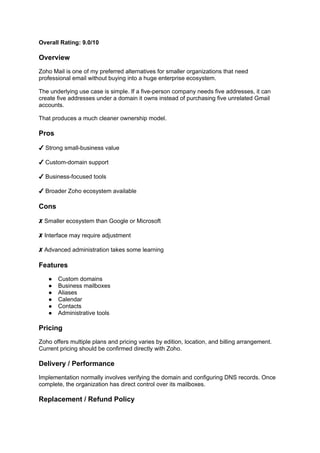
Pros
✔ Strong small-business value
✔ Custom-domain support
✔ Business-focused tools
✔ Broader Zoho ecosystem available
Cons
✘ Smaller ecosystem than Google or Microsoft
✘ Interface may require adjustment
✘ Advanced administration takes some learning
Features
● Custom domains
● Business mailboxes
● Aliases
● Calendar
● Contacts
● Administrative tools
Pricing
Zoho offers multiple plans and pricing varies by edition, location, and billing arrangement.
Current pricing should be confirmed directly with Zoho.
Delivery / Performance
Implementation normally involves verifying the domain and configuring DNS records. Once
complete, the organization has direct control over its mailboxes.
Replacement / Refund Policy
Refund and cancellation terms vary according to the selected Zoho subscription and
applicable terms.
What Customers Say
Public feedback commonly praises Zoho's value and broad business ecosystem. Users who
are accustomed to Gmail may prefer Google's interface and integrations.
4. Proton Mail (Best for Privacy)
Overall Rating: 8.9/10
Overview
Proton Mail is particularly suitable when the motivation behind seeking another Gmail
account is privacy.
It offers an alternative email ecosystem rather than another Google identity. For users who
want a separate private mailbox, that distinction is useful.
Proton also provides a broader privacy-focused ecosystem, including calendar and storage
products.
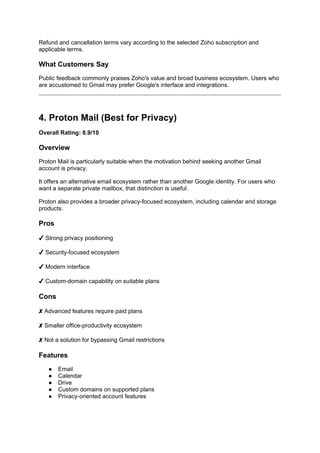
Pros
✔ Strong privacy positioning
✔ Security-focused ecosystem
✔ Modern interface
✔ Custom-domain capability on suitable plans
Cons
✘ Advanced features require paid plans
✘ Smaller office-productivity ecosystem
✘ Not a solution for bypassing Gmail restrictions
Features
● Email
● Calendar
● Drive
● Custom domains on supported plans
● Privacy-oriented account features
Pricing
Proton provides multiple subscription tiers. Pricing varies according to product, plan, and
billing term.
Delivery / Performance
Normal email implementation is straightforward. Users operating custom domains should
configure authentication and DNS correctly.
Replacement / Refund Policy
Refund and cancellation conditions depend on the selected Proton plan and current terms.
What Customers Say
Public feedback frequently emphasizes privacy and security. The trade-off is a smaller
productivity ecosystem than Google Workspace or Microsoft 365.
5. Fastmail (Best for Simplicity)
Overall Rating: 8.7/10
Overview
Fastmail is a strong choice for users who want a focused email service rather than a
complete office suite.
It supports custom domains, aliases, contacts, and calendars, making it suitable for
individuals, families, freelancers, and small teams.
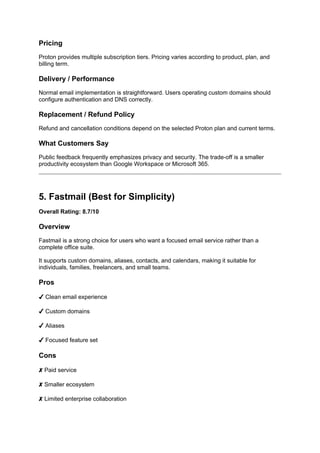
Pros
✔ Clean email experience
✔ Custom domains
✔ Aliases
✔ Focused feature set
Cons
✘ Paid service
✘ Smaller ecosystem
✘ Limited enterprise collaboration
Features
● Custom domains
● Aliases
● Calendar
● Contacts
● Email organization
Pricing
Fastmail uses paid subscriptions. Pricing depends on the plan and billing period.
Delivery / Performance
Implementation is generally straightforward. Custom-domain users need to complete domain
verification and DNS configuration.
What Customers Say
Users often praise Fastmail's focused interface and email-first philosophy. Its smaller
ecosystem is the primary trade-off.
6. iCloud Mail (Best for Apple Users)
Overall Rating: 8.4/10
Overview
For someone already using Apple devices, iCloud Mail may eliminate the perceived need to
buy another Gmail account.
It integrates with Apple's ecosystem, including Mail, Calendar, Contacts, and iCloud storage.
Pros
✔ Excellent Apple integration
✔ Simple setup
✔ Convenient across Apple devices
Cons
✘ Limited business administration
✘ Not designed for large organizations
✘ Smaller business feature set
Features
● iCloud Mail
● Calendar
● Contacts
● iCloud+
● Apple device integration
Pricing
Apple provides basic account functionality, while iCloud+ adds paid storage and other
features. Current pricing depends on the storage tier and country.
Delivery / Performance
For personal use, implementation is simple.
What Customers Say
The strongest customer appeal is convenience for people already invested in Apple's
hardware and software.
7. Google Postmaster Tools (Best for Deliverability)
Overall Rating: 8.6/10
Overview
Google Postmaster Tools is not an email provider or account marketplace. It is an official
Google resource that I recommend when someone is searching for old Gmail accounts
because they believe account age will improve delivery.
Postmaster Tools provides senders with delivery and spam-related information, while
Google's Compliance Status dashboard helps monitor sender requirements. (Google Help)
Pros
✔ Official Google resource
✔ Delivery diagnostics
✔ Spam and compliance visibility
Cons
✘ Does not create mailboxes
✘ More technical than consumer email tools
✘ Primarily useful to domain owners and senders
Features
● Compliance status
● Delivery diagnostics
● Spam-rate data
● Sender performance information
● Authentication-related monitoring
Pricing
Postmaster Tools is an official Google resource rather than a conventional paid email
service.
Delivery / Performance
It helps users diagnose real delivery problems instead of assuming an old account will
automatically perform better.
What Customers Say
The tool is most valuable to email administrators and businesses sending meaningful
volumes of mail.
Three More Secure Options Worth
Considering
The seven options above are my primary recommendations. Three additional legitimate
choices can also make sense depending on the user's requirements.
8. Amazon WorkMail (Best AWS-Centered
Organizations)
Overall Rating: 8.2/10
Amazon WorkMail is a managed business email service designed for organizations already
operating within the AWS ecosystem.
It can be attractive where IT teams want email integrated into a broader cloud infrastructure
strategy.
Best for: AWS-oriented businesses and technical teams.
Main limitation: It is less compelling for users who simply want the easiest possible
consumer-style mailbox.
Pricing should be checked directly with AWS because costs depend on the current service
model and usage.
9. Fastmail for Business (Best Small-Team Simplicity)
Overall Rating: 8.1/10
Fastmail's business-oriented capabilities are useful for small teams that want custom-
domain email without adopting an entire productivity suite.
Best for: small companies that value simplicity.
Main limitation: It lacks the breadth of Google Workspace and Microsoft 365.
10. A Company-Owned Domain With a Reputable Mail
Provider (Best Long-Term Ownership)
Overall Rating: 8.5/10
This is less a single provider than an infrastructure strategy.
The organization registers a domain in its own name and connects it to a reputable email
service. This approach separates the company's identity from any individual employee or
consumer mailbox.
Best for: businesses that care about long-term control.
Main limitation: Initial DNS and domain setup requires some technical work.
How I Evaluated These Buy Old Gmail
Accounts Alternatives
The ranking was not based only on marketing claims. I treated "secure" as a requirement for
control, transparency, continuity, and legitimate operation.
1. Quality
I looked for established providers with documented products, recognizable infrastructure,
and clear ownership models.
A supposedly aged account with an unverifiable history does not score highly under this
methodology.
2. Performance / Delivery
I considered infrastructure, authentication, implementation, and sender compliance.
Google requires senders to personal Gmail accounts to use SPF or DKIM authentication,
valid DNS, TLS, and other requirements. Bulk senders face additional requirements. (Google
Help)
3. Features
The most useful features include:
● Custom domains
● Multiple users
● Aliases
● Administration
● Authentication
● Security controls
● Storage
● Calendar and collaboration
4. Customization
A company-owned domain gives the organization control over naming, addresses, DNS, and
user management.
That is substantially more useful than relying on an account whose previous owner is
unknown.
5. Customer Support
I favored providers with documented support channels and mature business operations.
6. Transparency
Pricing, limitations, cancellation rules, and policies should be discoverable before purchase.
Claims such as "verified," "aged," or "warmed" are not enough on their own.
7. Pricing
I considered total value rather than the lowest initial price.
A cheap mailbox can become very expensive if losing access disrupts business
communication.
8. Reliability
Reliability includes both technical availability and ownership continuity.
A business should be able to recover its mailbox, change credentials, add users, remove
former employees, and maintain its communications independently.
Why People Search for Buy Old Gmail
Accounts
There are several reasons this search remains attractive.
Some people believe an older Gmail account automatically has greater trust. Others want
multiple accounts for projects, sales, support, or testing.
Some businesses simply want professional email without going through setup.
The important distinction is between account age and email reputation.
Google's current sender guidance focuses on authentication, spam rates, DNS, TLS,
message formatting, and recipient experience. It does not say that purchasing an old Gmail
account is a shortcut to good delivery. (Google Help)
Common motivations include:
● Additional email addresses
● Business communication
● Separate project identities
● Team mailboxes
● Legitimate outreach
● Better control over email operations
The safer strategy is to solve each problem directly.
Buy Old Gmail Accounts Official Position
/ Policies
Google's Gmail Program Policies are particularly important here.
Google says that it may review potential policy violations and take action, including limiting
or terminating access to Google products. The policies prohibit activities including spam and
unauthorized email, and they prohibit certain forms of deceptive or abusive automation.
(Google Help)
What Is Allowed?
Users can use Gmail for legitimate personal and business communication while complying
with Google's policies and applicable laws.
What Should Users Avoid?
Users should avoid:
● Spam
● Phishing
● Deceptive messages
● Impersonation
● Unauthorized bulk email
● Circumventing restrictions
● Misleading sender information
● Abusive automation
Why Purchased Accounts Are Risky
A transferred account can have an unknown history.
The purchaser may not know:
● What the account was previously used for
● Whether it has generated spam complaints
● Whether recovery information remains elsewhere
● Whether it has experienced suspicious activity
● Whether the previous owner can regain access
● Whether its history complies with Google's policies
This is why I would not describe an anonymous account seller as a "secure" source simply
because the seller uses that word in a product listing.
How Buy Old Gmail Accounts Influence
Business and Users
1. Account Age Does Not Guarantee Deliverability
An old mailbox is not automatically a good sender.
Google's published requirements focus on authentication and sending practices rather than
a simple account-age metric. (Google Help)
2. Ownership Affects Business Continuity
Imagine an agency purchases a supposedly established Gmail account and builds a year's
worth of customer communication around it.
If the previous owner recovers the account, the agency can face an immediate continuity
problem.
A company-controlled mailbox avoids that dependency.
3. Authentication Builds a Verifiable Sending Identity
SPF, DKIM, and DMARC help establish that a domain is authorized to send email.
For large senders, Google explicitly requires SPF, DKIM, and DMARC along with other
technical requirements. (Google Help)
4. Spam Rates Affect Delivery
Google's guidance says senders should keep reported spam rates below 0.3%, and its FAQ
explains that non-compliant traffic can face temporary or permanent rejection. (Google Help)
That means multiple old accounts are not a replacement for responsible sending.
5. Security Management Becomes Harder With More
Consumer Accounts
Every additional account adds credentials, recovery settings, security questions, forwarding
possibilities, and administrative overhead.
A managed business environment can consolidate those responsibilities.
Practical Examples
Example 1: New Agency
A six-person agency needs six professional email addresses.
Buying six old Gmail accounts creates six separate ownership histories.
A managed domain with six business users creates one controlled business identity.
Example 2: Freelancer
A freelancer wants to appear more professional.
A custom-domain mailbox such as name@business.com communicates ownership more
clearly than an unrelated purchased consumer account.
Example 3: Newsletter Operator
A publisher wants to send thousands of messages to Gmail recipients.
Buying old accounts does not remove Gmail's sender requirements. Google requires bulk
senders to authenticate email, maintain appropriate spam rates, support one-click
unsubscribe for relevant marketing messages, and satisfy other technical requirements.
(Google Help)
Example 4: Growing Company
A business expects employees to join and leave over time.
Centralized administration is far more useful than individual consumer accounts because
administrators can manage the account lifecycle without depending on former employees or
third-party sellers.
Final Take
My conclusion is deliberately different from a conventional list of Gmail-account sellers. I
would not label an anonymous marketplace a "secure option" merely because it advertises
aged, verified, warmed, or established accounts. The buyer generally cannot independently
verify the complete account history, security state, ownership chain, or future availability.
For legitimate business use, Google Workspace is my clear first choice. Microsoft 365 is the
strongest alternative for Microsoft-centered organizations, while Zoho Mail offers compelling
value for small businesses. Proton Mail is the better privacy-focused choice, and Fastmail is
attractive when simplicity matters. Postmaster Tools becomes important when the real issue
is Gmail deliverability rather than account creation.
The most important lesson is that age is not a substitute for ownership or sender
reputation. Google's current requirements emphasize authentication, DNS, TLS, spam
rates, message quality, and compliant sending practices. (Google Help)
If the goal is dependable email in 2026, I recommend owning the domain, creating accounts
under that domain, securing them properly, and building reputation through legitimate
sending behavior. It may not satisfy the narrow interpretation of "buy old Gmail accounts,"
but it produces something considerably more valuable: an email system the business
actually controls.