Best Places to Buy Old Gmail Accounts
Online in 2026
Introduction
People searching for old Gmail accounts online are usually trying to solve a practical
problem. They may want an established email identity, several mailboxes for a business,
separate addresses for different projects, or a faster way to begin an outreach operation.
The appeal is easy to understand: buying an existing account can appear simpler than
establishing new email infrastructure.
The difficulty is that an account's age does not tell you whether its history, recovery
information, ownership, security status, or previous activity is trustworthy. For that reason, I
would not describe third-party Gmail-account marketplaces as genuinely "reliable" or risk-
free. Instead, I compared legitimate platforms that address the same underlying
requirements. I considered quality, features, pricing, reliability, customization, customer
support, transparency, and overall value. This comparison shows which options make the
most sense in 2026 and where an established account actually fits into the bigger email
picture.
Best Old Gmail Account Alternatives in 2026 (Expert
Comparison)
I evaluated established email providers and business-email platforms rather than treating
anonymous account sellers as verified providers. The strongest options are those that give
the user direct control over the mailbox, domain, security settings, and recovery process.
1. Google Workspace — Best Overall
Overall Rating: 9.7/10
Overview
If someone specifically wants Gmail for business, Google Workspace is my first choice.
Workspace lets an organization create Gmail-based addresses using a domain it controls.
Instead of inheriting an unknown consumer account, the business owns the domain and
administers its users.
The platform also includes Gmail, Drive, Calendar, Meet, Chat, Docs, Sheets, Slides, and
other productivity services. Current plans also include varying levels of Gemini AI
functionality. (Google Workspace)
This is a fundamentally different proposition from buying an old Gmail account. The value
comes from controllable infrastructure rather than an account-age claim.
What Makes Google Workspace Different?
The biggest difference is control.
A company can manage:
● Its domain
● Users
● Administrators
● Security policies
● Recovery
● Billing
● Email authentication
● Employee access
That matters enormously when a business grows or an employee leaves.
Main differentiators
● Custom business email
● Centralized administration
● Gmail interface
● Google productivity ecosystem
● Security and management controls
For a business, these capabilities generally matter more than the supposed age of a
mailbox.
Google Workspace Key Features
Custom Business Email
Workspace supports addresses such as sales@company.com and
support@company.com.
The business owns the domain and can keep that identity even when staff members change.
Centralized Administration
Administrators can create and manage users, configure security, and control access.
This makes Workspace much more suitable for teams than a collection of unrelated
consumer accounts.
Integrated Productivity
Gmail works with Drive, Calendar, Meet, Docs, Sheets, Slides, and other Workspace
applications.
That means an organization can manage email and collaboration from one environment.
Security and Authentication
Google's sender guidance requires authentication and other technical measures. For all
senders to personal Gmail accounts, Google requires SPF or DKIM, valid DNS, TLS, and
appropriate spam rates. Larger senders have additional requirements, including DMARC.
(Google Help)
This is an important point: email performance depends on infrastructure and sending
practices, not simply on how old an account appears.
Google Workspace Pricing
Google currently lists Business Starter at $7 per user/month on an annual or fixed-term
plan, Business Standard at $14, and Business Plus at $22. Flexible monthly pricing is
higher. Enterprise pricing requires contacting Google. (Google Workspace Help)
Google's pricing page also displays promotional offers that can change over time, so
prospective customers should verify the current offer before purchasing. (Google
Workspace)
Pros
✔ Genuine Gmail-based infrastructure
✔ Custom domain support
✔ Centralized account administration
✔ Strong productivity ecosystem
✔ Established security controls
Cons
✘ Requires initial setup
✘ Subscription cost
✘ DNS configuration can be confusing for beginners
✘ Advanced capabilities require higher plans
Who Should Choose Google Workspace?
Workspace is best for:
● New businesses
● Small businesses
● Agencies
● Freelancers
● Sales teams
● Established companies
● Organizations already using Google products
Expert assessment: If the actual objective is dependable Gmail, I would choose Workspace
instead of purchasing a mailbox from an unknown seller. The business gets something much
more valuable than account age: control.
2. Microsoft 365 — Best for Microsoft-
Based Organizations
Overall Rating: 9.4/10
Overview
Microsoft 365 is the strongest mainstream alternative for businesses built around Outlook,
Word, Excel, Teams, and OneDrive.
Exchange Online provides business email while the broader Microsoft ecosystem handles
documents, communication, collaboration, and storage.
Pros
✔ Mature business infrastructure
✔ Excellent administration
✔ Strong collaboration ecosystem
Cons
✘ Can be complex for beginners
✘ Advanced functionality requires higher-tier plans
✘ Less attractive to organizations committed to Google
Features
● Exchange Online
● Outlook
● Custom domains
● Microsoft Teams
● OneDrive
● Office applications
● Administrative controls
Pricing
Pricing varies according to the Microsoft 365 edition, region, billing term, and promotions.
Delivery / Performance / Implementation
Businesses generally verify their domain, configure DNS, create users, and connect email
clients.
For a company already using Microsoft products, implementation is usually straightforward.
Replacement / Refund / Support Policy
Terms vary according to the subscription and purchasing channel. Businesses should review
the applicable Microsoft terms before committing.
What Customers Say
Public feedback tends to praise Microsoft's breadth and enterprise capabilities. Smaller
teams sometimes find the number of applications and settings more complicated than they
need.
3. Zoho Mail — Best Value
Overall Rating: 9.1/10
Overview
Zoho Mail is one of my favorite options for small organizations that want professional email
without adopting the entire Google or Microsoft ecosystem.
It supports custom domains, business mailboxes, aliases, administration, and integration
with other Zoho products.
Pros
✔ Good value
✔ Business-focused features
✔ Custom domains
✔ Broad Zoho ecosystem
Cons
✘ Smaller ecosystem than Google
✘ Interface may require adjustment
✘ Advanced configuration takes some learning
Features
● Custom domains
● Business mailboxes
● Aliases
● Calendar
● Contacts
● Administration
Pricing
Zoho provides multiple plans. Pricing varies according to the selected edition, region, and
billing arrangement.
Delivery / Performance
Custom-domain implementation requires domain verification and appropriate DNS
configuration.
Replacement / Refund Policy
Policies depend on the applicable Zoho plan and purchase terms.
What Customers Say
Public customer feedback commonly emphasizes value and the breadth of Zoho's business
tools. Users accustomed to Gmail may still prefer Google's interface.
4. Proton Mail — Best for Privacy
Overall Rating: 9.0/10
Overview
Proton Mail makes particular sense when the motivation for seeking old Gmail accounts is
privacy rather than account age.
Its ecosystem is designed around privacy-focused email and related services.
Pros
✔ Strong privacy focus
✔ Security-oriented ecosystem
✔ Modern interface
Cons
✘ Some advanced capabilities require paid plans
✘ Smaller productivity ecosystem
✘ Not a Gmail replacement for every workflow
Features
● Email
● Calendar
● Drive
● Custom domains on supported plans
● Privacy-focused controls
Pricing
Proton provides free and paid options. Pricing varies by product and subscription.
Delivery / Performance
Custom-domain users need to verify their domain and configure the required DNS records.
What Customers Say
Privacy is the strongest theme in public feedback. The main trade-off is a smaller
productivity ecosystem than Google or Microsoft.
5. Fastmail — Best for Simple Email
Overall Rating: 8.8/10
Overview
Fastmail is appealing to users who want a focused email service without subscribing to an
enormous productivity suite.
It supports custom domains, aliases, calendars, contacts, and email-management features.
Pros
✔ Clean interface
✔ Custom domains
✔ Strong focus on email
Cons
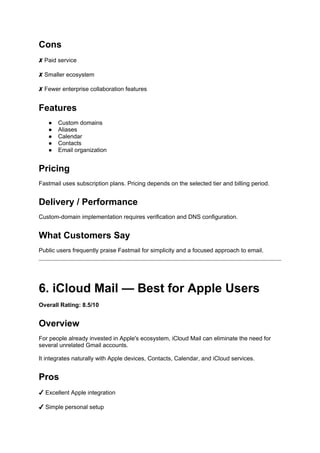
✘ Paid service
✘ Smaller ecosystem
✘ Fewer enterprise collaboration features
Features
● Custom domains
● Aliases
● Calendar
● Contacts
● Email organization
Pricing
Fastmail uses subscription plans. Pricing depends on the selected tier and billing period.
Delivery / Performance
Custom-domain implementation requires verification and DNS configuration.
What Customers Say
Public users frequently praise Fastmail for simplicity and a focused approach to email.
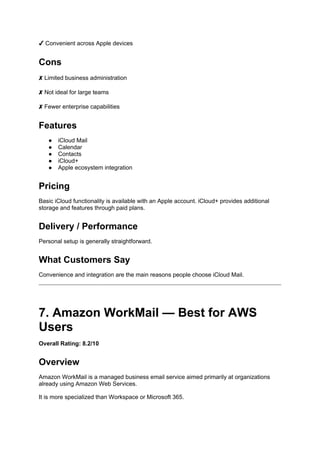
6. iCloud Mail — Best for Apple Users
Overall Rating: 8.5/10
Overview
For people already invested in Apple's ecosystem, iCloud Mail can eliminate the need for
several unrelated Gmail accounts.
It integrates naturally with Apple devices, Contacts, Calendar, and iCloud services.
Pros
✔ Excellent Apple integration
✔ Simple personal setup
✔ Convenient across Apple devices
Cons
✘ Limited business administration
✘ Not ideal for large teams
✘ Fewer enterprise capabilities
Features
● iCloud Mail
● Calendar
● Contacts
● iCloud+
● Apple ecosystem integration
Pricing
Basic iCloud functionality is available with an Apple account. iCloud+ provides additional
storage and features through paid plans.
Delivery / Performance
Personal setup is generally straightforward.
What Customers Say
Convenience and integration are the main reasons people choose iCloud Mail.
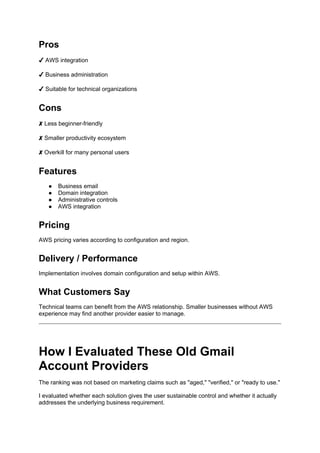
7. Amazon WorkMail — Best for AWS
Users
Overall Rating: 8.2/10
Overview
Amazon WorkMail is a managed business email service aimed primarily at organizations
already using Amazon Web Services.
It is more specialized than Workspace or Microsoft 365.
Pros
✔ AWS integration
✔ Business administration
✔ Suitable for technical organizations
Cons
✘ Less beginner-friendly
✘ Smaller productivity ecosystem
✘ Overkill for many personal users
Features
● Business email
● Domain integration
● Administrative controls
● AWS integration
Pricing
AWS pricing varies according to configuration and region.
Delivery / Performance
Implementation involves domain configuration and setup within AWS.
What Customers Say
Technical teams can benefit from the AWS relationship. Smaller businesses without AWS
experience may find another provider easier to manage.
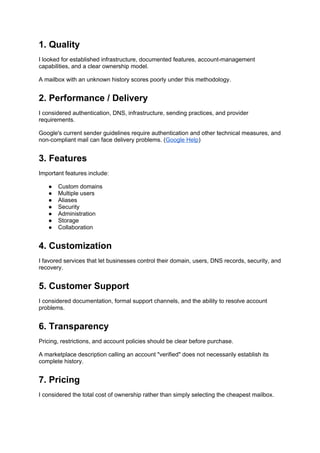
How I Evaluated These Old Gmail
Account Providers
The ranking was not based on marketing claims such as "aged," "verified," or "ready to use."
I evaluated whether each solution gives the user sustainable control and whether it actually
addresses the underlying business requirement.
1. Quality
I looked for established infrastructure, documented features, account-management
capabilities, and a clear ownership model.
A mailbox with an unknown history scores poorly under this methodology.
2. Performance / Delivery
I considered authentication, DNS, infrastructure, sending practices, and provider
requirements.
Google's current sender guidelines require authentication and other technical measures, and
non-compliant mail can face delivery problems. (Google Help)
3. Features
Important features include:
● Custom domains
● Multiple users
● Aliases
● Security
● Administration
● Storage
● Collaboration
4. Customization
I favored services that let businesses control their domain, users, DNS records, security, and
recovery.
5. Customer Support
I considered documentation, formal support channels, and the ability to resolve account
problems.
6. Transparency
Pricing, restrictions, and account policies should be clear before purchase.
A marketplace description calling an account "verified" does not necessarily establish its
complete history.
7. Pricing
I considered the total cost of ownership rather than simply selecting the cheapest mailbox.
8. Reliability
Reliability means both technical availability and ownership continuity.
For business email, the second factor is critical.
Why People Search for Old Gmail
Accounts
The search exists largely because some users believe that account age provides an
advantage.
Common motivations include:
● Multiple email identities
● Business communication
● Project separation
● Outreach
● Account scaling
● Faster setup
But account age should not be confused with sender reputation.
Google's published email guidelines focus on authentication, DNS, TLS, spam rates,
message formatting, and responsible sending. (Google Help)
For example, someone wanting to launch a legitimate newsletter does not solve the
underlying deliverability problem merely by obtaining an old mailbox.
The correct infrastructure depends on what the email will actually be used for.
Old Gmail Accounts Official Position /
Policies
Google's Gmail Program Policies are particularly important for this topic.
Google says it may investigate potential violations and take action, including limiting or
terminating access to Google products. Its policies prohibit spam and unsolicited commercial
mail and prohibit deceptive or abusive activity. (Google Help)
What Is Allowed?
Gmail can be used for legitimate personal and business communication when users follow
Google's policies and applicable laws.
What Is Prohibited?
Users should avoid:
● Spam
● Unsolicited commercial email
● Phishing
● Deceptive messages
● Impersonation
● Abusive automation
● Attempts to evade restrictions
Google explicitly says not to use Gmail to distribute spam or unsolicited commercial mail.
(Google Help)
Potential Risks
An externally acquired Gmail account can have an unknown:
● Security history
● Recovery configuration
● Login history
● Sending history
● Previous policy violations
● Ownership history
Consequently, nobody should describe such an account as risk-free.
Safer Alternatives
For business email, use a company-controlled domain.
For high-volume sending, use appropriate email infrastructure and comply with Gmail's
sender requirements.
For team accounts, use a managed business-email service.
How Old Gmail Accounts Influence
Business and Users
1. Account Age Is Not a Deliverability Strategy
Google's sender requirements emphasize authentication and responsible sending rather
than simply the age of an account. (Google Help)
An old mailbox therefore should not be treated as a shortcut around normal deliverability
requirements.
2. Ownership Determines Continuity
Imagine an agency using a purchased Gmail account as its main customer-support address.
If access becomes unavailable, the agency can lose an important communication channel.
With a company-owned domain, the organization retains control over the identity.
3. Authentication Builds a Better Foundation
SPF and DKIM help establish that authorized systems are sending mail for a domain.
Senders exceeding 5,000 messages per day to Gmail accounts also have additional SPF,
DKIM, DMARC, alignment, and unsubscribe requirements. (Google Help)
4. Spam Rates Matter
Google says senders should keep spam rates reported in Postmaster Tools below 0.30%.
(Google Help)
This demonstrates why acquiring more accounts is not a substitute for responsible sending
practices.
5. Administration Matters as Businesses Grow
A real organization needs to add users, remove former employees, manage permissions,
secure accounts, and recover access.
Centralized business-email platforms are designed for those requirements.
Practical Examples
A New Agency
A six-person agency needs six professional email addresses.
Rather than acquiring six unrelated accounts, it can create six users under one company-
owned domain.
The result is easier administration and a consistent business identity.
A Freelancer
A freelancer wants a professional address.
A domain such as name@business.com provides a more durable identity than an account
obtained from an unknown third party.
A Newsletter Publisher
A legitimate publisher sending substantial volumes of email needs proper authentication and
compliant sending practices.
Google says bulk senders must authenticate their email and make unsubscribing easy.
Gmail has also been increasing enforcement against non-compliant traffic. (Google Help)
A Growing Company
A company with frequent employee changes needs centralized control.
That is much easier when administrators create and manage accounts themselves.
Final Take
My main finding is that I would not classify third-party marketplaces selling old Gmail
accounts as reliable providers. The fundamental problem is verification: an outside seller
cannot give a buyer a dependable guarantee about an account's complete history, future
accessibility, security configuration, or policy status. The more reliable approach is to
address the underlying requirement with legitimate email infrastructure.
For users who specifically want Gmail, Google Workspace is the clear winner. Microsoft 365
is the strongest alternative for Microsoft-oriented organizations, Zoho Mail offers an
attractive value proposition, Proton Mail stands out for privacy, and Fastmail is compelling
for people who want a focused email service.
The most important lesson is that mailbox age should not be confused with email
reputation or deliverability. Google's current guidelines emphasize SPF/DKIM, DNS, TLS,
spam rates, message quality, and compliant sending. Non-compliant traffic can experience
delivery disruptions. (Google Help)
If I were advising a business in 2026, I would invest in a domain the business owns, properly
authenticated email, secure account management, and legitimate recipient relationships. It
may require more setup than purchasing an old account, but it provides something an
account marketplace cannot reliably guarantee: long-term control over the business's
email identity.