Accelerate
your
career in
SolidWorks
Content
• Introduction Of SolidWorks
• Feature of SolidWorks
• Benefits Of SolidWorks
• Advantage & Drawbacks of SolidWorks
• Career Opportunities in SolidWorks
• SolidWorks Training & Certification
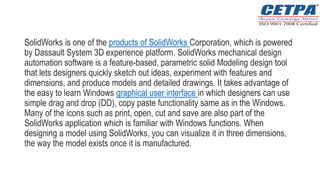
Introduction
Of
SolidWorks
SolidWorks is one of the products of SolidWorks Corporation, which is powered
by Dassault System 3D experience platform. SolidWorks mechanical design
automation software is a feature-based, parametric solid Modeling design tool
that lets designers quickly sketch out ideas, experiment with features and
dimensions, and produce models and detailed drawings. It takes advantage of
the easy to learn Windows graphical user interface in which designers can use
simple drag and drop (DD), copy paste functionality same as in the Windows.
Many of the icons such as print, open, cut and save are also part of the
SolidWorks application which is familiar with Windows functions. When
designing a model using SolidWorks, you can visualize it in three dimensions,
the way the model exists once it is manufactured.
Feature
Of
SolidWorks
1. Detailing mode for Drawings
With detailing mode, opening and detailing drawings has never
been easier. It is especially effective when working with drawings
or large assemblies or when dealing with large multi-sheet
drawings.
2. Assembly Performance
In SOLIDWORKS 2021 performance enhancements have been
made to accessing and working on your assemblies more
efficiently.
3. Assembly Productivity Tools
New Productivity tools for Assemblies in SOLIDWORKS 2021
give you more control over your assembly designs.
4. Improved User Experience
SOLIDWORKS is known for its intuitive and
customizable user interface. In SOLIDWORKS 2021
the user experience gets even better with
enhancements that make you more productive and
allows you to focus on your designs
5. Drawing Performance
When working with large assemblies, view
manipulation is vital to a good user experience.
SOLIDWORKS 2021 features significant graphics
performance enhancements.
6. Parts
In SOLIDWORKS 2021 sheet metal edge flanges can
now be created along non-linear edges. Also,
export and import of 3MF files is vastly
improved with better support for color, textures
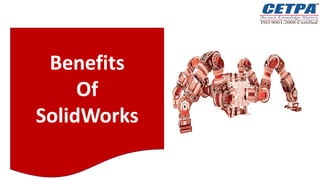
Benefits
Of
SolidWorks
• Quickly create, validate, communicate, and manage your entire product
development process.
• With Heads-up User Interaction, Instant 3D Modeling, intuitive display control
functions, and customizable shortcut menus, you can keep clicks and mouse
travel to a minimum.
• Includes the validation tools you need to ensure that products will meet or
exceed performance requirements before you 3D print your prototypes.
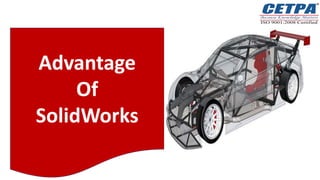
Advantage
Of
SolidWorks
1. Share Designs Quickly
• Share your designs and demos remotely with clients,
investors, team members, and more.
• Share designs and data in real-time to as many people as you
require.
• Send designs over the web, apply them in other mediums and
use them in animations for demos and presentations.
2. Automation
• With automation, you can focus on running your business.
• Replicating existing 3D design patterns often slows down the
design process. This is where SolidWorks CAD modeling comes
in, since it has built-in automation.
• Automatic dimensioning of 3D CAD models, which means that
you can go from the inception of an idea to the design phase
quickly.
3. Easily Check Interference and Calculations
• SolidWorks software helps to calculate geometric
measurements and forces related to deflection, motion,
part stress, vibration and other factors.
• Save time, since you don’t have to do the calculations
yourself.
• Improved accuracy of design, since the software makes
sure the math is correct based on the set parameters.
4. Cost-Efficient
• Due to standard built components that are included in 3D
CAD, designers can save time and hence money.
• SolidWorks modeling helps you to shorten the design cycle,
speed up time to market, and eliminate repetitive
activities.
5. Innovative Designs
• Visual graphics help customers and investors understand
components’ properties and features. They also help in
preparing proposals.
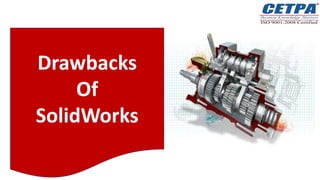
Drawbacks
Of
SolidWorks
SolidWorks, like any other software, comes with its
challenges. Some of them are:
• Limited operating system (OS) compatibility. It requires a
Windows computer, since there is no Mac OS version.
• Limited 2D functionality. If you want to primarily design in
2D, AutoCAD might be a better option.
• Higher cost. The software requires both an annual
subscription and an initial license investment for access to
frequent updates and technical support. Students can receive
a reduced-cost license for educational usage. However,
Dassault does not give free licenses.
• Their relatively new focus on cloud-based apps was
introduced a little late in the game. It might require some
work to make it truly enterprise-class.
• Some 3D models cannot be repaired with feature works and
healing.
• Could use faster processing.
• There have been reports of random crashes. It will require a
powerful computer.
Career
Opportunities
in
SolidWorks
PLM Consultant
Mech Design Engr
Design Engineer
Advanced Mech Design Engr
Applications Dev Analyst
SolidWorks
Training
&
Certification
• CETPA has been recognized as the greatest training institute in the country for delivering high-
quality education.
• The content of CETPA’s SolidWorks Training & Course is updated to reflect current technology.
• CETPA provides its students with an internship letter on the company's head after the course
completed.
• The trainers of CETPA are reputed & industry experts.
• CETPA offers 100% placement support.
• 1-year membership card is provided to the students.
For any query,
You can contact us:
+91 9212172602
https://www.cetpainfotech.com/
query@cetpainfotech.com