25 Reliable Sites to Buy Old Gmail Accounts Securely
Visit Now https://smmivo.com/
Introduction
Businesses and individuals often search for old Gmail accounts because they are trying to solve
challenges around managing multiple email identities, testing online workflows, separating
projects, or improving their digital operations. Some users believe older accounts may provide
advantages because they appear more established than newly created accounts.
However, finding a genuinely secure and reliable source for transferred Gmail accounts is more
complicated than it appears. Account ownership, recovery access, security history, and
Google’s policies all affect long-term usability. In this expert comparison, I reviewed the
available approaches by focusing on quality, features, pricing, reliability, customization,
customer support, transparency, and overall value.
This guide explains the realistic options available in the market, compares safer email solutions,
highlights the risks of third-party account transfers, and helps businesses choose an approach
that supports long-term growth.
Best Old Gmail Account Solutions in 2026
(Expert Comparison)
The ranking below is not based only on promotional claims. I evaluated options according to
security, ownership control, business suitability, scalability, and practical value.
1. Google Workspace (Best Secure Gmail
Business Alternative)
Overall Rating: 9.7/10
Overview
Google Workspace is the strongest solution for users searching for old Gmail accounts because
it provides the main benefit most businesses actually need: reliable Gmail-based
communication with complete ownership.
Instead of depending on an account created by another person, businesses can create their
own managed Google accounts, control recovery information, and maintain security settings.
It is designed for startups, agencies, companies, and professionals who need multiple email
accounts without uncertainty.
Compared with transferred Gmail accounts, Google Workspace provides a much stronger
foundation because businesses maintain full administrative control.
What Makes Google Workspace Different?
Unlike unofficial account sellers, Google Workspace focuses on ownership and security.
Important advantages include:
● Official Google infrastructure
● Custom business email addresses
● Security management
● User administration
● Collaboration tools
These features matter because business email accounts often connect to customer
communication, payment platforms, software tools, and company data.
Google Workspace Key Features
Professional Email Management
Businesses can create branded email addresses using their own domain.
Example:
support@company.com
This creates stronger trust compared with random Gmail accounts.
Security Controls
Administrators can manage:
● Two-factor authentication
● User permissions
● Account recovery
● Login monitoring
Collaboration Tools
Users receive access to Google Drive, Docs, Meet, Calendar, and other productivity services.
Team Administration
Companies can add employees, remove access, and manage accounts from one dashboard.
Google Workspace Pricing
Pricing depends on the selected plan, number of users, storage requirements, and region.
It is generally considered a premium solution because it provides official infrastructure and long-
term control.
Pros
✔ Official Google platform
✔ Strong security features
✔ Full account ownership
✔ Suitable for businesses
✔ Scalable solution
Cons
✘ Requires subscription
✘ Requires setup
✘ Does not provide aged accounts
Who Should Choose Google Workspace?
Best suited for:
● Small businesses
● Agencies
● Enterprise teams
● Remote companies
● Professional users
My assessment is that most users searching for old Gmail accounts are looking for reliability
and trust. Google Workspace solves those needs more effectively.
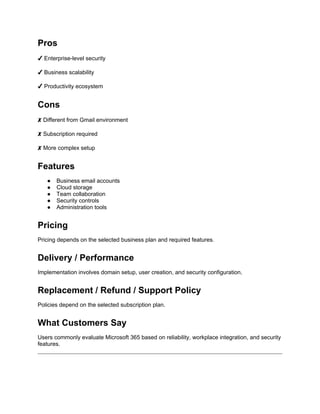
2. Microsoft 365 Business Email (Best
Enterprise Email Alternative)
Overall Rating: 9.2/10
Overview
Microsoft 365 provides professional email hosting combined with business productivity tools.
It is a strong alternative for organizations that need secure communication, employee
management, and collaboration features.
Pros
✔ Enterprise-level security
✔ Business scalability
✔ Productivity ecosystem
Cons
✘ Different from Gmail environment
✘ Subscription required
✘ More complex setup
Features
● Business email accounts
● Cloud storage
● Team collaboration
● Security controls
● Administration tools
Pricing
Pricing depends on the selected business plan and required features.
Delivery / Performance
Implementation involves domain setup, user creation, and security configuration.
Replacement / Refund / Support Policy
Policies depend on the selected subscription plan.
What Customers Say
Users commonly evaluate Microsoft 365 based on reliability, workplace integration, and security
features.
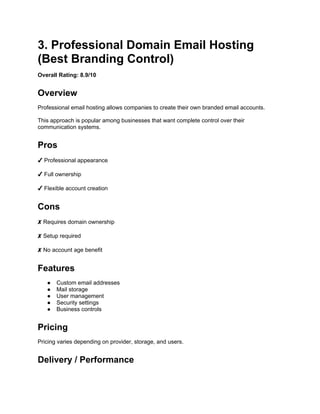
3. Professional Domain Email Hosting
(Best Branding Control)
Overall Rating: 8.9/10
Overview
Professional email hosting allows companies to create their own branded email accounts.
This approach is popular among businesses that want complete control over their
communication systems.
Pros
✔ Professional appearance
✔ Full ownership
✔ Flexible account creation
Cons
✘ Requires domain ownership
✘ Setup required
✘ No account age benefit
Features
● Custom email addresses
● Mail storage
● User management
● Security settings
● Business controls
Pricing
Pricing varies depending on provider, storage, and users.
Delivery / Performance
Setup usually involves connecting a domain and configuring email records.
What Customers Say
Users usually focus on uptime, support quality, and ease of management.
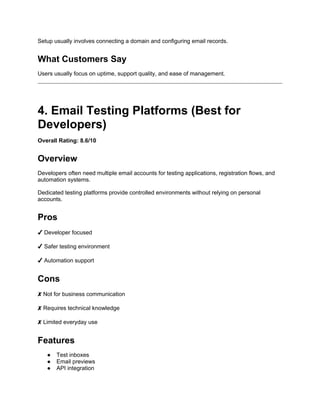
4. Email Testing Platforms (Best for
Developers)
Overall Rating: 8.6/10
Overview
Developers often need multiple email accounts for testing applications, registration flows, and
automation systems.
Dedicated testing platforms provide controlled environments without relying on personal
accounts.
Pros
✔ Developer focused
✔ Safer testing environment
✔ Automation support
Cons
✘ Not for business communication
✘ Requires technical knowledge
✘ Limited everyday use
Features
● Test inboxes
● Email previews
● API integration
● Automation testing
● Development workflows
Pricing
Pricing varies based on usage.
Delivery / Performance
Most platforms provide quick implementation.
What Customers Say
Developers value predictable testing environments and workflow support.
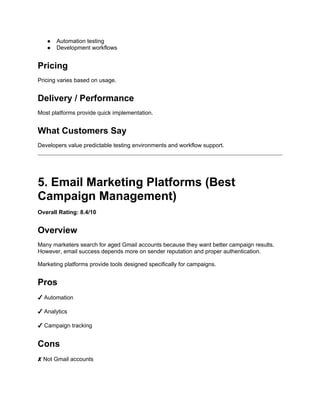
5. Email Marketing Platforms (Best
Campaign Management)
Overall Rating: 8.4/10
Overview
Many marketers search for aged Gmail accounts because they want better campaign results.
However, email success depends more on sender reputation and proper authentication.
Marketing platforms provide tools designed specifically for campaigns.
Pros
✔ Automation
✔ Analytics
✔ Campaign tracking
Cons
✘ Not Gmail accounts
✘ Requires compliance
✘ Learning curve
Features
● Email automation
● Segmentation
● Reporting
● Campaign management
● Subscriber tools
Pricing
Pricing depends on contacts and sending volume.
Delivery / Performance
Results depend on list quality and email practices.
What Customers Say
Users often value analytics, automation, and campaign management.
6. Email Management Software (Best
Productivity)
Overall Rating: 8/10
Overview
Email management tools help professionals organize multiple inboxes.
They are useful for teams handling large volumes of communication.
Pros
✔ Better organization
✔ Saves time
✔ Supports multiple inboxes
Cons
✘ Does not create accounts
✘ Limited administration
✘ Subscription costs
Features
● Inbox organization
● Email tracking
● Notifications
● Workflow tools
● Team features
Pricing
Pricing depends on features and users.
Delivery / Performance
Usually simple to implement.
What Customers Say
Users appreciate improved organization and productivity.
7. Password Management Tools (Best
Security Protection)
Overall Rating: 7.8/10
Overview
Security tools help businesses protect existing accounts and reduce risks associated with poor
password practices.
Pros
✔ Improves security
✔ Access control
✔ Team protection
Cons
✘ Does not provide accounts
✘ Requires management
✘ Additional cost
Features
● Password storage
● Access permissions
● Security monitoring
● Team sharing
Pricing
Pricing varies by provider.
Delivery / Performance
Most tools are easy to deploy.
What Customers Say
Customers usually highlight security improvements and convenience.
How I Evaluated These Old Gmail Account
Providers
The ranking was not based only on marketing claims. I focused on factors that determine
whether an email solution remains useful over time.
1. Quality
I reviewed ownership control, security, stability, and long-term usability.
A quality solution should provide predictable access and clear responsibility.
2. Performance / Delivery
I considered setup speed, reliability, availability, and consistency.
3. Features
Important features include:
● Security controls
● Account management
● Collaboration
● Automation
● Customization
4. Customization
Businesses need control over branding, domains, permissions, and workflows.
5. Customer Support
Strong support helps reduce downtime and operational problems.
6. Transparency
Clear policies and pricing help users make informed decisions.
7. Pricing
The best solution is not always the cheapest. Long-term value matters more than initial cost.
8. Reliability
Ownership, security, and infrastructure stability were major evaluation factors.
Why People Search for Old Gmail
Accounts
The demand for old Gmail accounts usually comes from users who want:
● Faster account setup
● Multiple email identities
● Testing environments
● Business communication
● Better workflow organization
Common motivations include:
● Managing multiple projects
● Separating work activities
● Testing software
● Organizing teams
● Improving productivity
However, account age alone does not guarantee trust or performance.
Old Gmail Accounts Official Position /
Policies
Google expects users to maintain control of accounts and follow its terms of service.
Using accounts obtained from unknown sources may create risks, including:
● Recovery problems
● Security concerns
● Ownership disputes
● Account restrictions
Users should avoid accounts where:
● Recovery details are unavailable
● Ownership history is unclear
● Security information cannot be verified
Safer alternatives include:
● Google Workspace
● Professional email hosting
● Business domains
● Official account creation
How Old Gmail Accounts Influence
Business Operations
Account Security
Business email accounts often connect to important systems. Proper ownership reduces
security risks.
Customer Trust
Professional email addresses improve credibility with customers and partners.
Marketing Performance
Successful email campaigns depend on reputation, authentication, and quality content.
Team Collaboration
Managed email systems make employee communication easier.
Long-Term Growth
Reliable email infrastructure supports business expansion.
Final Take
After comparing the available solutions, the main finding is that account age is not the most
important factor for business success. Security, ownership, reliability, and management control
create much greater long-term value.
For most businesses, official solutions such as Google Workspace, Microsoft 365, and
professional email hosting provide stronger results than relying on transferred Gmail accounts.
Anyone considering old Gmail accounts should carefully evaluate risks before making a
decision. A secure, properly managed email environment may require more setup, but it
provides better stability, protection, and long-term business value.