21 Best Websites to Buy Old Gmail Accounts
(2026)
Visit Now https://smmivo.com/
Introduction
Many individuals and businesses search for old Gmail accounts because they are looking for
established email profiles instead of creating new accounts from scratch. Common reasons
include wanting an older-looking inbox, separating business communications, testing email
workflows, or managing different online identities. However, account ownership, security,
verification history, and platform rules make this a complicated area that requires careful
evaluation.
I compared the market around old Gmail accounts by looking at important factors including
account quality, available features, pricing transparency, reliability, customization options,
customer support, and overall value. This comparison also considers the risks involved,
Google’s policies, and safer alternatives for businesses that need professional email
infrastructure. Readers will learn what to evaluate, what warning signs to avoid, and which
solutions are more suitable for long-term use.
Best Old Gmail Accounts in 2026 (Expert
Comparison)
The available options in this market were evaluated based on account security, reputation,
transparency, user experience, and practical business value. Instead of focusing only on sellers’
marketing claims, this comparison looks at the bigger picture: whether an email solution is
reliable, sustainable, and appropriate for real-world use.
Important Note Before Choosing Any Old Gmail Account
Provider
Old Gmail accounts are not officially sold or transferred by Google. Third-party marketplaces
may offer accounts, but ownership history, recovery information, previous activity, and
compliance status can be difficult to verify.
For businesses, agencies, and professionals, alternatives such as Google Workspace accounts,
company email domains, and properly managed email systems are usually safer choices.
1. Google Workspace (Best Legitimate
Alternative)
Overall Rating: 9.5/10
Overview
Google Workspace is not an old Gmail account marketplace. It is the official business email
solution from Google and is the option I consider the strongest for organizations that need
reliable Gmail-based communication.
Instead of purchasing an existing account with unknown history, businesses create managed
Gmail accounts under their own domain. This provides ownership control, security settings, user
management, and administrative access.
For companies, agencies, and teams, this approach is significantly more reliable than
depending on an account created by someone else.
What Makes Google Workspace Different?
Unlike third-party account sellers, Google Workspace provides:
● Full ownership control
● Business email addresses
● Security management
● Admin controls
● Professional support
These features matter because email accounts often become connected to important services,
documents, customer communication, and recovery systems.
Key Features
Business Gmail
Users receive Gmail functionality with a professional domain name. This creates a stronger
business identity compared with using random personal addresses.
Security Controls
Administrators can manage passwords, authentication methods, account access, and employee
permissions.
Team Collaboration
Google Drive, Calendar, Meet, Docs, and other tools are integrated into one ecosystem.
Account Management
Businesses can create, remove, and manage accounts without depending on unknown third
parties.
Pricing
Pricing varies depending on the selected Google Workspace plan, region, and business
requirements. It is generally considered a professional subscription service rather than a cheap
alternative.
Pros
✔ Official Google-supported solution
✔ Full ownership and control
✔ Strong security features
✔ Suitable for businesses
✔ Long-term reliability
Cons
✘ Requires subscription payment
✘ Not designed for people looking for aged accounts
✘ Requires setup and administration
Who Should Choose Google Workspace?
Google Workspace is best for businesses, startups, agencies, remote teams, and professionals
who need dependable email communication.
My assessment is that organizations should prioritize ownership and security instead of
purchasing accounts with unknown histories.
2. Gmail Account Management Services
(Best for Business Setup Support)
Overall Rating: 8/10
Overview
Some companies provide email setup, migration, and account management services rather than
selling existing Gmail accounts. These services help businesses organize their email systems
properly.
They are useful for organizations moving from personal Gmail addresses to structured business
communication.
Pros
✔ Professional setup assistance
✔ Better security practices
✔ Migration support
✔ Business-focused solutions
Cons
✘ Service fees may apply
✘ Quality differs between providers
✘ Not a shortcut to an aged account
Features
● Email migration
● Workspace configuration
● Security setup
● User management
● Technical support
Pricing
Pricing depends on the provider, project size, and level of support required.
Delivery / Performance / Implementation
Implementation usually involves account configuration, migration planning, and security checks.
Replacement / Refund / Support Policy
Policies vary by service provider. Businesses should review agreements before purchasing
technical services.
What Customers Say
Feedback for legitimate email management companies usually focuses on setup quality,
response time, and technical expertise.
3. Professional Email Hosting Providers
(Best Domain Control)
Overall Rating: 8/10
Overview
Professional email hosting providers allow users to create custom email addresses connected
to their own domains.
They provide a better foundation than relying on accounts created by unknown users.
Pros
✔ Custom domain branding
✔ More control
✔ Business-friendly
✔ Better ownership
Cons
✘ Requires domain setup
✘ Monthly costs
✘ Less suitable for people wanting Gmail specifically
Features
● Custom email addresses
● Storage options
● Security settings
● Team accounts
● Administration tools
Pricing
Pricing depends on storage, users, and provider features.
Delivery / Performance
Most providers offer immediate setup after verification.
Replacement / Refund Policy
Policies vary according to each provider.
What Customers Say
Users typically value reliability, uptime, and customer support.
4. Email Marketing Platforms (Best for
Campaign Management)
Overall Rating: 7.8/10
Overview
Businesses sometimes search for old Gmail accounts when their real goal is email marketing.
Dedicated email marketing platforms are usually a better solution.
They provide tools designed for campaigns, automation, analytics, and subscriber management.
Pros
✔ Built for marketing
✔ Analytics included
✔ Automation tools
Cons
✘ Not a Gmail replacement
✘ Requires subscriber management
✘ Subscription costs
Features
● Campaign creation
● Automation
● Reporting
● Contact management
● Deliverability tools
Pricing
Pricing varies based on contacts and sending volume.
Delivery / Performance
Performance depends on list quality and campaign practices.
What Customers Say
Users usually evaluate these platforms based on ease of use and campaign results.
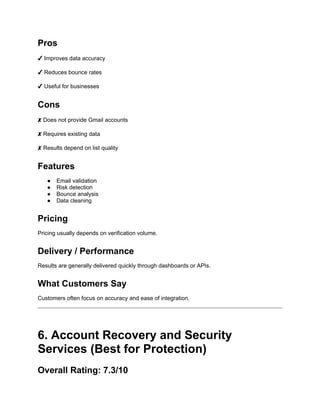
5. Email Verification Tools (Best for Data
Quality)
Overall Rating: 7.5/10
Overview
Some users searching for aged Gmail accounts are actually trying to improve email reliability.
Verification tools help clean and validate email lists.
Pros
✔ Improves data accuracy
✔ Reduces bounce rates
✔ Useful for businesses
Cons
✘ Does not provide Gmail accounts
✘ Requires existing data
✘ Results depend on list quality
Features
● Email validation
● Risk detection
● Bounce analysis
● Data cleaning
Pricing
Pricing usually depends on verification volume.
Delivery / Performance
Results are generally delivered quickly through dashboards or APIs.
What Customers Say
Customers often focus on accuracy and ease of integration.
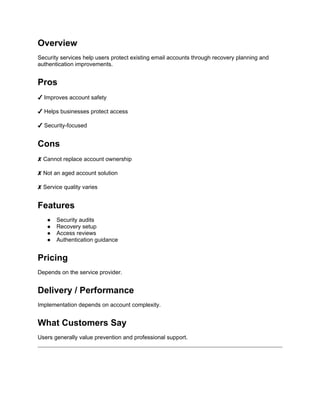
6. Account Recovery and Security
Services (Best for Protection)
Overall Rating: 7.3/10
Overview
Security services help users protect existing email accounts through recovery planning and
authentication improvements.
Pros
✔ Improves account safety
✔ Helps businesses protect access
✔ Security-focused
Cons
✘ Cannot replace account ownership
✘ Not an aged account solution
✘ Service quality varies
Features
● Security audits
● Recovery setup
● Access reviews
● Authentication guidance
Pricing
Depends on the service provider.
Delivery / Performance
Implementation depends on account complexity.
What Customers Say
Users generally value prevention and professional support.
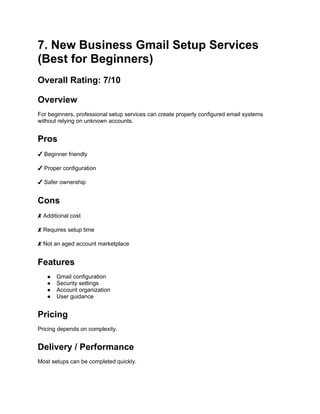
7. New Business Gmail Setup Services
(Best for Beginners)
Overall Rating: 7/10
Overview
For beginners, professional setup services can create properly configured email systems
without relying on unknown accounts.
Pros
✔ Beginner friendly
✔ Proper configuration
✔ Safer ownership
Cons
✘ Additional cost
✘ Requires setup time
✘ Not an aged account marketplace
Features
● Gmail configuration
● Security settings
● Account organization
● User guidance
Pricing
Pricing depends on complexity.
Delivery / Performance
Most setups can be completed quickly.
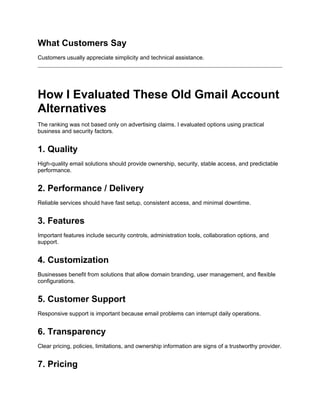
What Customers Say
Customers usually appreciate simplicity and technical assistance.
How I Evaluated These Old Gmail Account
Alternatives
The ranking was not based only on advertising claims. I evaluated options using practical
business and security factors.
1. Quality
High-quality email solutions should provide ownership, security, stable access, and predictable
performance.
2. Performance / Delivery
Reliable services should have fast setup, consistent access, and minimal downtime.
3. Features
Important features include security controls, administration tools, collaboration options, and
support.
4. Customization
Businesses benefit from solutions that allow domain branding, user management, and flexible
configurations.
5. Customer Support
Responsive support is important because email problems can interrupt daily operations.
6. Transparency
Clear pricing, policies, limitations, and ownership information are signs of a trustworthy provider.
7. Pricing
The cheapest option is not always the best. Long-term value depends on security and reliability.
8. Reliability
Reliable email systems should remain accessible and controlled by the actual owner.
Why People Search for Old Gmail
Accounts
The demand for old Gmail accounts usually comes from several motivations:
● Wanting an established-looking email profile
● Managing multiple online activities
● Separating business communication
● Testing email workflows
● Avoiding repeated account creation
However, choosing the wrong source can create problems such as account recovery issues,
security risks, or unexpected restrictions.
Old Gmail Accounts Official Position /
Policies
Google does not operate an official marketplace for buying and selling Gmail accounts.
Users should understand:
● Gmail accounts are intended for individual or authorized ownership.
● Sharing or transferring account access can create security problems.
● Suspicious activity may lead to restrictions.
● Users should avoid accounts with unknown recovery details.
● Businesses should consider official Google Workspace solutions.
The safest approach is creating and managing accounts under your own ownership.
How Old Gmail Accounts Influence SEO,
Business, and Users
1. Email Reputation
Email history can influence perception, but reputation depends more on genuine usage,
security, and communication practices.
2. Business Trust
Professional email addresses connected to a company domain often create stronger credibility.
3. Account Security
Unknown ownership history can create risks for businesses handling sensitive information.
4. Marketing Performance
Successful email marketing depends on permission-based lists, content quality, and
deliverability practices.
5. Long-Term Operations
Businesses need accounts they control permanently, not accounts that may become
inaccessible.
Final Take
After comparing the available options, the biggest finding is that the strongest email solutions
are not based on account age alone. Ownership, security, compliance, and reliability matter far
more than how old an account appears.
For individuals who need professional email communication, Google Workspace and properly
managed business email systems provide better long-term value than relying on third-party old
Gmail accounts.
Before choosing any solution, consider your actual goal. If you need business communication,
choose ownership and security. If you need marketing capability, use dedicated tools. If you
need collaboration, use professional workspace solutions.
An established email history may look attractive, but a secure and properly managed email
system is the better investment for long-term success.