04 Session 4_ AI for Writing and Communication.pptx
1.
Session 4
AI forWriting and
Communication
Day 1: Mastering Professional Correspondence & Reports
2.
Email Mastery: Learnto draft complex, high-stakes emails in seconds.
Report Drafting: Use AI to structure and expand raw data into
narratives.
Summarization: Convert long documents into executive action items.
Global Outreach: Apply context-aware translation and tone shifting.
Session Objectives
3.
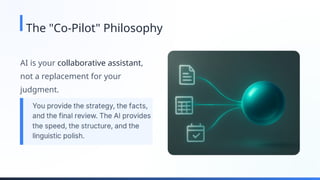
AI is yourcollaborative assistant,
not a replacement for your
judgment.
The "Co-Pilot" Philosophy
4.
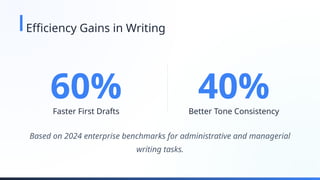
Based on 2024enterprise benchmarks for administrative and managerial
writing tasks.
60%
Faster First Drafts
40%
Better Tone Consistency
Efficiency Gains in Writing
5.
Part 1: EmailDrafting
Scaling high-quality professional correspondence
6.
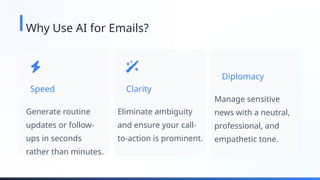
Speed
Generate routine
updates orfollow-
ups in seconds
rather than minutes.
Clarity
Eliminate ambiguity
and ensure your call-
to-action is prominent.
Diplomacy
Manage sensitive
news with a neutral,
professional, and
empathetic tone.
Why Use AI for Emails?
7.
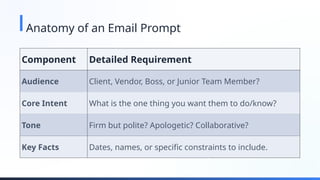
Component Detailed Requirement
AudienceClient, Vendor, Boss, or Junior Team Member?
Core Intent What is the one thing you want them to do/know?
Tone Firm but polite? Apologetic? Collaborative?
Key Facts Dates, names, or specific constraints to include.
Anatomy of an Email Prompt
8.
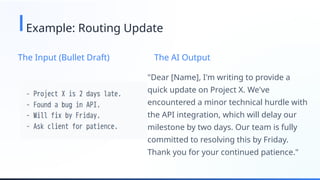
The Input (BulletDraft) The AI Output
"Dear [Name], I'm writing to provide a
quick update on Project X. We've
encountered a minor technical hurdle with
the API integration, which will delay our
milestone by two days. Our team is fully
committed to resolving this by Friday.
Thank you for your continued patience."
Example: Routing Update
9.
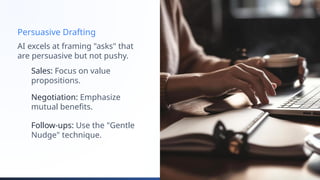
Persuasive Drafting
AI excelsat framing "asks" that
are persuasive but not pushy.
Sales: Focus on value
propositions.
Negotiation: Emphasize
mutual benefits.
Follow-ups: Use the "Gentle
Nudge" technique.
10.
Polished
Transforms informal
notes intoboard-ready
communications.
Empathetic
Softens corrective
feedback for a junior
employee.
Assertive
Clearly defines
boundaries with a
demanding vendor.
Tone Adjustment in Emails
11.
AI can generate5-10 variations of a subject line to optimize open rates
and clarity.
Avoid vague subjects like "Update" or "News". Aim for "Urgent Action: Q3
Travel Policy Revision."
Subject Line Generation
12.
Privacy: Remove names/datesif using a public model.
The "Human Pass": Always check the signature and specific facts.
Structure: Use AI to turn long paragraphs into scannable lists.
Email Best Practices
13.
Part 2: ReportWriting
From raw data to polished professional narratives
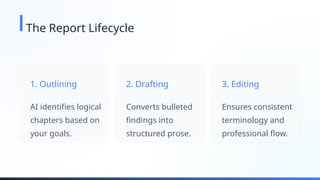
14.
1. Outlining
AI identifieslogical
chapters based on
your goals.
2. Drafting
Converts bulleted
findings into
structured prose.
3. Editing
Ensures consistent
terminology and
professional flow.
The Report Lifecycle
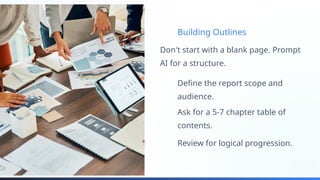
15.
Building Outlines
Don't startwith a blank page. Prompt
AI for a structure.
Define the report scope and
audience.
Ask for a 5-7 chapter table of
contents.
Review for logical progression.
16.
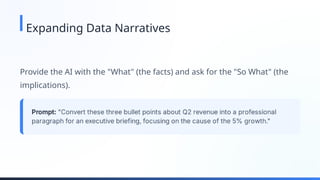
Provide the AIwith the "What" (the facts) and ask for the "So What" (the
implications).
Expanding Data Narratives
17.
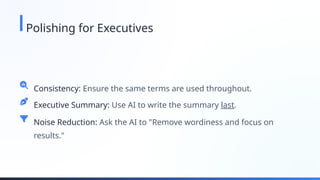
Consistency: Ensure thesame terms are used throughout.
Executive Summary: Use AI to write the summary last.
Noise Reduction: Ask the AI to "Remove wordiness and focus on
results."
Polishing for Executives
18.
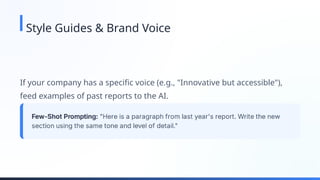
If your companyhas a specific voice (e.g., "Innovative but accessible"),
feed examples of past reports to the AI.
Style Guides & Brand Voice
19.
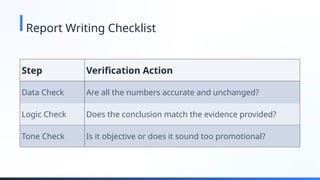
Step Verification Action
DataCheck Are all the numbers accurate and unchanged?
Logic Check Does the conclusion match the evidence provided?
Tone Check Is it objective or does it sound too promotional?
Report Writing Checklist
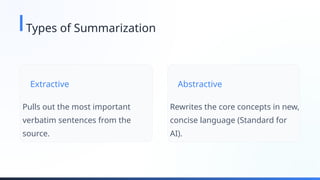
Extractive
Pulls out themost important
verbatim sentences from the
source.
Abstractive
Rewrites the core concepts in new,
concise language (Standard for
AI).
Types of Summarization
22.
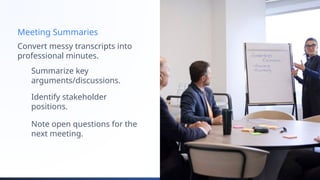
Meeting Summaries
Convert messytranscripts into
professional minutes.
Summarize key
arguments/discussions.
Identify stakeholder
positions.
Note open questions for the
next meeting.
23.
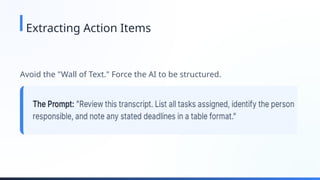
Avoid the "Wallof Text." Force the AI to be structured.
Extracting Action Items
24.
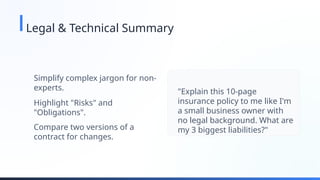
"Explain this 10-page
insurancepolicy to me like I'm
a small business owner with
no legal background. What are
my 3 biggest liabilities?"
Simplify complex jargon for non-
experts.
Highlight "Risks" and
"Obligations".
Compare two versions of a
contract for changes.
Legal & Technical Summary
25.
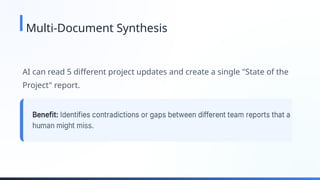
AI can read5 different project updates and create a single "State of the
Project" report.
Multi-Document Synthesis
26.
Part 4: Translation& Tone
Crossing linguistic and cultural boundaries with context
27.
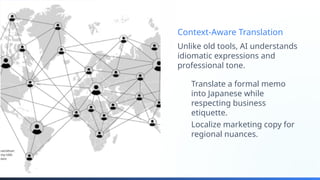
Context-Aware Translation
Unlike oldtools, AI understands
idiomatic expressions and
professional tone.
Translate a formal memo
into Japanese while
respecting business
etiquette.
Localize marketing copy for
regional nuances.
28.
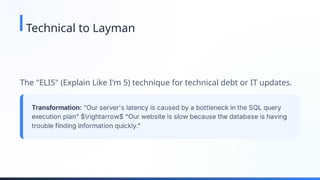
The "ELI5" (ExplainLike I'm 5) technique for technical debt or IT updates.
Technical to Layman
29.
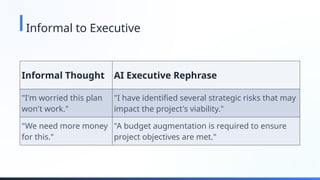
Informal Thought AIExecutive Rephrase
"I'm worried this plan
won't work."
"I have identified several strategic risks that may
impact the project's viability."
"We need more money
for this."
"A budget augmentation is required to ensure
project objectives are met."
Informal to Executive
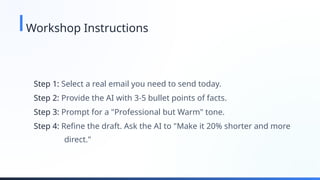
Step 1: Selecta real email you need to send today.
Step 2: Provide the AI with 3-5 bullet points of facts.
Step 3: Prompt for a "Professional but Warm" tone.
Step 4: Refine the draft. Ask the AI to "Make it 20% shorter and more
direct."
Workshop Instructions