Download to read offline
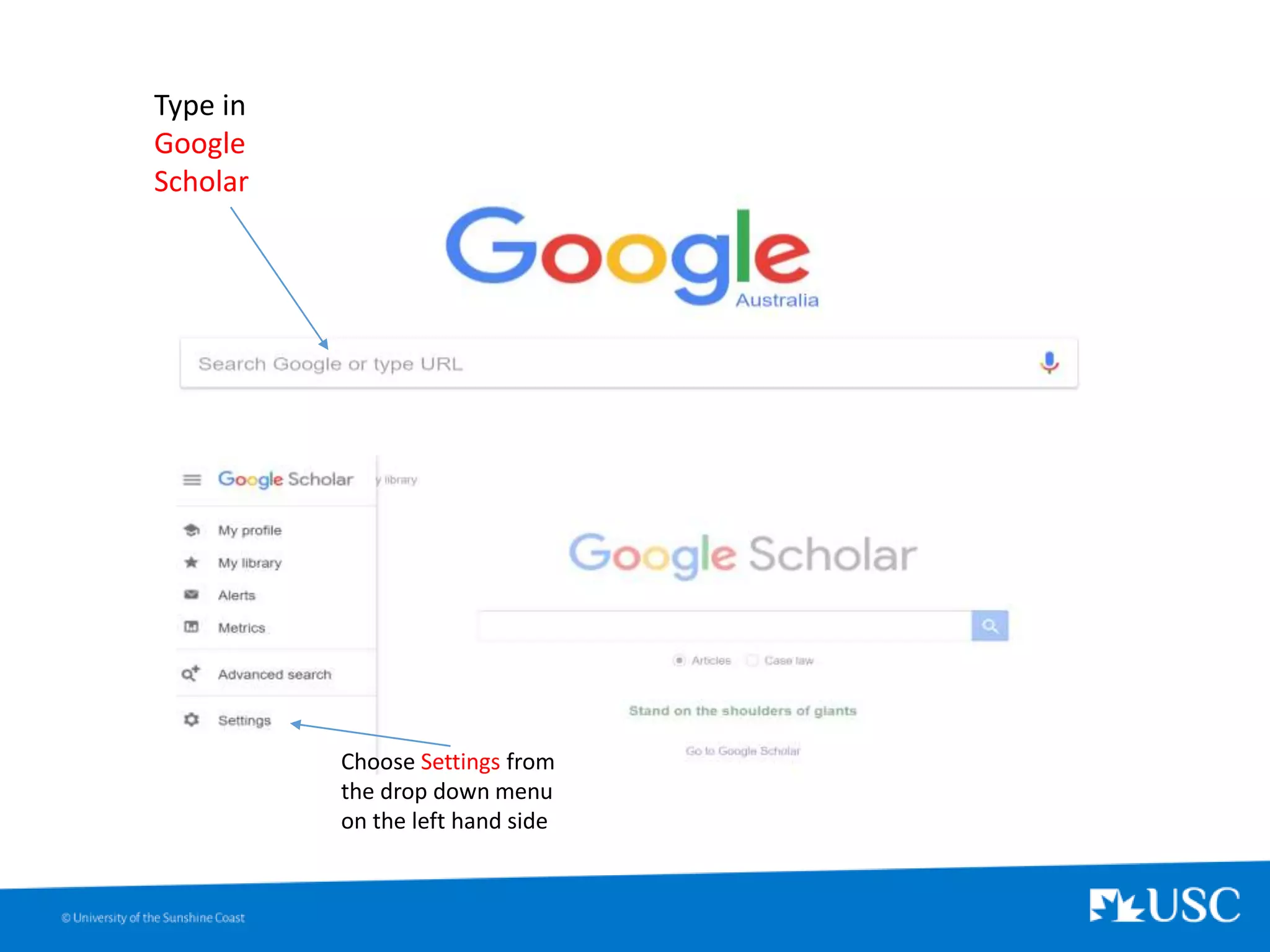
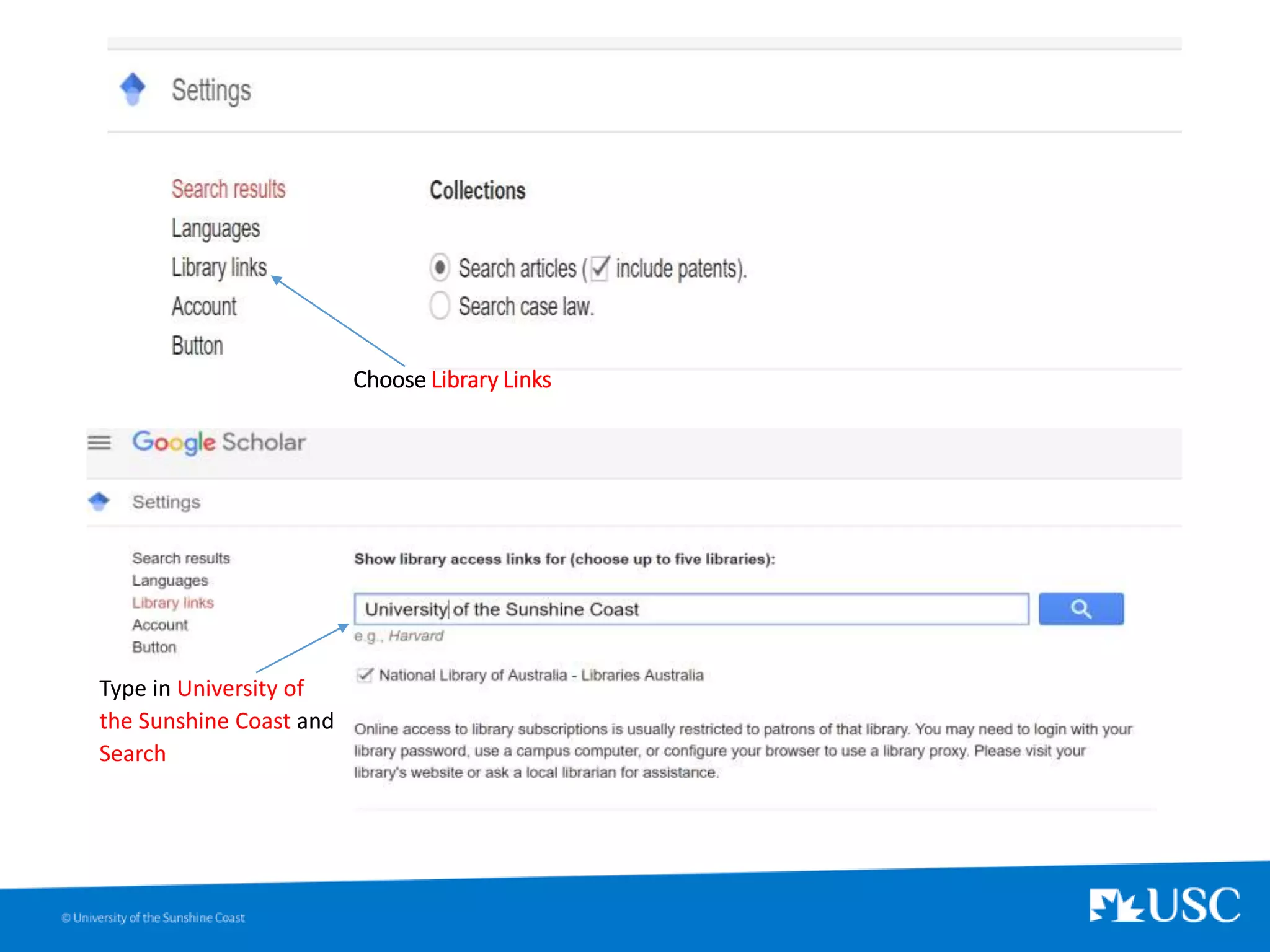
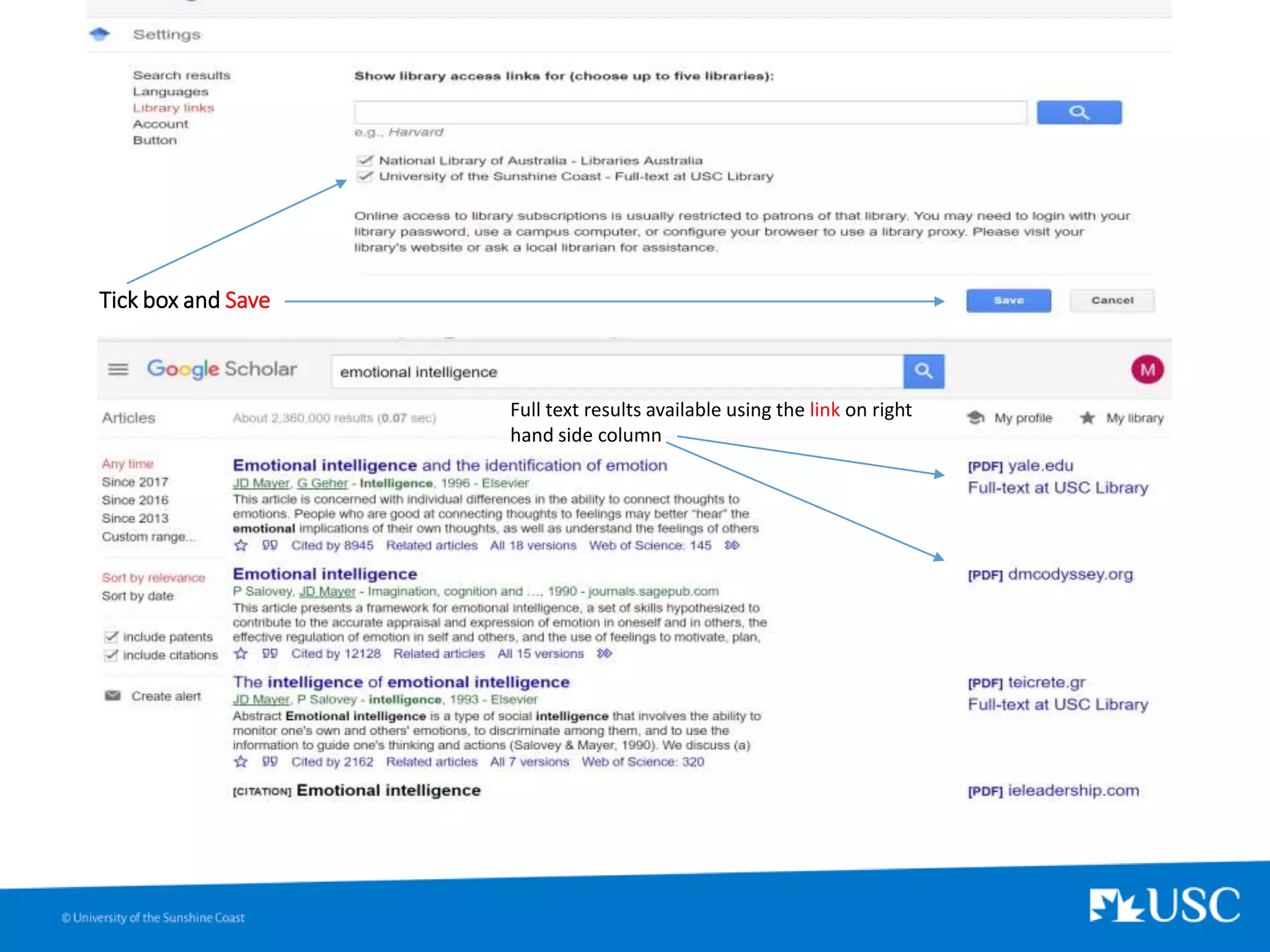
To set up Google Scholar library links for the University of the Sunshine Coast, search for the university name in the Library Links section under Settings in Google Scholar and tick the box to save the full text availability.


