Keeping Rails on the Tracks
         Mikel Lindsaar
           @raasdnil

          lindsaar.net
Working in Rails & Ruby for 5+ Years

         http://lindsaar.net/

        http://stillalive.com/

         http://rubyx.com/
On the Rails?
Experience
Working Code?
Sexy Code?
Maintainable Code?
A Product is Only a
  Product if it is
    Exchanged
Budget Matters


Beautiful code is ugly if no one buys it
Trade-Offs are Life


Decide how much refactoring needed
        based on code use
You are not selling code


     You are selling a solution
    Running app are what counts
Deployment is a First
   Class Citizen
Server Setup


Use Chef / Puppet / whatever
 Repeatable Configuration
Use Bundler

  Removes Deployment Pain
   Be explicit with versions
Only lock to git repos you own
Repeatable Deployment


      Get the staging server up
  Use common deployment methods
Make a db/seeds.rb file


  Make it easy for other Developers
  The “other developer” may be you!
Link in Security


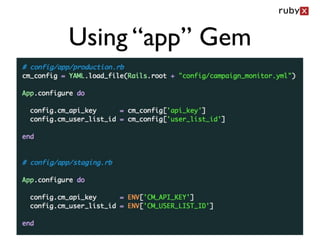
Don’t store passwords in the app
   Use some other data store
Using “app” Gem
Document It


Update that README file!
Fast Page == Happy Client
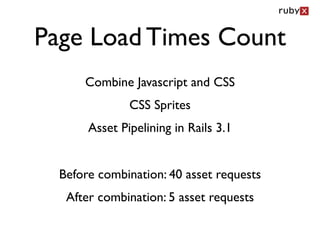
Page Load Times Count
      Combine Javascript and CSS
               CSS Sprites
       Asset Pipelining in Rails 3.1


  Before combination: 40 asset requests
   After combination: 5 asset requests
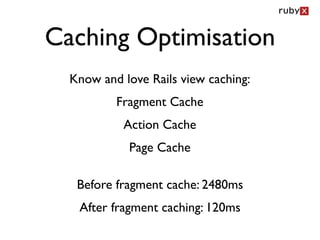
Caching Optimisation
  Know and love Rails view caching:
          Fragment Cache
           Action Cache
            Page Cache

   Before fragment cache: 2480ms
   After fragment caching: 120ms
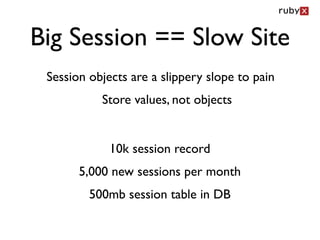
Big Session == Slow Site
 Session objects are a slippery slope to pain
           Store values, not objects


             10k session record
       5,000 new sessions per month
         500mb session table in DB
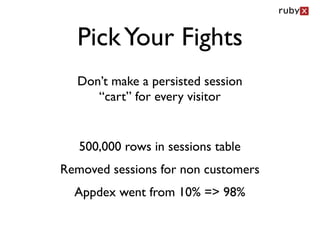
Pick Your Fights
  Don’t make a persisted session
     “cart” for every visitor


   500,000 rows in sessions table
Removed sessions for non customers
  Appdex went from 10% => 98%
Opinions Matter
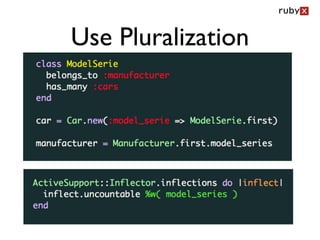
Use Pluralization
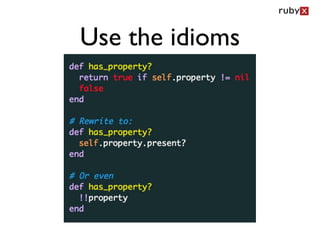
Use the idioms
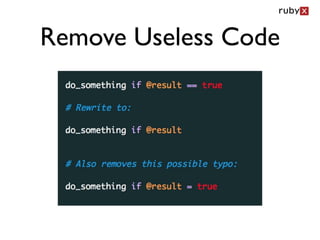
Remove Useless Code
Being Smart can be Stupid
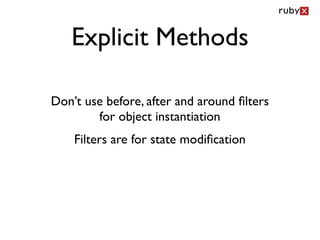
Explicit Methods

Don’t use before, after and around filters
        for object instantiation
    Filters are for state modification
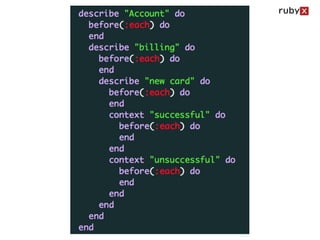
Keep Tests Simple


Computers are good at nesting
       Humans less so
Use Helpers Instead


before & after should only maintain the test environment

                   Keep tests “wet”
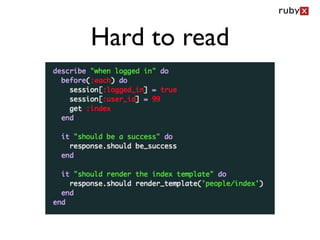
Hard to read
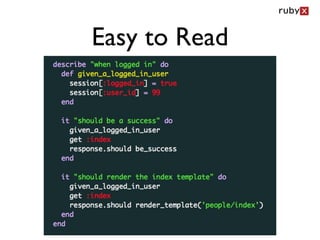
Easy to Read
Simple is better than
     Complex
   What you leave out is almost more
    important than what you put in
Meta Programming has its place, that place
    is probably not in your Rails App
Good Code is Easy to Read

  Good code might be non trivial to implement
      But should be trivial to understand.
         The more bad code you have,
        the closer you are to a rewrite
Reinvention is
 Over Rated
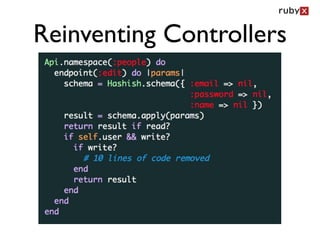
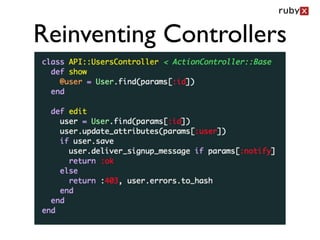
Reinventing Controllers
Use the right tool
   for the job
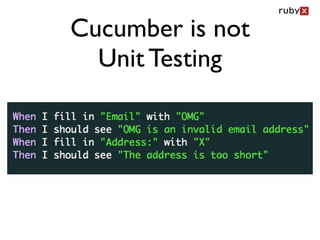
Cucumber is not
  Unit Testing
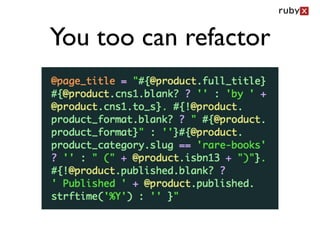
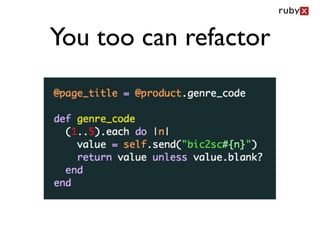
You too can refactor
Read Ruby Docs


Go and read the standard Ruby
    documentation online
Databases have
 feelings too
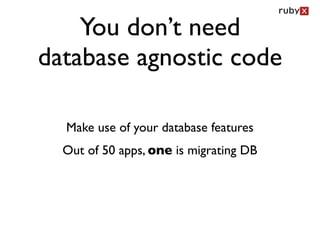
You don’t need
database agnostic code

  Make use of your database features
  Out of 50 apps, one is migrating DB
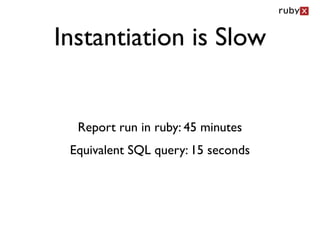
Instantiation is Slow


  Report run in ruby: 45 minutes
 Equivalent SQL query: 15 seconds
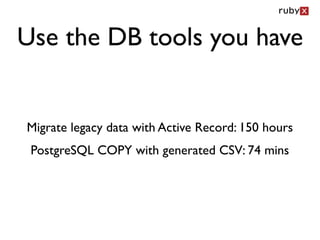
Use the DB tools you have


Migrate legacy data with Active Record: 150 hours
 PostgreSQL COPY with generated CSV: 74 mins
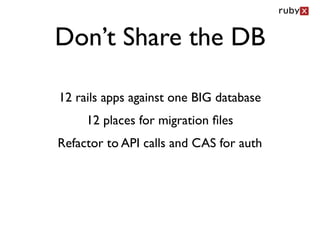
Don’t Share the DB

12 rails apps against one BIG database
     12 places for migration files
Refactor to API calls and CAS for auth
Code has
responsibilities
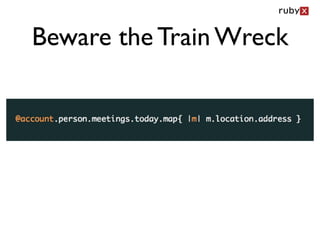
Beware the Train Wreck
Control flow is
   code smell

                DEMO
      (control_flow_demo.rb)
85 line 10 if else statement method
How to stay on track?
Get an Inspection

  Many consultancies do this
      Ask for a sample
    rubyx Inspect Service
  rubyx.com/services/inspect
Maintainable Code
Questions?
      Mikel Lindsaar
        @raasdnil
       rubyx.com
rubyx.com/services/inspect
speakerrate.com/talks/7575
Keeping Rails on the Tracks

Keeping Rails on the Tracks

Editor's Notes

  • #2 \n
  • #3 \n
  • #4 What do I mean by on the rails?\nApps that work and are easy to maintain & bug free\n
  • #5 helped write, rewrite, support or review 40 production rails last 12 months\nreleased a non trivial gem - mail\nmaintained a non trivial gem - tmail\nmade many patches to Rails itself, in the top 20 committers\n
  • #6 This is the one end of the pragmatic scale\nDevs that are paid to “make it work”\ntake the “green light, red light approach” too far.\nIs it running? Yes, therefore it is working - leads to messy code\n\n
  • #7 This is the other end of the pragmatic scale\nDevs that get upset if something doesn’t look right or is not super neat\nTime wasters on large scale projects\nSexy code is nice to have, but often a waste of money\n
  • #8 This is probably the middle ground\nCode that works\nCode that is neat and tidy, but not sacrificing budget for that\nCode that can be maintained\n
  • #9 This is pretty critical to all Rails developers. \n\n
  • #10 \n
  • #11 Touched once a year, or once a month. Refactor the latter\n
  • #12 Internal or External client doesn’t matter\n
  • #13 This has been said by many people - not the first\nNeed to be able to deploy - make it a trivial and repeatable one liner\n\n
  • #14 Much easier to run a chef recipe that you know will work at 3am than remember how to install postgres\n
  • #15 Not specifying versions in the Gemfile leads to future pain\nAt least limit using the ~> control\nLock to your own github fork, and at least specify branch or sha1\nNever “lock” to open versions\nEdge rails in bundler, seriously!?\n
  • #16 capistrano, or ey deploy, or heroku git deploy\n
  • #17 In 6 months you will have no idea what you need to get it working\n
  • #18 \n
  • #19 \n
  • #20 Should be able to open the readme and deploy your app\nInclude authorisation needed (ssh keys on server or whatever)\n
  • #21 \n
  • #22 Trivial in Rails 3.1\nRails 3 and lower, Jammit and other tools\n
  • #23 \n
  • #24 \n
  • #25 row session database store... no fun.\nFile system is just asking for trouble - not scalable\nIf follow previous two advices then overhead is minimal and very scalable\n
  • #26 \n
  • #27 Breaks conventions - hard to code and remember\nSimple fix using inflectors\n
  • #28 \n
  • #29 Less code written == less bugs\n
  • #30 \n
  • #31 Valid uses of filters: timezones, authorization, authentication et al.\nReasons: filters inherit, easy to get lost.\nUse explicit helpers\n
  • #32 We need to see context, as close to content as possible\n
  • #33 \n
  • #34 Don’t use before and after for app related activities\n
  • #35 Especially 2 pages down, where you can’t see the before block\n
  • #36 Easy to read no matter where you are in the test, also less context switching\n
  • #37 Long writing methods better than dynamic if you can get away with it\nMeta programming has it’s place, that place is not\n\n\n
  • #38 \n
  • #39 \n
  • #40 Becomes code smell because you need to relearn simple idioms\n
  • #41 \n
  • #42 \n
  • #43 Making cucumber specs that should be unit tests\n
  • #44 5 level nested ternary INSIDE A STRING - 343 characters, one line\nGood t-shirt print\n
  • #45 \n
  • #46 Array, String, Hash, Ennumerator\n
  • #47 \n
  • #48 Use migrations\nGood for development and testing\nBad for production, get into the SQL and make the DB sing\n
  • #49 Object instantiation is slow\n
  • #50 \n
  • #51 \n
  • #52 \n
  • #53 Trivial example, but valid, train wrecks also can blow up your database\n
  • #54 You can ALWAYS refactor control flow into object messages\nCleaner code, easier to read\nAgain, be pragmatic, and pick your fights\n
  • #55 What do I mean by on the rails?\nApps that work and are easy to maintain & bug free\n
  • #56 \n
  • #57 This is probably the middle ground\nCode that works\nCode that is neat and tidy, but not sacrificing budget for that\nCode that can be maintained\n
  • #58 \n
  • #59 \n