The Lonely Website - website best practices in a social media world
"The Lonely Website - website best practices in a social media world" presented at Social Business Now conference in Mississauga on November 27, 2014 by Brent Kobayashi.
Social Media -Good
• Local businesses succeed on relationships.
• Insanely powerful communications tool.
• one-to-many
• one-to-one
#TheSocialWebsite @brentkobayashi @kobayashionline
7.
Social Media –Bad
• Ownership
• Longevity
• Crowded
#TheSocialWebsite @brentkobayashi @kobayashionline
8.
Your Website -Good
• You own
• Can’t be taken away from you
• Only one voice – yours
#TheSocialWebsite @brentkobayashi @kobayashionline
9.
Your Website -Bad
• Only one voice – yours
• Where do the cool people hang out?
#TheSocialWebsite @brentkobayashi @kobayashionline
10.
Your Website &Social Media
• Social signals
• More human
• Shopper vs. relationship
• Extending (or starting) the conversation
• SEO
#TheSocialWebsite @brentkobayashi @kobayashionline
11.
Socializing your website
• Share buttons
• Follow buttons
• Widgets
• Other
#TheSocialWebsite @brentkobayashi @kobayashionline
12.
Which platforms?
•Twitter
• Facebook
• LinkedIn
• Pinterest
• Other
#TheSocialWebsite @brentkobayashi @kobayashionline
13.
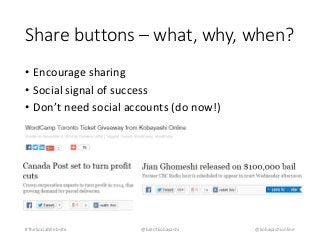
Share buttons –what, why, when?
• Encourage sharing
• Social signal of success
• Don’t need social accounts (do now!)
#TheSocialWebsite @brentkobayashi @kobayashionline
14.
Share buttons –where?
• Add to your blog/news section
• Maybe static pages
• Above the fold… maybe
• At the end of long posts
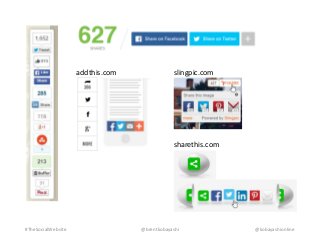
• Some examples
#TheSocialWebsite @brentkobayashi @kobayashionline
Share buttons –how?
• From the social platform
• ShareThis/AddThis/etc.
• Built into your website theme / template?
#TheSocialWebsite @brentkobayashi @kobayashionline
17.
Share buttons –tips
• Use them to share your content
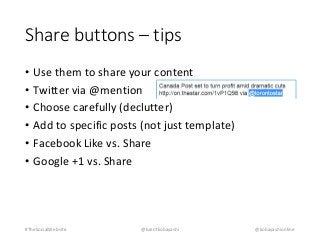
• Twitter via @mention
• Choose carefully (declutter)
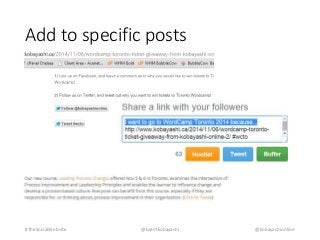
• Add to specific posts (not just template)
• Facebook Like vs. Share
• Google +1 vs. Share
#TheSocialWebsite @brentkobayashi @kobayashionline
18.
Add to specificposts
#TheSocialWebsite @brentkobayashi @kobayashionline
19.
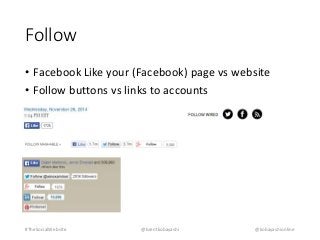
Follow
• FacebookLike your (Facebook) page vs website
• Follow buttons vs links to accounts
#TheSocialWebsite @brentkobayashi @kobayashionline
#11 More human: People would rather talk to “TD Bank Melissa” than “TD Bank”
Extending the conversation: Traffic from website to social & social to website
#16 Socialmediaexaminer.com
Mashable.com (looks like addthis.com widget)
#18 Specific post:
Twitter hashtag / follow: http://www.kobayashi.ca/2014/11/06/wordcamp-toronto-ticket-giveaway-from-kobayashi-online-2/
Pinterest pin button
Like vs. Share
While both buttons allow users to add a comment and tag friends, the Facebook Like button doesn’t allow them to edit the headline, description or thumbnail image.
#20 Link to account if you don’t have many followers
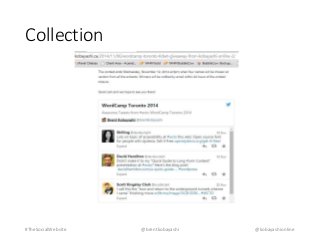
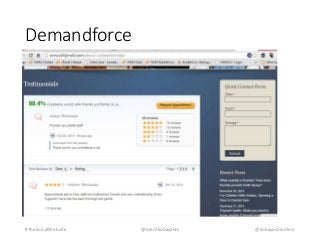
#21 Tip: Testimonials collection for case studies or testimonials page.
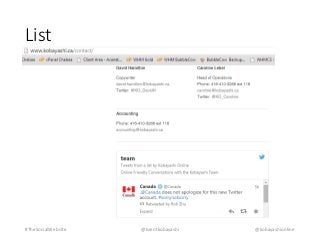
List: http://www.kobayashi.ca/contact/
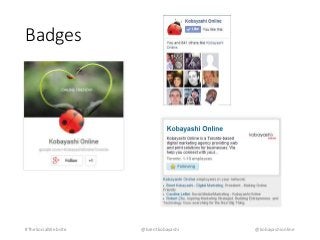
https://developers.google.com/+/web/badge/
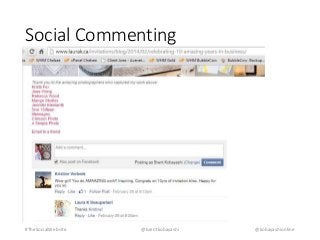
#27 Social commenting: http://www.laurak.ca/invitations/blog/2014/02/celebrating-10-amazing-years-in-business/