Google Apps forBusiness Sales Workshop
Sprint University — August 2014
2.
● Introductions
● GooglePlus
● Google Apps for Business review
● 3 Use cases
● Pick Top 3 Prospects
● Top objections and responses
● Why Sprint
● Wrap Up
02
Agenda
Time - 2 hours
3.
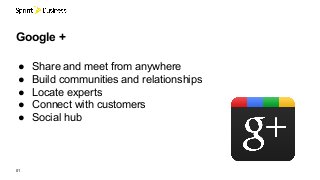
● Share andmeet from anywhere
● Build communities and relationships
● Locate experts
● Connect with customers
● Social hub
01
Google +
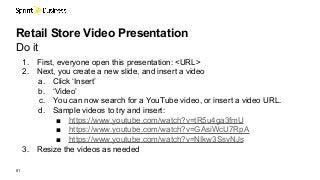
1. First, everyoneopen this presentation: <URL>
2. Next, you create a new slide, and insert a video
a. Click ‘Insert’
b. ‘Video’
c. You can now search for a YouTube video, or insert a video URL.
d. Sample videos to try and insert:
■ https://www.youtube.com/watch?v=tR5u4ga3fmU
■ https://www.youtube.com/watch?v=GAsiWcU7RpA
■ https://www.youtube.com/watch?v=NIkw3SsvNJs
3. Resize the videos as needed
01
Retail Store Video Presentation
Do it
01
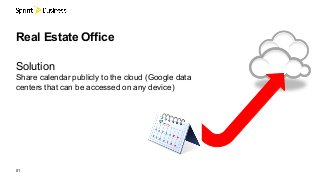
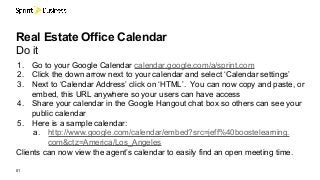
Real Estate OfficeCalendar
Do it
1. Go to your Google Calendar calendar.google.com/a/sprint.com
2. Click the down arrow next to your calendar and select ‘Calendar settings’
3. Next to ‘Calendar Address’ click on ‘HTML’. You can now copy and paste, or
embed, this URL anywhere so your users can have access
4. Share your calendar in the Google Hangout chat box so others can see your
public calendar
5. Here is a sample calendar:
a. http://www.google.com/calendar/embed?src=jeff%40boostelearning.
com&ctz=America/Los_Angeles
Clients can now view the agent’s calendar to easily find an open meeting time.
01
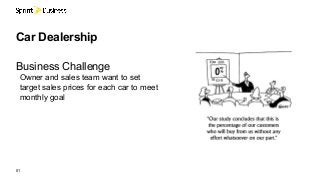
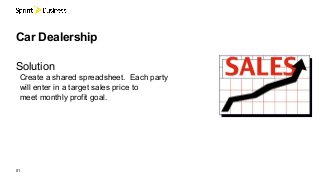
Car Dealership -Shared Data
Do it
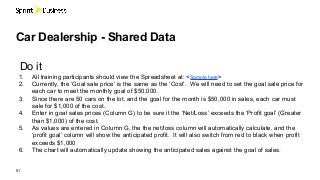
1. All training participants should view the Spreadsheet at: <Sample here>
2. Currently, the ‘Goal sale price’ is the same as the ‘Cost’. We will need to set the goal sale price for
each car to meet the monthly goal of $50,000.
3. Since there are 50 cars on the lot, and the goal for the month is $50,000 in sales, each car must
sale for $1,000 of the cost.
4. Enter in goal sales prices (Column G) to be sure it the ‘Net/Loss’ exceeds the ‘Profit goal’ (Greater
than $1,000) of the cost.
5. As values are entered in Column G, the the net/loss column will automatically calculate, and the
‘profit goal’ column will show the anticipated profit. It will also switch from red to black when profit
exceeds $1,000
6. The chart will automatically update showing the anticipated sales against the goal of sales.
15.
01
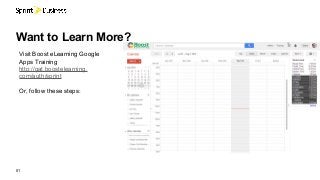
Want to LearnMore?
Visit Boost eLearning Google
Apps Training
http://gat.boostelearning.
com/auth/sprint
Or, follow these steps:
16.
01
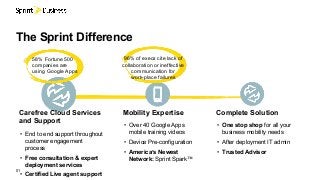
The Sprint Difference
CompleteSolution
• One stop shop for all your
business mobility needs
• After deployment IT admin
• Trusted Advisor
Mobility Expertise
• Over 40 Google Apps
mobile training videos
• Device Pre-configuration
• America’s Newest
Network: Sprint Spark™
Carefree Cloud Services
and Support
• End to end support throughout
customer engagement
process
• Free consultation & expert
deployment services
• Certified Live agent support
58% Fortune 500
companies are
using Google Apps
96% of execs cite lack of
collaboration or ineffective
communication for
work-place failures
Google confidential |Do not distribute
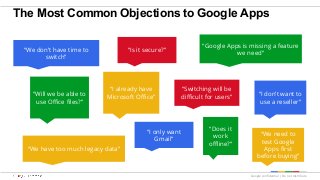
The Most Common Objections to Google Apps
“We don’t have time to
switch”
“I already have
Microsoft Office”
“Google Apps is missing a feature
we need”“Is it secure?”
“I only want
Gmail”
“We have too much legacy data”
“Will we be able to
use Office files?”
“Switching will be
difficult for users”
“Does it
work
offline?”
“We need to
test Google
Apps first
before buying”
“I don’t want to
use a reseller”
19.
Google confidential |Do not distribute
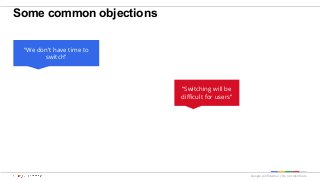
Some common objections
“We don’t have time to
switch”
“Switching will be
difficult for users”
20.
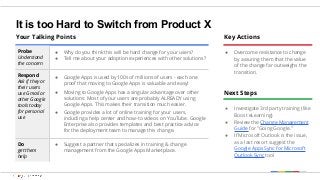
It is tooHard to Switch from Product X
Your Talking Points
Probe
Understand
the concern
● Why do you think this will be hard change for your users?
● Tell me about your adoption experiences with other solutions?
Respond
Ask if they or
their users
use Gmail or
other Google
tools today
for personal
use
● Google Apps is used by 100s of millions of users - each one
proof that moving to Google Apps is valuable and easy!
● Moving to Google Apps has a singular advantage over other
solutions: Most of your users are probably ALREADY using
Google Apps. This makes their transition much easier.
● Google provides a lot of online training for your users,
including a help center and how-to videos on YouTube. Google
Enterprise also provides templates and best practice advice
for the deployment team to manage this change.
Do
get them
help
● Suggest a partner that specializes in training & change
management from the Google Apps Marketplace.
Key Actions
● Overcome resistance to change
by assuring them that the value
of the change far outweighs the
transition.
Next Steps
● Investigate 3rd party training (like
Boost eLearning)
● Review the Change Management
Guide for "Going Google."
● If Microsoft Outlook is the issue,
as a last resort suggest the
Google Apps Sync for Microsoft
Outlook Sync tool
21.
Google confidential |Do not distribute
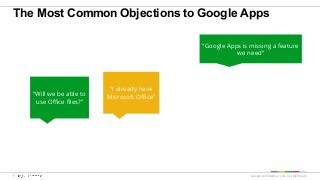
The Most Common Objections to Google Apps
“I already have
Microsoft Office”
“Google Apps is missing a feature
we need”
“Will we be able to
use Office files?”
22.
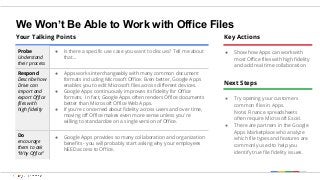
We Won’t BeAble to Work with Office Files
Your Talking Points
Probe
Understand
their process
● Is there a specific use case you want to discuss? Tell me about
that...
Respond
Describe how
Drive can
import and
export Office
files with
high fidelity
● Apps works interchangeably with many common document
formats including Microsoft Office. Even better, Google Apps
enables you to edit Microsoft files across different devices.
● Google Apps continuously improves its fidelity for Office
formats. In fact, Google Apps often renders Office documents
better than Microsoft Office Web Apps.
● If you're concerned about fidelity across users and over time,
moving off Office makes even more sense unless you're
willing to standardize on a single version of Office.
Do
encourage
them to ask
“Why Office”
● Google Apps provides so many collaboration and organization
benefits - you will probably start asking why your employees
NEED access to Office.
Key Actions
● Show how Apps can work with
most Office files with high fidelity
and add real time collaboration
Next Steps
● Try opening your customers
common files in Apps.
Note: Finance spreadsheets
often require Microsoft Excel.
● There are partners in the Google
Apps Marketplace who analyze
which file types and features are
commonly used to help you
identify true file fidelity issues.
23.
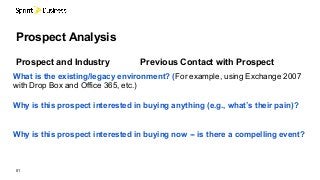
What is theexisting/legacy environment? (For example, using Exchange 2007
with Drop Box and Office 365, etc.)
Why is this prospect interested in buying anything (e.g., what’s their pain)?
Why is this prospect interested in buying now -- is there a compelling event?
01
Prospect Analysis
Prospect and Industry Previous Contact with Prospect