Slideshow transcript
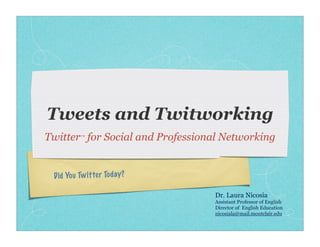
Slide 1: Tweets and Twitworking Twitter™ for Social and Professional Networking Did Yo u Tw itter Tod ay? Dr. Laura Nicosia Assistant Professor of English Director of English Education nicosiala@mail.montclair.edu
Slide 2: Don’t be fooled into thinking that you can’t “DO” technology You are a 21st Century Learner, too!
Slide 3: What is Twitter?
Slide 4: Micro-blogging
Slide 5: Twitter postings are 140 characters or less...
Slide 6: That’s why it’s called a “micro- blog.”
Slide 7: Real-Time Updates
Slide 8: You can update via your cell phone or your computer
Slide 9: Your messages are received & read instantly (IMing) or asynchronously—whenever your friends “tune-in” to their Twitter pages
Slide 10: Asynchronous Chat You can have conversations privately— with one friend directly (DMing)— or with the world (using the Public, Open Timeline).
Slide 11: Linking people & URLs
Slide 12: Teaching can be isolating... unless we connect & network
Slide 13: With Twitter, You’re Never Alone!
Slide 14: Social Networking Sites
Slide 15: You make a request in the form of a Tweet...
Slide 16: Within minutes, your request receives answers!
Slide 17: Here’s a partial shot of my friend panel You can invite friends, if you want to link your email address book to the Twitter database. You can search for names of your friends by using the Search function.
Slide 18: Whenever you have an online presence, you are using an AVATAR.
Slide 19: Your avatar & messages are judged by their intrinsic worth & value
Slide 20: So, provide useful* information: Share valuable Offer advice & websites suggestions to colleagues Link to thought- provoking videos on Make someone YouTube laugh Participate in Sympathize professional conversations Drive traffic to your blog (occasionally) Comment on news * NOT entirely self-promoting or spamming
Slide 21: Sometimes, all we need is for someone to understand what we do.
Slide 22: On a more pragmatic note, however...
Slide 23: Archiving links & messages
Slide 24: You “star” the Tweets you want to keep & to find easily.
Slide 25: So—what’s the big deal?! Your Writing Becomes: Brief Clear Condensed Pithy
Slide 27: News Agencies Use Twitter You can receive up-to-the-minute news... an d even te ch no lo gy in fo rm at io n!
Slide 28: Twitter & Google have partnered (aka a mash-up) to cover the Presidential Primaries
Slide 29: You can even use Twitter in, for & with your classes. . .
Slide 30: There are versions for use with minors
Slide 32: Libraries & library services use Twitter, too!
Slide 34: You can even offer 1-question quizzes, short answers or extra credit questions using Twitter.
Slide 36: You can use Twitter to teach creative writing in round-robin storytelling fashion
Slide 38: Even The Chronicle of Higher Education Has Covered Twitter: Here’s a video clip from The Chronicle: Here’s another from Common Craft:
Slide 39: Questions? I’m open to questions, comments, concerns. Would you like to create a Twitter page?
Slide 40: Thank you! Dr. Laura Nicosia English Department Montclair State University nicosiala@mail.montclair.edu


Add a comment on Slide 1
If you have a SlideShare account, login to comment; else you can comment as a guest- Favorites & Groups
Showing 1-50 of 1 (more)