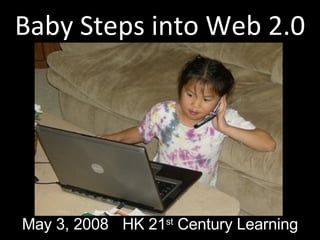
Baby Steps into Web 2.0: Wikis & RSS

Loading...

Flash Player 9 (or above) is needed to view presentations.
We have detected that you do not have it on your computer. To install it, go here.

22 comments

Comments 1 - 10 of 22 previous next Post a comment

  • + jeffreygenehk Jeff P 2 years ago
    This is just the start of the rabbit hole…it gets a LOT deeper from here on.
  • + jeffreygenehk Jeff P 2 years ago
    Again, you can try this out by going to the wikispace. I’ve set up another set of links that should help you get in the right direction.
  • + jeffreygenehk Jeff P 2 years ago
    What’s out there? What do I read?
  • + jeffreygenehk Jeff P 2 years ago
    Three – Subscribe to the blog!

    You do this in different ways depending on the Reader you are using.
  • + jeffreygenehk Jeff P 2 years ago
    Two – look for great blogs.
  • + jeffreygenehk Jeff P 2 years ago
    One – get a “reader”.

    I suggest Google Reader – it’s devoted to this sort of task and does a great job of it.
  • + jeffreygenehk Jeff P 2 years ago
    It’s REALLY NOT HARD.

    It’s called “simple” for a reason.

    But there are a few key steps to remember.
  • + jeffreygenehk Jeff P 2 years ago
    Here is a screenshot of my reader – you can view everything that you subscribe to on one page.
  • + jeffreygenehk Jeff P 2 years ago
    But with RSS, you can have all of these sites send their new articles directly to you, to your “reader”. There’s one site that all of the new articles get sent to, immediately.
  • + jeffreygenehk Jeff P 2 years ago
    Without RSS, we need to go to each person’s website and load up their page to see if there is anything new. This can be really frustrating – because how do you know when Ana has been at a computer and had time to write an update?

Comments 1 - 10 of 22 previous next

Post a comment
Embed Video
Edit your comment Cancel

Notes on slide 1

  Introduction: I am NOT an expert! I’ve just taken a few baby steps in the right direction. Goals for the session: this will probably not go right into your classroom. I’d suggest that you NOT use anything you learn in my session in your classes on Monday. You need to give yourself time to learn these tools before you use them with your students.   Structure: ten minutes to explain the two key baby steps, then time to learn about wikis and RSS. There will be lots of time for you to use the tools yourself.   If you already know what wikis & RSS readers are and how to use them, this may feel a bit too slow. If that’s the case, I encourage you to do the following: +Spend the time that is meant for learning these new technologies pursuing your own questions about wikis & RSS. +Reflect with me as I try to present these technologies in a safe non-threatening way. How can we best teach our colleagues how to use these new technologies?

1 Favorite

Baby Steps into Web 2.0: Wikis & RSS - Presentation Transcript

  1. Baby Steps into Web 2.0 May 3, 2008 HK 21 st Century Learning
  2. Baby Step One
  3. Café Zambra, Wan Chai
  4. Baby Step Two
  5.  
  6.  
  7. Quick Write What do I already know about wikis and RSS / blogs? What questions do I have about them?
  8. Wiki “ A wiki is a collection of web pages designed to enable anyone who accesses it to contribute or modify content.”
  9. web2babysteps.wikispaces.com/wikis
  10. RSS REALLY SIMPLE SYNDICATION
  11.  
  12.  
  13.  
  14.  
  15. A Reader
  16. Procedure
  17. 1
  18. 2
  19. 3
  20. In my reader… Education………………16 Procrastination………….8 Friends………………….11 HK…………………..……3 Tech………………….......5
  21. web2babysteps.wikispaces.com/RSS
  22.  
  23. Sources
    • Direct Quotes:
      • http://en.wikipedia.org/wiki/Digital_native
      • http://en.wikipedia.org/wiki/Wiki
      • www.speedofcreativity.org/2008/03/29/developmentally-appropriate-technology-integration-pd
    • Translation help:
      • Karen Ip, Ellie Lee
      • The ISF Academy
  24. Image Sources
    • http://www.wikipedia.org/
    • http://www.google.com/reader/
    • http://my.yahoo.com/
    • http://blog.mrmeyer.com/
    • http://www.bloglines.com/
    • http://img267.imageshack.us/img267/6614/newrssxmlfeediconri2.png
    • http://thefischbowl.blogspot.com/2007/10/digital-native-photo-of-day.html
    • http://www.flickr.com/photos/51303347@N00/18787680
    • http://www.amazon.com/Sandcastles-Made-Simple-Step-Step/dp/1584794089?ie=UTF8&s=books&qid=1182179258&sr=8-1
    • http://www.amazon.com/Day-Beach-Absolutely-Successfully-Memories/dp/0974396702?ie=UTF8&s=books&qid=1182179258&sr=8-3
    • http://www.colewiebe.com/blog/wp-content/uploads/2007/10/sandbox.jpg
    • http://www.flickr.com/photos/67551917@N00/287906142
    • http://apaceofchange.edublogs.org/ http://appetiteforchina.com/ http://mrjam.typepad.com/
    • http://www.travelblog.org/Bloggers/DnA/
    • http://www.flickr.com/photos/77476789@N00/1341659182
    • http://www.alice-in-wonderland.net/alicepic/disney-movie/alice-in-front-of-rabbit-hole.jpg
  25. Inspiration
    • Karl Fisch
    • Wes Fryer
    • Dan Meyer
  26. Inspiration And, you! Thanks for listening.
  27. I would appreciate comments on the handouts, website, slideshow, workshop structure, and any general thoughts on how this workshop was useful for you.
  28. Go to my website to share comments on this: http://jpinhk.blogspot.com/ Or just email me: jpierce “at” isf.edu.hk

+ Jeff PJeff P, 2 years ago

custom

1455 views, 1 favs, 1 embeds more stats

Online version of the slidedeck prepared for the HK more

More info about this document

CC Attribution-NonCommercial-ShareAlike LicenseCC Attribution-NonCommercial-ShareAlike LicenseCC Attribution-NonCommercial-ShareAlike License

Go to text version

  • Total Views 1455
    • 1395 on SlideShare
    • 60 from embeds
  • Comments 22
  • Favorites 1
  • Downloads 24
Most viewed embeds
  • 60 views on http://jpinhk.blogspot.com

more

All embeds
  • 60 views on http://jpinhk.blogspot.com

less

Flagged as inappropriate Flag as inappropriate
Flag as inappropriate

Select your reason for flagging this presentation as inappropriate. If needed, use the feedback form to let us know more details.

Cancel
File a copyright complaint
Having problems? Go to our helpdesk?

Categories