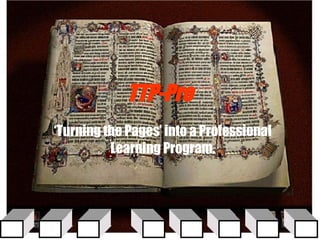
Turning the Pages "TTP Pro Proposal"

Loading...

Flash Player 9 (or above) is needed to view presentations.
We have detected that you do not have it on your computer. To install it, go here.

0 comments

Post a comment

    Post a comment
    Embed Video
    Edit your comment Cancel

    Favorites, Groups & Events

    Turning the Pages "TTP Pro Proposal" - Presentation Transcript

    1. TTP-Pro ‘ Turning the Pages’ into a Professional Learning Program.
    2. Q&A of TTP-Pro “TTP is alluring, lets now make it intelligent.”
      • What is the difference between TTP and TTP-Pro ?
        • TTP is a exhibit, TTP-Pro is a Learning Environment.
      • Why develop TTP into a Professional Learning Environment?
        • Usability Report: “I think it is fascinating, from anybody’s point of view it’s wonderful, for the kids at school it’s all there, they can do it in their home… at university stage, you’re not all having to go through the same books, you have your own reference library”
        • It uses common “every-day” tools of the internet to create an environment rich in: Dialogue, Resources, Artefacts, Contexts, Communities, and more.
      • Who is TTP-Pro for:
        • Students (GCSE and A level Learners)
        • University and Higher Education
        • Scholars and Lifelong Learners
      • How will TTP-Pro work, where others have failed?
        • The most up-to-date learning technology in one platform .
        • Creation of a Learning Community via Traditional Learning Methods and Virtual Learning Tools i.e. a Hybrid/Blended Learning Environment.
        • TTP-Pro is a complete resource: New Media, Learning, Library, etc.
      • Menu: User Level Log-On, Mobile Learning, Online Tests/Quizzes…
      • Magnify – “Hotspots”
      • Audio / Video
      • Text: transcribe, translate, bibliography…
      • Static Resources: BL catalogues & vortals
      • External Hyperlinks, metadata KW search
      • Dialog: IM, Chat Room, Discussion Board
      • TTP in Context, ‘Meet the Book’
      TTP-Pro Virtual Learning Tools: “ Creating: Context, Community, Dialog and Artefacts”
    3. TTP-Pro Learning Scenario “It is not enough to just have a bunch of buttons” A Hybrid Learning Environment
    4. Step 1: Magnify and Hotspot Text
      • Magnify – “Hotspots”
      • Menu: User Level Log-On
      Using TTP-Pro
    5. Step 2:Choose Resource Lorum ipsom dolar est. vit para est un futura de aprender. Vini vidi vici. E tu brute .
      • Magnify – “Hotspots”
      • Video / Audio
      • Text: transcribe, translate, bibliography…
      • Static Resources: BL catalogues & site
      • External Hyperlinks, metadata KW search.
    6. Step 3: Pop-Up Window Video
    7. Step 4: Choose Dialog Audio / Video
      • Contribute: Instant Messaging (IM)
      IM: S1: I found… T: Good, go to…
    8. Step 5: Once again into the breach…
    9. What TTP-Pro Can Do:
      • The engaging allurement of TTP as an exhibit
      • Psychosocial interaction via a Traditional Learning Community.
      • Generational adaptation: I-Pod, txt message, videogame strategy…
      • Numerous Virtual Learning Tools enable an organic growth process
      • A learning scenario that reflects a real-world working environment.
      • Multiple historical, social & learning contexts that continually change.
      • Traditional and virtual learning tools in a seamless learning platform .
      • Dialogue is amplified in VLC by TLC, and vice versa.
      • Discovery based learning, as opposed to didactic learning.
      • Learning at any level: GCSE, A Level, HE, FE, Lifetime Learning.
      • The British Library creates the first fully interactive scholarly resource.
      TTP + VLT TLC = TTP-Pro
    10. Where this is going…
      • Sept. of 2004 will see the first UK all digital College, with all year 7 and year 11 students receiving laptops and all classrooms equipped with Smartboards (St. Paul’s Catholic College, Burgess Hill).
      • The majority of Universities in Japan and the US have already fully integrated all classrooms for interactive learning, European Information Acts and Universities are quickly following.
      • Budgets are being expanded for all learning demographics (GCSE, A Level, HE, FE, LL) to incorporate additional e-learning tools.
      • TTP-Pro can be customised to instruct any of the above demographics, thereby making it a sellable product, a Professional ‘Turning the Pages.

    + David F. FlandersDavid F. Flanders, 2 years ago

    custom

    298 views, 0 favs, 0 embeds more stats

    From my original pitch to the BL (on behalf of Arma more

    More info about this document

    © All Rights Reserved

    Go to text version

    • Total Views 298
      • 298 on SlideShare
      • 0 from embeds
    • Comments 0
    • Favorites 0
    • Downloads 1
    Most viewed embeds

    more

    All embeds

    less

    Flagged as inappropriate Flag as inappropriate
    Flag as inappropriate

    Select your reason for flagging this presentation as inappropriate. If needed, use the feedback form to let us know more details.

    Cancel
    File a copyright complaint
    Having problems? Go to our helpdesk?

    Categories